

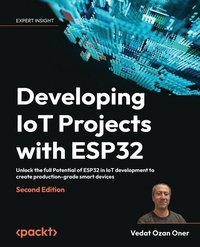
Developing IoT Projects with ESP32
Beschreibung
- Customize solutions, take them to cloud, visualize real-time data, implement security features
- Practice using a variety of hands-on projects such as an audio player, smart home, and more
Book DescriptionESP32, a low-cost and energy-efficient system-on-a-chip microcontroller, has become the backbone of numerous WiFi devices, fueling IoT innovation. This book offers a holistic approach to building an IoT system from the ground up, ensuring secure data communication from sensors to cloud platforms, empowering you to create production-grade IoT solutions using the ESP32 SoC. Starting with IoT essentials supported by real-world use cases, this book takes you through the entire process of constructing an IoT device using ESP32. Each chapter introduces new dimensions to your IoT applications, covering sensor communication, the integration of prominent IoT libraries like LittleFS and LVGL, connectivity options via WiFi, security measures, cloud integration, and the visualization of real-time data using Grafana. Furthermore, a dedicated section explores AI/ML for embedded systems, guiding you through building and running ML applications with tinyML and ESP32-S3 to create state-of-the-art embedded products. This book adopts a hands-on approach, ensuring you can start building IoT solutions right from the beginning. Towards the end of the book, you'll tackle a full-scale Smart Home project, applying all the techniques you've learned in real-time. Embark on your journey to build secure, production-grade IoT systems with ESP32 today!What you will learn - Explore ESP32 with IDE and debugging tools for effective IoT creation
- Drive GPIO, I2C, multimedia, and storage for seamless integration of external devices
- Utilize handy IoT libraries to enhance your ESP32 projects
- Manage WiFi like a pro with STA & AP modes, provisioning, and ESP Rainmaker framework features
- Ensure robust IoT security with secure boot and OTA firmware updates
- Harness AWS IoT for data handling and achieve stunning visualization using Grafana
- Enhance your projects with voice capabilities using ESP AFE and Speech Recognition
- Innovate with tinyML on ESP32-S3 and the Edge Impulse platform
Who this book is forIf you are an embedded software developer, an IoT software architect or developer, a technologist, or anyone who wants to learn how to use ESP32 and its applications, this book is for you. A basic understanding of embedded systems, programming, networking, and cloud computing concepts is necessary to get started with the book.
Alle Preise
Weitere Details
Weitere Ausgaben
Inhalt
- Cover
- Copyright
- Contributors
- Table of Contents
- Preface
- Chapter 1: Introduction to IoT development and the ESP32 platform
- Technical requirements
- Understanding the basic structure of IoT solutions
- IoT security
- The ESP32 product family
- ESP32 series
- Other SoCs
- Development platforms and frameworks
- RTOS options
- Summary
- Chapter 2: Understanding theDevelopment Tools
- Technical requirements
- ESP-IDF
- The first application
- ESP-IDF Terminal
- PlatformIO
- Hello world with PlatformIO
- PlatformIO Terminal
- FreeRTOS
- Creating the producer-consumer project
- Coding application
- Running the application
- Debugging
- Unit testing
- Creating a project
- Coding the application
- Adding unit tests
- Running unit tests
- Summary
- Questions
- Further reading
- Chapter 3: Using ESP32 Peripherals
- Technical requirements
- Driving General-Purpose Input/Output (GPIO)
- Turning an LED on/off by using a button
- Creating a project
- Coding the application
- Troubleshooting
- Interfacing with sensors over Inter-Integrated Circuit (I2C)
- Developing a multisensor application
- Creating a project
- Coding the application
- Troubleshooting
- Integrating with SD cards over Serial Peripheral Interface (SPI)
- Adding SD card storage
- Creating the project
- Coding the application
- Testing the application
- Troubleshooting
- Audio output over Inter-IC Sound (I²S)
- Developing a simple audio player
- Coding the application
- Testing the application
- Developing graphical user interfaces on Liquid-Crystal Display (LCD)
- A simple graphical user interface (GUI) on ESP32
- Creating the project
- Coding the application
- Testing the application
- Summary
- Questions
- Further reading
- Chapter 4: Employing Third-Party Libraries in ESP32 Projects
- Technical requirements
- LittleFS
- Creating a project
- Coding the application
- Testing the application
- Nlohmann-JSON
- Creating a project
- Coding the application
- Testing the application
- Miniz
- Creating a project
- Coding the project
- Testing the application
- FlatBuffers
- Creating a project
- Coding the application
- Testing the application
- LVGL
- Designing the GUI
- Creating a project
- Coding the application
- Testing the application
- ESP-IDF Components library
- Espressif frameworks and libraries
- Summary
- Questions
- Chapter 5: Project - Audio Player
- Technical requirements
- The feature list of the audio player
- Solution architecture
- Developing the project
- Designing the GUI
- Creating the IDF project
- Coding the application
- Testing the Project
- New features
- Troubleshooting
- Summary
- Chapter 6: Using Wi-Fi Communication for Connectivity
- Technical requirements
- Connecting to local Wi-Fi
- Creating a project
- Coding the application
- Testing the application
- Troubleshooting
- Provisioning ESP32 on a Wi-Fi network
- Creating a project
- Coding the application
- Testing application
- Troubleshooting
- Communicating over MQTT
- Installing the MQTT broker
- Creating a project
- Coding the application
- Testing the application
- Troubleshooting
- Running a RESTful server on ESP32
- Creating the project
- Coding the application
- Testing the application
- Consuming RESTful services
- Creating the project
- Coding the application
- Testing the application
- Troubleshooting
- Summary
- Questions
- Further reading
- Chapter 7: ESP32 Security Features for Production-Grade Devices
- Technical requirements
- ESP32 security features
- Secure Boot v1
- Secure Boot v2
- Digital Signature (DS)
- ESP Privilege Separation
- Over-the-air updates
- Upgrading firmware from an HTTPS server
- Preparing the server
- Creating a project
- Coding the application
- Testing the application
- Troubleshooting
- Utilizing RainMaker for OTA updates
- Configuring RainMaker
- Creating a project
- Coding the application
- Testing the application
- Troubleshooting
- Sharing data over secure MQTT
- Creating a project
- Coding the application
- Testing the application
- Troubleshooting
- Summary
- Questions
- Further reading
- Chapter 8: Connecting to Cloud Platforms and Using Services
- Technical requirements
- Developing on AWS IoT
- Hardware setup
- Creating an AWS IoT thing
- Configuring a project
- Coding the application
- Testing the application
- Troubleshooting
- Visualizing with Grafana
- Creating a Timestream database
- Creating a Grafana workspace
- Creating a Grafana dashboard
- Troubleshooting
- Integrating an ESP32 device with Amazon Alexa
- Updating the thing shadow
- Creating the lambda handler
- Coding the lambda handler
- Creating the smart home skill
- Troubleshooting
- Summary
- Questions
- Further reading
- Chapter 9: Project - Smart Home
- Technical requirements
- The feature list of the smart home solution
- Solution architecture
- Setting up plug hardware
- Setting up multisensor hardware
- Software architecture
- Implementation
- Preparing common libraries
- Creating IDF component
- Coding IDF component
- Developing plug
- Adding plug node
- Coding application
- Developing multisensor
- Adding sensor node
- Adding a GUI
- Coding the application
- Testing project
- Testing plug
- Testing the multisensor application
- Using smart home features
- Troubleshooting
- New features
- Summary
- Chapter 10: Machine Learning with ESP32
- Technical requirements
- Learning the ML basics
- ML approaches to solve computing problems
- Supervised learning
- Unsupervised learning
- Reinforced learning
- TinyML pipeline
- Data collection and preprocessing
- Designing and training a model
- Optimizing and preparing the model for deployment
- Running inference on an IoT device
- Running inference on ESP32
- Creating the project
- Coding the application
- Testing the application
- Developing a speech recognition application
- Creating the project
- Coding the application
- Testing the application
- Troubleshooting
- Summary
- Questions
- Further reading
- Chapter 11: Developing on Edge Impulse
- Technical requirements
- An overview of Edge Impulse
- Cloning an Edge Impulse project
- Using the ML model on ESP32
- The model library
- The application code
- Testing the application
- Troubleshooting
- Next steps for TinyML development
- The Netron app
- tinyML Foundation
- ONNX format
- Project ideas
- Image processing with ESP32-S3-EYE
- Anomaly detection
- Summary
- Questions
- Further reading
- Chapter 12: Project - Baby Monitor
- Technical requirements
- The feature list of the baby monitor
- Solution architecture
- Implementation
- Generating the ML model
- Creating an IDF project
- Developing the application
- Testing the project
- Troubleshooting
- New features
- Summary
- Answers
- PacktPage
- Other Books You May Enjoy
- Index
Preface
It has been a long time since the first Internet of Things (IoT) devices entered our lives, and now they are helping us in many ways. We have smart TVs, voice assistants, connected appliances at home, or Industrial IoT (IIoT) devices being used in the transportation, healthcare, agriculture, and energy sectors - virtually everywhere. The new generation has been growing up with this technology and using IoT devices effectively (my 3-year-old daughter's music box, for example, is an Echo device). Furthermore, new IoT products are introduced on the market every day with novel features or improved capabilities.
We all appreciate how fast technology is changing. It is hard for everybody to keep up with all those changes: technology manufacturers, technology consumers, and, in between them, people like us - IoT developers that make technology available to consumers. Since the 1st edition of this book, Espressif Systems has added many chips to their portfolio in response to market needs. For instance, we see the single-core ESP32-C family of System-on-Chip (SoC) devices with RISC-V architecture. They have a reduced set of capabilities and memory but are much cheaper compared to the first ESP32. There is also the ESP32-S family as a new branch of the original ESP32 SoCs with more capabilities and peripherals to support Artificial Intelligence-of-Things (AIoT) solutions. On top of hardware, we see state-of-the-art frameworks and libraries that enable us to use those SoCs in different types of applications. In this book, I've tried to cover them from a bit of a different perspective in addition to the basics of ESP32 development as a starting point.
There are several key differences between the first edition and this one. First of all, the examples of this edition are developed in C++ by employing ESP-IDF, compared to the C programming language and the PlatformIO environment in the first edition. We will also use different development kits from Espressif Systems in this edition, which makes hardware setup easier in some examples. In terms of content, we will discuss machine learning on ESP32 with hands-on projects, but the Bluetooth/BLE topics have been excluded from the book and some others have been condensed to make room for the machine learning examples. A noteworthy addition that I expect you would find interesting in this edition is the exploration of integration with third-party libraries. In the relevant chapter, various methods of incorporating third-party libraries into ESP32 projects will be discussed.
This doesn't mean the 1st edition is now obsolete. On the contrary, it is still perfectly valid if you are new to IoT with ESP32. With this edition of the book, we have a chance to discuss the subjects where the 1st edition With this edition of the book, we have a chance to discuss in detail about the emerging new technology in terms of new technology. I really enjoyed preparing the examples for this book, and I hope you enjoy them, too. I want to share a wise quote from a distinguished historian and women's rights activist, Mary Ritter Beard, before delving into the topics.
"Action without study is fatal. Study without action is futile."
- Mary Ritter Beard
Who this book is for
This book is targeted at embedded software developers, IoT software architects/developers, and technologists who want to learn how to employ ESP32 effectively in their IoT projects.
What this book covers
Chapter 1, Introduction to IoT Development and the ESP32 Platform, discusses IoT technology in general and introduces the ESP32 platform in terms of both hardware and software.
Chapter 2, Understanding the Development Tools, talks about the popular development environments ESP-IDF and PlatformIO, and teaches you how to utilize the toolchain to develop and test ESP32 applications.
Chapter 3, Using ESP32 Peripherals, gives practical examples of integrating with sensors and actuators by interfacing with common ESP32 peripherals, including audio and graphics.
Chapter 4, Employing Third-Party Libraries in ESP32 Projects, talks about different methods of importing third-party libraries with examples. LVGL is one of the libraries discussed in this chapter.
Chapter 5, Project - Audio Player, is the first reference project in the book with audio, graphics, and button interactions to engage its users.
Chapter 6, Using Wi-Fi Communication for Connectivity, shows how to communicate over different application layer protocols, such as MQTT and REST, after connecting to a local Wi-Fi network.
Chapter 7, ESP32 Security Features for Production-Grade Devices, explores the security features of ESP32 by giving examples of secure firmware updates and secure communication techniques. ESP RainMaker is the IoT platform that provides the backend services in the examples.
Chapter 8, Connecting to Cloud Platforms and Using Services, explains how to pass data to AWS IoT Core and visualize it on Grafana. Amazon Alexa integration is also covered with a step-by-step project example.
Chapter 9, Project - Smart Home, builds a full-fledged smart home solution on the ESP RainMaker platform to show how different devices can operate together in the same product.
Chapter 10, Machine Learning with ESP32, introduces the basics of machine learning and tinyML on ESP32, and discusses Espressif's machine learning frameworks with a speech recognition example.
Chapter 11, Developing on Edge Impulse, explains how to develop machine learning applications on ESP32 by utilizing the Edge Impulse platform.
Chapter 12, Project - Baby Monitor, is the last project of the book, which shows how to design and develop a connected machine learning product. Edge Impulse and ESP RainMaker are the platforms employed in the project.
To get the most out of this book
The examples are written in modern C++ by using ESP-IDF (the major development framework for ESP32, maintained by Espressif Systems). Therefore, a basic understanding of modem C++ concepts would be beneficial to get a better grasp of the subjects discussed in the book. Although not required, some familiarity with using command-line tools in a terminal window could also help to follow the examples.
I tried to explain all the subjects in the scope of the book in as much detail as possible. Nevertheless, IoT is a vast field to talk about in a single book, so I appended a Further reading section at the end of most of the chapters in case you need some background information. If you find it difficult to follow any of the underlying subjects in a chapter, reading the reference books listed in the Further reading sections will support you in understanding the examples of that specific chapter better.
Download the example code files
The code bundle for the book is hosted on GitHub at https://github.com/PacktPublishing/Developing-IoT-Projects-with-ESP32-2nd-edition. We also have other code bundles from our rich catalog of books and videos available at https://github.com/PacktPublishing/. Check them out!
Download the color images
We also provide a PDF file that has color images of the screenshots/diagrams used in this book. You can download it here: https://packt.link/gbp/9781803237688.
Conventions used
There are a number of text conventions used throughout this book.
CodeInText: Indicates code words in text, database table names, folder names, filenames, file extensions, pathnames, dummy URLs, user input, and Twitter handles. For example: "Mount the downloaded WebStorm-10*.dmg disk image file as another disk in your system."
A block of code is set as follows:
[default] exten => s,1,Dial(Zap/1|30) exten => s,2,Voicemail(u100) exten => s,102,Voicemail(b100) exten => i,1,Voicemail(s0) When we wish to draw your attention to a particular part of a code block, the relevant lines or items are set in bold:
[default] exten => s,1,Dial(Zap/1|30) exten => s,2,Voicemail(u100) exten => s,102,Voicemail(b100) exten => i,1,Voicemail(s0) Any command-line input or output is written as follows:
# cp /usr/src/asterisk-addons/configs/cdr_mysql.conf.sample /etc/asterisk/cdr_mysql.conf Bold: Indicates a new term, an important word, or words that you see on the screen. For instance, words in menus or dialog boxes appear in the text like this. For example: "Select System info from the Administration panel."
Warnings or important notes appear like this.
Tips and tricks appear like this.
Get in touch
Feedback from our readers is...
