

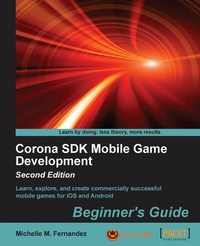
Corona SDK Mobile Game Development- Second Edition
Learn, explore, and create commercially successful mobile games for iOS and Android
1. Auflage
Erschienen am 7. Oktober 2025
372 Seiten
978-1-78355-935-0 (ISBN)
Beschreibung

Key FeaturesBook DescriptionThis book is for anyone who wants to have a go at creating commercially successfully games for Android and iOS. You don't need game development or programming experience.What you will learn - Learn how to script in Lua and get a better understanding of command flow, functions, and objects
- Load images and add a background image to your games
- Apply more functionality to your game using more APIs
- Use sprite sheets and create more complex game logic for the game
- Track your data and save the scores of your games
- Make your game socially aware by sharing messages and scores on Facebook and Twitter
Who this book is for
- Load images and add a background image to your games
- Apply more functionality to your game using more APIs
- Use sprite sheets and create more complex game logic for the game
- Track your data and save the scores of your games
- Make your game socially aware by sharing messages and scores on Facebook and Twitter
Who this book is for
Alle Preise
Weitere Details
Weitere Ausgaben
Andere Ausgaben
Michelle M. Fernandez
Corona SDK Mobile Game Development: Beginner's Guide -
Beginner's Guide - Second Edition
Buch
03/2015
2. Auflage
Packt Publishing
63,60 €
Versand in 3-4 Wochen
Person
M Fernandez Michelle :
contacted on 10 may '16
contacted on 10 may '16
Inhalt
- Intro
- Corona SDK Mobile Game Development Beginner's Guide Second Edition
- Table of Contents
- Corona SDK Mobile Game Development Beginner's Guide Second Edition
- Credits
- About the Author
- About the Reviewers
- www.PacktPub.com
- Support files, eBooks, discount offers, and more
- Why subscribe?
- Free access for Packt account holders
- Preface
- What this book covers
- What you need for this book
- Who this book is for
- Sections
- Time for action - heading
- What just happened?
- Pop quiz - heading
- Have a go hero - heading
- Conventions
- Reader feedback
- Customer support
- Downloading the example code
- Downloading the color images of this book
- Errata
- Piracy
- Questions
- 1. Getting Started with Corona SDK
- Downloading and installing Corona
- Time for action - setting up and activating Corona on Mac OS X
- What just happened?
- Time for action - setting up and activating Corona on Windows
- What just happened?
- Using the simulator on Mac and Windows
- Time for action - viewing a sample project in the simulator
- What just happened?
- Have a go hero - use a different device shell
- Choosing a text editor
- Developing on devices
- Time for action - downloading and installing Xcode
- What just happened?
- Time for action - creating a Hello World application in two lines of code
- Time for action - modifying our application
- Time for action - applying a new font name to our application
- What just happened?
- Have a go hero - adding more text objects
- Testing our application on an iOS device
- Time for action - obtaining the iOS developer certificate
- What just happened?
- Adding iOS devices
- Xcode
- iTunes
- Time for action - adding/registering your iOS device
- Time for action - creating an App ID
- What just happened?
- Provisioning profiles
- Time for action - creating a provisioning profile
- What just happened?
- Application icon
- Creating the Hello World build for iOS
- Time for action - creating an iOS build
- What just happened?
- Time for action - loading an app on your iOS device
- What just happened?
- Testing our application on an Android device
- Creating the Hello World build for Android
- Time for action - creating an Android build
- What just happened?
- Time for action - loading an app on your Android device
- What just happened?
- Pop quiz - understanding Corona
- Summary
- 2. Lua Crash Course and the Corona Framework
- Lua to the rescue
- Valuable variables
- Global variables
- Local variables
- Table fields (properties)
- Assignment conventions
- Types of values
- Time for action - printing values using blocks
- What just happened?
- Expressions
- Arithmetic operators
- Relational operators
- Logical operators
- Concatenation
- The length operator
- Precedence
- Strings
- Quoting strings
- Time for action - getting our hands full of strings
- What just happened?
- Have a go hero - pulling some more strings
- Tables
- Passing a table as an array
- Altering contents in a table
- Populating a table
- Objects
- Display objects
- Display properties
- Object methods
- Images
- Loading an image
- Image autoscaling
- Time for action - placing images on screen
- What just happened?
- Have a go hero - adjusting display object properties
- Runtime configuration
- Dynamic content scaling
- Dynamic content alignment
- Dynamic image resolution
- Frame rate control
- Time for action - scaling display objects on multiple devices
- What just happened?
- Dynamic resolution images
- Time for some shapes
- Applying stroke width, fill color, and stroke color
- Text, text, text
- Applying color and string value
- What are functions?
- Defining a function
- More display functions
- Content size properties
- Optimize your workflow
- Use memory efficiently
- Optimize your display images
- Pop quiz - basics of Lua
- Summary
- 3. Building Our First Game - Breakout
- Breakout - bringing back old-school gaming
- Understanding the Corona physics API
- Setting up the physics world
- Starting, pausing, and stopping the physics engine
- physics.setGravity
- physics.getGravity
- Tilt-based gravity
- physics.setScale
- physics.setDrawMode
- physics.setPositionIterations
- physics.setVelocityIterations
- Configuring the application
- Build configuration
- Time for action - adding the build.settings file
- What just happened?
- Dynamic scaling
- Time for action - adding the config.lua file
- What just happened?
- Building the application
- Displaying groups
- display.newGroup()
- Working with system functions
- system.getInfo()
- system.setAccelerometerInterval()
- Time for action - creating variables for the game
- What just happened?
- Understanding events and listeners
- Register events
- Runtime events
- enterFrame
- Accelerometer
- Touch events
- Touch (single touch)
- tap
- Transitions
- Creating menu screens
- Time for action - adding the main menu screen
- What just happened?
- Have a go hero - creating a help screen
- Creating the game play scene
- Time for action - adding game objects
- What just happened?
- Time for action - building bricks
- What just happened?
- Have a go hero - focused platform gaming
- Red alert!
- Time for action - displaying game messages
- What just happened?
- Pop quiz - building a game
- Summary
- 4. Game Controls
- Moving in the up direction
- Let's get even more physical
- physics.addBody()
- Time for action - starting physics for the paddle and ball
- What just happened?
- Paddle movement
- Time for action - dragging the paddle in the simulator
- What just happened?
- Time for action - moving the paddle with the accelerometer
- What just happened?
- Ball collision with the paddle
- Time for action - making the ball bounce against the paddle
- What just happened?
- Removing objects from the scene
- Variable references
- Brick by brick
- Time for action - removing the bricks
- What just happened?
- Directional changes
- Time for action - updating the ball
- What just happened?
- Transitioning levels
- Time for action - resetting and changing levels
- What just happened?
- Have a go hero -add more levels
- You win some, you lose some
- Time for action -making win and lose conditions
- What just happened?
- Activating event listeners
- Collision events
- Global collision listeners
- Local collision listeners
- Time for action - adding game listeners
- What just happened?
- Have a go hero - let's turn everything upside down
- The results are in!
- Pop quiz - working with game controls
- Summary
- 5. Animating Our Game
- Panda Star Catcher
- Let's get everything moving
- Transitions
- Easing
- The value of timed functions
- Timers
- What are image sheets?
- It's sprite mania!
- Image sheet API
- Game time!
- Time for action - setting up the variables
- What just happened?
- Let's start the round
- Time for action - starting the game
- What just happened?
- Poof! Be gone!
- Time for action - reloading the panda on the stage
- What just happened?
- Earning some points
- Time for action - tracking the score
- What just happened?
- When the game ends
- Time for action - displaying the game over screen
- What just happened?
- Background display
- Time for action - adding the background elements
- What just happened?
- Heads up!
- Time for action - displaying the timer and score
- What just happened?
- Time after time
- Time for action - setting up the timer
- What just happened?
- It's so glowy
- Time for action - making the power shot
- What just happened?
- Pandas!
- Time for action - creating the panda character
- What just happened?
- Starry skies
- Time for action - creating star collisions
- What just happened?
- Have a go hero - tracking the star count
- Screen touches
- Time for action - launching the panda
- What just happened?
- Organizing display objects
- Time for action - reordering layers
- What just happened?
- Creating stars
- Time for action - creating stars in the level
- What just happened?
- Starting the game
- Time for action - initializing the game
- What just happened?
- Pop quiz - animating graphics
- Summary
- 6. Playing Sounds and Music
- Corona audio system
- Sound formats
- Sound filename limitations on Android
- Mono sounds at their best
- Maximum number of simultaneous channels
- Time to play
- audio.loadSound()
- audio.loadStream()
- audio.play()
- Looping
- Simultaneous playback
- Time for action - playing audio
- What just happened?
- Have a go hero - repeating audio with delay
- Time to take control
- audio.stop()
- audio.pause()
- audio.resume()
- audio.rewind()
- Time for action - controlling audio
- What just happened?
- Memory management
- audio.dispose()
- Have a go hero - disposing audio
- Alterations to audio
- Volume control
- audio.setVolume()
- audio.setMinVolume()
- audio.setMaxVolume()
- audio.getVolume()
- audio.getMinVolume()
- audio.getMaxVolume()
- Fading audio
- audio.fade()
- audio.fadeOut()
- Performance tips
- Preloading phase
- audioPlayFrequency
- Patents and royalties
- Pop quiz - all about audio
- Summary
- 7. Physics - Falling Objects
- Creating our new game - Egg Drop
- Starting variables
- Time for action - setting up the variables
- What just happened?
- Controlling the main character
- Time for action - moving the character
- What just happened?
- Have a go hero - adding touch events
- Updating the score
- Time for action - setting the score
- What just happened?
- Displaying the game environment
- Time for action - drawing the background
- What just happened?
- Displaying the heads-up display
- Time for action - designing the HUD
- What just happened?
- Creating the game lives
- Time for action - counting the lives
- What just happened?
- Have a go hero - adding images for the game lives
- Introducing the main character
- Complex body construction
- Time for action - creating the character
- What just happened?
- Adding postcollisions
- Collision handling
- Body properties
- body.isAwake
- body.isBodyActive
- body.isBullet
- body.isSensor
- body.isSleepingAllowed
- body.isFixedRotation
- body.angularVelocity
- body.linearDamping
- body.angularDamping
- body.bodyType
- Time for action - creating the egg collision
- What just happened?
- Making the display objects fall
- Time for action - adding the egg object
- What just happened?
- Time for action - making the egg drop
- What just happened?
- Ending the game play
- Time for action - calling game over
- What just happened?
- Starting the game
- Time for action - activating the game
- What just happened?
- Pop quiz - animating the graphics
- Summary
- 8. Operation Composer
- Continuation of Egg Drop
- Data saving
- BeebeGames class for saving and loading values
- Getting paths to files
- Reading files
- Writing files
- Time for action - saving and loading the high score
- What just happened?
- Pausing the game
- Time for action - pausing the game
- What just happened?
- The Composer API
- Game development with the Composer API
- Time for action - altering the game file
- What just happened?
- Organizing the game
- Time for action - adding the new main.lua file
- What just happened?
- New game transitions
- Time for action - changing screens after the game is over
- What just happened?
- Have a go hero - restarting the game
- Creating a loading screen
- Time for action - adding the loading screen
- What just happened?
- Creating a main menu
- Time for action - adding a main menu
- What just happened?
- Creating an options menu
- Time for action - adding an options menu
- What just happened?
- Creating a credits screen
- Time for action - adding a credits screen
- What just happened?
- Have a go hero - adding more levels
- Pop quiz - game transitions and scenes
- Summary
- 9. Handling Multiple Devices and Networking Your Apps
- Return to configuration
- Build configuration
- Orientation support (iOS)
- Orientation support (Android)
- Version code and version name (Android)
- Application permissions (Android)
- Content scaling on an easier level
- The best of both worlds
- The deeper meaning of dynamic image selection
- High-resolution sprite sheets
- Networking your apps
- Posting to Twitter
- Time for action - adding Twitter to your apps
- What just happened?
- Posting to Facebook
- Time for action - adding Facebook to your apps
- What just happened?
- Facebook Connect
- Time for action - posting scores using Facebook Connect
- What just happened?
- Have a go hero - create a dialog box
- Pop quiz - handling social networks
- Summary
- 10. Optimizing, Testing, and Shipping Your Games
- Understanding memory efficiency
- Graphics
- Group objects
- Turning off animations when they're not being used
- Optimizing image sizes
- Distributing iOS applications
- Prepping your app icons
- Time for action - setting up your distribution certificate and provisioning profile for the App Store
- What just happened?
- iTunes Connect
- Contracts, tax, and banking
- Time for action - managing your application in iTunes Connect
- What just happened?
- Building an iOS application for distribution in Corona
- Time for action - building your application and uploading it to the Application Loader
- What just happened?
- Have a go hero - making a universal iOS build
- The Google Play Store
- Creating launcher icons
- Time for action - signing your app for the Google Play Store
- What just happened?
- Time for action - submitting an app to the Google Play Store
- What just happened?
- Have a go hero - adding more promos
- Pop quiz - publishing applications
- Summary
- 11. Implementing In-App Purchases
- The wonders of In-App Purchase
- Types of In-App Purchases
- Corona's store module
- store.init()
- event.transaction
- store.loadProducts()
- event.products
- event.invalidProducts
- store.canMakePurchases
- store.purchase()
- store.finishTransaction()
- store.restore()
- Create an In-App Purchase
- Time for action - creating the In-App Purchase in iTunes Connect
- What just happened?
- Time for action - using the Corona store module to create an In-App Purchase
- What just happened?
- Have a go hero - handling multiple Product IDs
- Testing In-App Purchases
- User test accounts
- Time for action - testing the In-App Purchase with the Breakout In-App Purchase Demo
- What just happened?
- Have a go hero - using other In-App Purchase types
- Pop quiz - all about In-App Purchases
- Summary
- A. Pop Quiz Answers
- Chapter 1 - Getting Started with Corona SDK
- Pop quiz - understanding Corona
- Chapter 2 - Lua Crash Course and the Corona Framework
- Pop quiz - basics of Lua
- Chapter 3 - Building Our First Game - Breakout
- Pop quiz - building a game
- Chapter 4 - Game Controls
- Pop quiz - working with game controls
- Chapter 5 - Animating Our Game
- Pop quiz - animating graphics
- Chapter 6 - Playing Sounds and Music
- Pop quiz - all about audio
- Chapter 7 - Physics - Falling Objects
- Pop quiz - animating the graphics
- Chapter 8 - Operation Composer
- Pop quiz - game transitions and scenes
- Chapter 9 - Handling Multiple Devices and Networking Your Apps
- Pop quiz - handling social networks
- Chapter 10 - Optimizing, Testing, and Shipping Your Games
- Pop quiz - publishing applications
- Chapter 11 - Implementing In-App Purchases
- Pop quiz - all about In-App Purchases
- Index

