

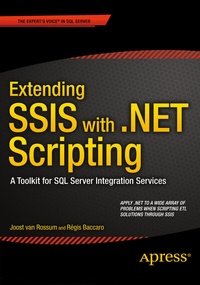
Extending SSIS with .NET Scripting
Beschreibung
Weitere Details
Weitere Ausgaben
Personen
Joost van Rossum is a Data Warehouse / Business Intelligence consultant for 10 years with a focus on the Microsoft SQL Server stack, and especially on SQL Server Integration Services. He speaks and blogs (http://microsoft-ssis.blogspot.com) about SSIS, and he answers and moderates questions in the Integration Services Forum on MSDN. This gives him a lot of knowledge about the problems that SSIS developers encounter during their daily work.
Before his DWH / BI career, van Rossum worked as a developer with JavaScript, VBA, ASP, ASP.Net, C# and VB.NET, and tools like Microsoft Content Management Server and Microsoft SharePoint Portal Server. With this knowledge he knows well how to apply .NET to scripting solutions in SSIS.
Inhalt
Introduction
Part I: Getting Started
Chapter 1: Getting Started with SSIS and Scripting
Chapter 2: Script Tasks vs Script Components
Chapter 3: .NET Fundamentals
Part II: Script Tasks
Chapter 4: Script Task Foundations
Chapter 5: File Properties
Chapter 6: Working Through Internet And Web
Chapter 7: Working with Web Services and XML
Chapter 8: Common Real-World Scenarios with Script Tasks
Part III: Script Component
Chapter 9: Script Component Foundations
Chapter 10: Script Components as a Source
Chapter 11: Script Components as a Transformation
Chapter 12: Script Components as a Destination
Chapter 13: Regular Expressions
Chapter 14: Reflection
Chapter 15: Web Services
Part IV: Custom Tasks and Components
Chapter 16: Create Custom Tasks
Chapter 17: Create Custom Enumerators
Chapter 18: Create Custom Connection Managers
Chapter 19: Create Custom Data Flow Components
Part V: Scripting from .NET Applications
Chapter 20: Package Creation
Chapter 21: Execution and Deployment
Chapter 22: Best Practices
