
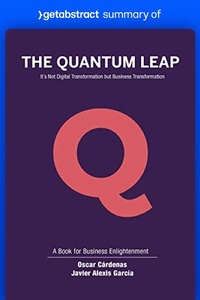
Summary of The Quantum Leap by Oscar Cárdenas and Javier García
Beschreibung
Alles über E-Books | Antworten auf Fragen rund um E-Books, Kopierschutz und Dateiformate finden Sie in unserem Info- & Hilfebereich.
Digital transformation may be the reason your company survives - but a more fundamental business transformation will be the reason it thrives. Indeed, companies that successfully navigate the choppy waters of digital transformation make sure their business models evolve with the technology they use. In succinct, upbeat fashion, Colombian business developers Oscar Cárdenas and Javier Alexis García teach you how to make this "Quantum Leap": using new technologies to keep your business relevant and profitable - and ultimately imbue it with a deeper sense of purpose that serves humanity.
This officially licensed summary of The Quantum Leap was produced by getAbstract, the world's largest provider of book summaries. getAbstract works with hundreds of the best publishers to find and summarize the most relevant content out there. Find out more at getabstract.com.

Weitere Details
Person
Systemvoraussetzungen
Dateiformat: ePUB
Kopierschutz: Adobe-DRM (Digital Rights Management)
Systemvoraussetzungen:
- Computer (Windows; MacOS X; Linux): Installieren Sie bereits vor dem Download die kostenlose Software Adobe Digital Editions (siehe E-Book Hilfe).
- Tablet/Smartphone (Android; iOS): Installieren Sie bereits vor dem Download die kostenlose App Adobe Digital Editions oder die App PocketBook (siehe E-Book Hilfe).
- E-Book-Reader: Bookeen, Kobo, Pocketbook, Sony, Tolino u.v.a.m. (nicht Kindle)
Das Dateiformat ePUB ist sehr gut für Romane und Sachbücher geeignet – also für „fließenden” Text ohne komplexes Layout. Bei E-Readern oder Smartphones passt sich der Zeilen- und Seitenumbruch automatisch den kleinen Displays an.
Mit Adobe-DRM wird hier ein „harter” Kopierschutz verwendet. Wenn die notwendigen Voraussetzungen nicht vorliegen, können Sie das E-Book leider nicht öffnen. Daher müssen Sie bereits vor dem Download Ihre Lese-Hardware vorbereiten.
Bitte beachten Sie: Wir empfehlen Ihnen unbedingt nach Installation der Lese-Software diese mit Ihrer persönlichen Adobe-ID zu autorisieren!
Weitere Informationen finden Sie in unserer E-Book Hilfe.