

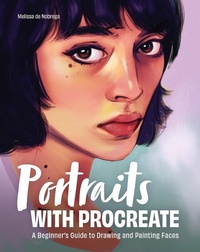
Portraits with Procreate
Beschreibung
Draw and paint amazing digital portraits with Procreate!
Learning to draw and paint portraits is a rewarding, fun, and fulfilling experience for any artist, but it can be a bit overwhelming to simultaneously learn the techniques for drawing faces and the vast array of features and tools that software Procreate offers. If you're seeking to dramatically improve your skills and create amazing portraits, Portraits with Procreate is for you.
Written by artist, illustrator, and designer Melissa de Nobrega, Portraits with Procreate is a knowledge-packed resource for artists wanting to learn how to create digital art with Procreate. By providing helpful demos, step-by-step tutorials, and real-world projects, this book will help you gain a deep understanding of Procreate's interface and tools, anatomy for drawing faces, and drawing and painting techniques for creating beautiful portraits.
The book covers:
After teaching you the basics of Procreate, facial anatomy, and portrait drawing and painting techniques, Melissa brings it all together by working through five complete portrait projects from start to finish. Regardless of your skill level, Portraits with Procreate is a comprehensive guide and excellent resource for artists of all types who want to improve their work and create truly impressive digital portraits.
Table of Contents Chapter 1: Making Digital Art with Procreate Chapter 2: The Basics of Procreate Chapter 3: Anatomy: Features of the Head and Face Chapter 4: Drawing Portraits Chapter 5: Painting Portraits Chapter 6: Portrait Projects Additional ResourcesWeitere Details
Weitere Ausgaben
Inhalt
- Cover
- Title Page
- Copyright
- Dedication
- Contents
- How to Use This Book
- What Is Procreate?
- Digital Versus Traditional Medium
- Tools Required
- The Basics of Procreate
- Understanding Gestures
- Procreate's Interface
- Navigating the Gallery
- Working with Canvases
- Brushes
- Layers
- Layer Blend Modes
- Color Tools
- Selection
- Transform
- Adjustments
- Personalization Settings
- Learning Anatomy
- Structure of the Skull
- Using Landmarks to Draw
- Front View
- ¾ View
- Side View
- Drawing the Head
- Intro to the Eyes
- Drawing Eyes
- Intro to the Nose
- Drawing Noses
- Intro to the Mouth
- Drawing Mouths
- Intro to the Ears
- Drawing Ears
- Putting It All Together
- Getting Set Up
- Should You Draw from Life or from Photos?
- What Makes a Good Reference Photo?
- Where to Find Images
- Setting Up References
- Portraiture Drawing
- Drawing Versus Underdrawing
- Observation: A Crucial First Step
- Method One: Setup and Initial Sketch
- Underdrawing
- Finished Drawing
- Method Two: Freestyle
- Portraiture Painting
- Phase One: Value Painting: All About Values
- Create a Greyscale Palette
- Set Up Your Brushes
- Convert Your Reference
- Create a Value Painting
- Phase Two: Adding Color: The Color Wheel
- Primary Colors
- Helpful Terms
- Choosing Colors
- Limited Palettes
- Gradient Map
- Base Colors
- Color Diversity
- Rendering
- Add Effects
- Share Your Work
- Artwork Breakdown
- Symmetry
- Drawing in a Digital Sketchbook
- Black and White
- Direct to Color
- Index
- About the Author
