

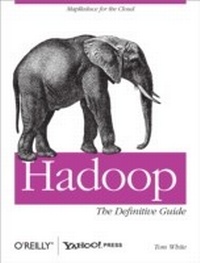
Hadoop: The Definitive Guide
The Definitive Guide
1. Auflage
Erschienen am 29. Mai 2009
528 Seiten
978-0-596-55117-9 (ISBN)
Beschreibung

Hadoop: The Definitive Guide helps you harness the power of your data. Ideal for processing large datasets, the Apache Hadoop framework is an open source implementation of the MapReduce algorithm on which Google built its empire. This comprehensive resource demonstrates how to use Hadoop to build reliable, scalable, distributed systems: programmers will find details for analyzing large datasets, and administrators will learn how to set up and run Hadoop clusters.Complete with case studies that illustrate how Hadoop solves specific problems, this book helps you:Use the Hadoop Distributed File System (HDFS) for storing large datasets, and run distributed computations over those datasets using MapReduceBecome familiar with Hadoop's data and I/O building blocks for compression, data integrity, serialization, and persistenceDiscover common pitfalls and advanced features for writing real-world MapReduce programsDesign, build, and administer a dedicated Hadoop cluster, or run Hadoop in the cloudUse Pig, a high-level query language for large-scale data processingTake advantage of HBase, Hadoop's database for structured and semi-structured dataLearn ZooKeeper, a toolkit of coordination primitives for building distributed systemsIf you have lots of data -- whether it's gigabytes or petabytes -- Hadoop is the perfect solution. Hadoop: The Definitive Guide is the most thorough book available on the subject."e;Now you have the opportunity to learn about Hadoop from a master-not only of the technology, but also of common sense and plain talk."e;-- Doug Cutting, Hadoop Founder, Yahoo!
Weitere Details
Weitere Ausgaben
Nachauflagen
E-Book
03/2015
4. Auflage
O'Reilly
50,99 €
Als Download verfügbar
Andere Ausgaben

Tom White
Hadoop: The Definitive Guide
Buch
07/2009
1. Auflage
O'Reilly
43,00 €
Artikel ist vergriffen; siehe Neuauflage
Inhalt
- Intro
- Table of Contents
- Foreword
- Preface
- Administrative Notes
- What's in This Book?
- Conventions Used in This Book
- Using Code Examples
- Safari® Books Online
- How to Contact Us
- Acknowledgments
- Chapter 1. Meet Hadoop
- Data!
- Data Storage and Analysis
- Comparison with Other Systems
- RDBMS
- Grid Computing
- Volunteer Computing
- A Brief History of Hadoop
- The Apache Hadoop Project
- Chapter 2. MapReduce
- A Weather Dataset
- Data Format
- Analyzing the Data with Unix Tools
- Analyzing the Data with Hadoop
- Map and Reduce
- Java MapReduce
- A test run
- The new Java MapReduce API
- Scaling Out
- Data Flow
- Combiner Functions
- Specifying a combiner function
- Running a Distributed MapReduce Job
- Hadoop Streaming
- Ruby
- Python
- Hadoop Pipes
- Compiling and Running
- Chapter 3. The Hadoop Distributed Filesystem
- The Design of HDFS
- HDFS Concepts
- Blocks
- Namenodes and Datanodes
- The Command-Line Interface
- Basic Filesystem Operations
- Hadoop Filesystems
- Interfaces
- Thrift
- C
- FUSE
- WebDAV
- Other HDFS Interfaces
- The Java Interface
- Reading Data from a Hadoop URL
- Reading Data Using the FileSystem API
- FSDataInputStream
- Writing Data
- FSDataOutputStream
- Directories
- Querying the Filesystem
- File metadata: FileStatus
- Listing files
- File patterns
- PathFilter
- Deleting Data
- Data Flow
- Anatomy of a File Read
- Anatomy of a File Write
- Coherency Model
- Consequences for application design
- Parallel Copying with distcp
- Keeping an HDFS Cluster Balanced
- Hadoop Archives
- Using Hadoop Archives
- Limitations
- Chapter 4. Hadoop I/O
- Data Integrity
- Data Integrity in HDFS
- LocalFileSystem
- ChecksumFileSystem
- Compression
- Codecs
- Compressing and decompressing streams with CompressionCodec
- Inferring CompressionCodecs using CompressionCodecFactory
- Native libraries
- Compression and Input Splits
- Using Compression in MapReduce
- Compressing map output
- Serialization
- The Writable Interface
- WritableComparable and comparators
- Writable Classes
- Writable wrappers for Java primitives
- Text
- BytesWritable
- NullWritable
- ObjectWritable and GenericWritable
- Writable collections
- Implementing a Custom Writable
- Implementing a RawComparator for speed
- Custom comparators
- Serialization Frameworks
- Serialization IDL
- File-Based Data Structures
- SequenceFile
- Writing a SequenceFile
- Reading a SequenceFile
- Displaying a SequenceFile with the command-line interface
- Sorting and merging SequenceFiles
- The SequenceFile Format
- MapFile
- Writing a MapFile
- Reading a MapFile
- Converting a SequenceFile to a MapFile
- Chapter 5. Developing a MapReduce Application
- The Configuration API
- Combining Resources
- Variable Expansion
- Configuring the Development Environment
- Managing Configuration
- GenericOptionsParser, Tool, and ToolRunner
- Writing a Unit Test
- Mapper
- Reducer
- Running Locally on Test Data
- Running a Job in a Local Job Runner
- Fixing the mapper
- Testing the Driver
- Running on a Cluster
- Packaging
- Launching a Job
- The MapReduce Web UI
- The jobtracker page
- The job page
- Retrieving the Results
- Debugging a Job
- The tasks page
- The task details page
- Handling malformed data
- Using a Remote Debugger
- Tuning a Job
- Profiling Tasks
- The HPROF profiler
- Other profilers
- MapReduce Workflows
- Decomposing a Problem into MapReduce Jobs
- Running Dependent Jobs
- Chapter 6. How MapReduce Works
- Anatomy of a MapReduce Job Run
- Job Submission
- Job Initialization
- Task Assignment
- Task Execution
- Streaming and Pipes
- Progress and Status Updates
- Job Completion
- Failures
- Task Failure
- Tasktracker Failure
- Jobtracker Failure
- Job Scheduling
- The Fair Scheduler
- Shuffle and Sort
- The Map Side
- The Reduce Side
- Configuration Tuning
- Task Execution
- Speculative Execution
- Task JVM Reuse
- Skipping Bad Records
- The Task Execution Environment
- Streaming environment variables
- Task side-effect files
- Chapter 7. MapReduce Types and Formats
- MapReduce Types
- The Default MapReduce Job
- The default Streaming job
- Keys and values in Streaming
- Input Formats
- Input Splits and Records
- FileInputFormat
- FileInputFormat input paths
- FileInputFormat input splits
- Small files and CombineFileInputFormat
- Preventing splitting
- File information in the mapper
- Processing a whole file as a record
- Text Input
- TextInputFormat
- KeyValueTextInputFormat
- NLineInputFormat
- XML
- Binary Input
- SequenceFileInputFormat
- SequenceFileAsTextInputFormat
- SequenceFileAsBinaryInputFormat
- Multiple Inputs
- Database Input (and Output)
- Output Formats
- Text Output
- Binary Output
- SequenceFileOutputFormat
- SequenceFileAsBinaryOutputFormat
- MapFileOutputFormat
- Multiple Outputs
- An example: Partitioning data
- MultipleOutputFormat
- MultipleOutputs
- Lazy Output
- Database Output
- Chapter 8. MapReduce Features
- Counters
- Built-in Counters
- User-Defined Java Counters
- Dynamic counters
- Readable counter names
- Retrieving counters
- User-Defined Streaming Counters
- Sorting
- Preparation
- Partial Sort
- An application: Partitioned MapFile lookups
- Total Sort
- Secondary Sort
- Java code
- Streaming
- Joins
- Map-Side Joins
- Reduce-Side Joins
- Side Data Distribution
- Using the Job Configuration
- Distributed Cache
- Usage
- How it works
- The DistributedCache API
- MapReduce Library Classes
- Chapter 9. Setting Up a Hadoop Cluster
- Cluster Specification
- Network Topology
- Rack awareness
- Cluster Setup and Installation
- Installing Java
- Creating a Hadoop User
- Installing Hadoop
- Testing the Installation
- SSH Configuration
- Hadoop Configuration
- Configuration Management
- Control scripts
- Master node scenarios
- Environment Settings
- Memory
- Java
- System logfiles
- SSH settings
- Important Hadoop Daemon Properties
- HDFS
- MapReduce
- Hadoop Daemon Addresses and Ports
- Other Hadoop Properties
- Cluster membership
- Service-level authorization
- Buffer size
- HDFS block size
- Reserved storage space
- Trash
- Task memory limits
- Job scheduler
- Post Install
- Benchmarking a Hadoop Cluster
- Hadoop Benchmarks
- Benchmarking HDFS with TestDFSIO
- Benchmarking MapReduce with Sort
- Other benchmarks
- User Jobs
- Hadoop in the Cloud
- Hadoop on Amazon EC2
- Setup
- Launching a cluster
- Running a MapReduce job
- Terminating a cluster
- Chapter 10. Administering Hadoop
- HDFS
- Persistent Data Structures
- Namenode directory structure
- The filesystem image and edit log
- Secondary namenode directory structure
- Datanode directory structure
- Safe Mode
- Entering and leaving safe mode
- Audit Logging
- Tools
- dfsadmin
- Filesystem check (fsck)
- Datanode block scanner
- balancer
- Monitoring
- Logging
- Setting log levels
- Getting stack traces
- Metrics
- FileContext
- GangliaContext
- NullContextWithUpdateThread
- CompositeContext
- Java Management Extensions
- Maintenance
- Routine Administration Procedures
- Metadata backups
- Data backups
- Filesystem check (fsck)
- Filesystem balancer
- Commissioning and Decommissioning Nodes
- Commissioning new nodes
- Decommissioning old nodes
- Upgrades
- HDFS data and metadata upgrades
- Chapter 11. Pig
- Installing and Running Pig
- Execution Types
- Local mode
- Hadoop mode
- Running Pig Programs
- Grunt
- Pig Latin Editors
- An Example
- Generating Examples
- Comparison with Databases
- Pig Latin
- Structure
- Statements
- Expressions
- Types
- Schemas
- Validation and nulls
- Schema merging
- Functions
- User-Defined Functions
- A Filter UDF
- Leveraging types
- An Eval UDF
- A Load UDF
- Using a schema
- Advanced loading with Slicer
- Data Processing Operators
- Loading and Storing Data
- Filtering Data
- FOREACH .. GENERATE
- STREAM
- Grouping and Joining Data
- JOIN
- COGROUP
- CROSS
- GROUP
- Sorting Data
- Combining and Splitting Data
- Pig in Practice
- Parallelism
- Parameter Substitution
- Dynamic parameters
- Parameter substitution processing
- Chapter 12. HBase
- HBasics
- Backdrop
- Concepts
- Whirlwind Tour of the Data Model
- Regions
- Locking
- Implementation
- HBase in operation
- Installation
- Test Drive
- Clients
- Java
- MapReduce
- REST and Thrift
- REST
- Thrift
- Example
- Schemas
- Loading Data
- Optimization notes
- Web Queries
- HBase Versus RDBMS
- Successful Service
- HBase
- Use Case: HBase at streamy.com
- Very large items tables
- Very large sort merges
- Life with HBase
- Praxis
- Versions
- Love and Hate: HBase and HDFS
- UI
- Metrics
- Schema Design
- Joins
- Row keys
- Chapter 13. ZooKeeper
- Installing and Running ZooKeeper
- An Example
- Group Membership in ZooKeeper
- Creating the Group
- Joining a Group
- Listing Members in a Group
- ZooKeeper command-line tools
- Deleting a Group
- The ZooKeeper Service
- Data Model
- Ephemeral znodes
- Sequence numbers
- Watches
- Operations
- APIs
- Watch triggers
- ACLs
- Implementation
- Consistency
- Sessions
- Time
- States
- Building Applications with ZooKeeper
- A Configuration Service
- The Resilient ZooKeeper Application
- InterruptedException
- KeeperException
- A reliable configuration service
- A Lock Service
- The herd effect
- Recoverable exceptions
- Unrecoverable exceptions
- Implementation
- More Distributed Data Structures and Protocols
- BookKeeper
- ZooKeeper in Production
- Resilience and Performance
- Configuration
- Chapter 14. Case Studies
- Hadoop Usage at Last.fm
- Last.fm: The Social Music Revolution
- Hadoop at Last.fm
- Generating Charts with Hadoop
- The Track Statistics Program
- Calculating the number of unique listeners
- Summing the track totals
- Merging the results
- Summary
- Hadoop and Hive at Facebook
- Introduction
- Hadoop at Facebook
- History
- Use cases
- Data architecture
- Hadoop configuration
- Hypothetical Use Case Studies
- Advertiser insights and performance
- Ad hoc analysis and product feedback
- Data analysis
- Hive
- Overview
- Data organization
- Query language
- Data pipelines using Hive
- Problems and Future Work
- Fair sharing
- Space management
- Scribe-HDFS integration
- Improvements to Hive
- Nutch Search Engine
- Background
- Data Structures
- CrawlDb
- LinkDb
- Segments
- Selected Examples of Hadoop Data Processing in Nutch
- Link inversion
- Generation of fetchlists
- Fetcher: A multi-threaded MapRunner in action
- Indexer: Using custom OutputFormat
- Summary
- Log Processing at Rackspace
- Requirements/The Problem
- Logs
- Brief History
- Choosing Hadoop
- Collection and Storage
- Log collection
- Log storage
- MapReduce for Logs
- Processing
- Merging for near-term search
- Archiving for analysis
- Cascading
- Fields, Tuples, and Pipes
- Operations
- Taps, Schemes, and Flows
- Cascading in Practice
- Flexibility
- Hadoop and Cascading at ShareThis
- Summary
- TeraByte Sort on Apache Hadoop
- Appendix A. Installing Apache Hadoop
- Prerequisites
- Installation
- Configuration
- Standalone Mode
- Pseudo-Distributed Mode
- Configuring SSH
- Formatting the HDFS filesystem
- Starting and stopping the daemons
- Fully Distributed Mode
- Appendix B. Cloudera's Distribution for Hadoop
- Prerequisites
- Standalone Mode
- Pseudo-Distributed Mode
- Fully Distributed Mode
- Hadoop-Related Packages
- Appendix C. Preparing the NCDC Weather Data
- Index
