

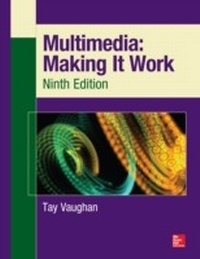
Multimedia: Making It Work, Ninth Edition
Making It Work
1. Auflage
Erschienen am 6. Mai 2014
505 Seiten
978-0-07-183289-2 (ISBN)
Beschreibung

The Most Complete, Up-to-Date Multimedia Guide Thoroughly updated to cover the latest technologies, including mobile multimedia, this full-color resource prepares you for a successful multimedia career by teaching you the fundamental concepts and required skills. Multimedia: Making It Work, Ninth Edition explains how to integrate text, images, sound, animation, and video into compelling projects. Multimedia project planning, costs, design, production, talent acquisition, testing, and delivery are also discussed. Chapter-ending quizzes reinforce key concepts and hands-on lab projects allow you to apply your new skills. Learn how to: Master the essential elements of multimedia, including text, images, sound, animation, and video Incorporate bitmap, vector, and 3-D images Record and edit digital audio and use MIDI Create computer-generated animations Shoot and edit digital video Select the best hardware, software, and authoring tools for your project Determine the scope and cost of a multimedia project n Design, produce, and test your project Acquire the best content and talent for your budget Design dynamic Web content Create apps for mobile devices, including tablets, readers, and smartphones Deliver multimedia over the Internet, in an app store, and on CD-ROM and DVD Each chapter includes: Learning objectives Full-color illustrations and screenshots Helpful notes, tips, and warnings Chapter summaries and key term lists End-of-chapter quizzes and lab projects This book is intended for students enrolled in an instructor-led course and does not provide correct answers for the end-of-chapter quizzes or access to the instructor's resource materials. If you are an instructor, please contact your McGraw-Hill Education sales representative for details.
Weitere Details
Weitere Ausgaben
Andere Ausgaben
Buch
06/2014
9. Auflage
Osborne/McGraw-Hill
104,30 €
Versand in 15-20 Tagen
Inhalt
- Cover
- Title Page
- Copyright Page
- About the Author
- About the Technical Editor
- About This Book
- Important Multimedia Skills
- Effective Learning Tools
- Contents
- Acknowledgments
- Introduction
- 1. What Is Multimedia?
- Definitions
- Where to Use Multimedia
- Multimedia in Business
- Multimedia in Schools
- Multimedia at Home
- Multimedia in Public Places
- Virtual Reality
- Delivering Multimedia
- CD-ROM, DVD, Flash Drives
- The Broadband Internet
- 2. Text
- The Power of Meaning
- The Power and Irregularity of English
- About Fonts and Faces
- Cases
- Serif vs. Sans Serif
- Using Text in Multimedia
- Designing with Text
- Fields for Reading
- HTML Documents
- Computers and Text
- The Font Wars Are Over
- Character Sets and Alphabets
- Mapping Text Across Platforms
- Languages in the World of Computers
- Font Editing and Design Tools
- Fontographer
- Making Pretty Text
- Hypermedia and Hypertext
- The Power of Hypertext
- Using Hypertext
- Searching for Words
- Hypermedia Structures
- Hypertext Tools
- 3. Images
- Before You Start to Create
- Plan Your Approach
- Organize Your Tools
- Configure Your Computer Workspace
- Making Still Images
- Bitmaps
- Vector Drawing
- Vector-Drawn Objects vs. Bitmaps
- 3-D Drawing and Rendering
- Color
- Understanding Natural Light and Color
- Computerized Color
- Color Palettes
- Image File Formats
- Image File Compression
- 4. Sound
- The Power of Sound
- Digital Audio
- Making Digital Audio Files
- Editing Digital Recordings
- MIDI Audio
- MIDI vs. Digital Audio
- Multimedia System Sounds
- Audio File Formats
- Vaughan's Law of Multimedia Minimums
- Adding Sound to Your Multimedia Project
- Space Considerations
- Audio Recording
- Keeping Track of Your Sounds
- Audio CDs
- Sound for Your Mobile Phone
- Sound for the Internet
- Testing and Evaluation
- Copyright Issues
- 5. Animation
- The Power of Motion
- Principles of Animation
- Animation by Computer
- Animation Techniques
- Animation File Formats
- Motion with SVG in HTML5
- Making Animations That Work
- A Rolling Ball
- A Bouncing Ball
- Creating an Animated Scene
- 6. Video
- Using Video
- How Video Works and Is Displayed
- Analog Video
- Digital Video
- Displays
- Digital Video Containers
- Codecs
- Video Format Converters
- Obtaining Video Clips
- Shooting and Editing Video
- Camcorders
- Smartphones and Tablets
- Storyboarding
- Lighting
- Chroma Keys
- Composition
- Titles and Text
- Nonlinear Editing (NLE)
- 7. Making Multimedia
- The Stages of a Multimedia Project
- What You Need: The Intangibles
- Creativity
- Organization
- Communication
- What You Need: Multimedia Skills
- The Team
- The Sum of Parts
- What You Need: Hardware
- Windows vs. Macintosh
- Connections
- Memory and Storage Devices
- Input Devices
- Output Devices
- What You Need: Software
- Text Editing and Word Processing Tools
- OCR Software
- Painting and Drawing Tools
- 3-D Modeling and Animation Tools
- Image-Editing Tools
- Sound-Editing Tools
- Animation, Video, and Digital Movie Tools
- Helpful Accessories
- What You Need: Authoring Systems
- Helpful Ways to Get Started
- Making Instant Multimedia
- Types of Authoring Tools
- Objects
- Choosing an Authoring Tool
- 8. Planning and Costing
- The Process of Making Multimedia
- Idea Analysis
- Pretesting
- Task Planning
- Prototype Development
- Alpha Development
- Beta Development
- Delivery
- Scheduling
- Estimating
- Billing Rates
- RFPs and Bid Proposals
- The Cover and Package
- Table of Contents
- Needs Analysis and Description
- Target Audience
- Creative Strategy
- Project Implementation
- Budget
- 9. Designing and Producing
- Designing
- Designing the Structure
- Designing the User Interface
- Producing
- Starting Up
- Working with Clients
- Tracking
- Copyrights
- Hazards and Annoyances
- 10. Content and Talent
- Acquiring Content
- Using Content Created by Others
- Ownership of Content Created for a Project
- Acquiring Talent
- Locating the Professionals You Need
- Working with Union Contracts
- Acquiring Releases
- 11. The Internet and Multimedia
- Internet History
- Internetworking
- Internet Addresses
- Connections
- Bandwidth
- Internet Services
- Media Types
- The World Wide Web and HTML
- Multimedia on the Web
- Tools for the World Wide Web
- Web Servers
- Search Engines
- Web Page Makers and Site Builders
- Plug-ins and Delivery Vehicles
- Beyond HTML
- Developing for the Web
- HTML Is a Markup Language
- The Desktop Workspace
- The Mobile Workspace
- Nibbling
- Text for the Web
- Images for the Web
- GIF and PNG Images
- JPEG Images
- Using Photoshop
- Backgrounds
- Clickable Buttons
- Client-Side Image Maps
- Sound for the Web
- Animation for the Web
- GIF89a
- Video for the Web
- Plug-ins and Players
- 12. Mobile Multimedia
- Digital Revolution Worldwide
- Retail
- Education
- Travel
- Games, Entertainment, and Home
- Mobile Hardware
- Becoming Small
- Smaller Hardware
- The Market
- Connections
- GSM vs. CDMA
- 3G vs. 4G
- Wi-Fi
- Bluetooth
- Mobile Operating Systems
- iOS vs. Android
- Programming Mobile Apps
- Case Study: A Simple Stock Control App
- Getting Started
- Identifying Functions
- Building the Stack
- Using Swipe Gestures
- Testing on the Simulator
- 13. Delivering
- Testing
- Alpha Testing
- Beta Testing
- Polishing to Gold
- Preparing for Delivery
- File Archives
- Delivering on CD-ROM
- Compact Disc Technology
- Compact Disc Standards
- Delivering on DVD
- DVD Standards
- Wrapping It Up
- Delivering on the World Wide Web
- Delivering Through an App Store
- Glossary
- Index
