

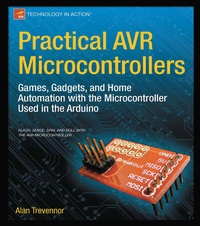
Practical AVR Microcontrollers
Beschreibung
In Practical AVR Microcontrollers , you'll learn how to use the AVR microcontroller to make your own nifty projects and gadgets. You'll start off with the basics in part one: setting up your development environment and learning how the "naked" AVR differs from the Arduino. Then you'll gain experience by building a few simple gizmos and learning how everything can be interconnected.
In part two, we really get into the goodies: projects! Each project will show you exactly what software and hardware you need, and will provide enough detail that you can adapt it to your own needs and parts availability. Some of the projects you'll make:
- An illuminated secret panel
- A hallway lighting system with a waterfall effect
- A crazy lightshow
- Visual effects gizmos like a Moire wheel and shadow puppets
In addition, you'll design and implement some home automation projects, including working with wired and wireless setups. Along the way, you'll design a useable home automation protocol and look at a variety of hardware setups.
Whether you're new to electronics, or you just want to see what you can do with an AVR outside of an Arduino, Practical AVR Microcontrollers is the book for you.
Weitere Details
Weitere Ausgaben
Inhalt
Part 1: The Basics
1. A Brief History of Microcontrollers
2. Building our AVR Test Bed
3. Arduino and the Naked AVR
4. Moving On!
5. Smarten Up!
6. Conversing Digitally
Part 2: The Projects
7. Introduction to the projects section
8. Good Evening, Mr. Bond! Your Secret Panel
9. Here Kitty, Kitty: Rainbow Beams to Drive Your Pets Crazy
10. WordDune: How Much Do You Really See?
11. A Waterfall of Lights: The Passageway Lighting System
12. Moving to Mesmerize: Small Projects with Nifty Effects
13. Home Automation: Small Projects using CAN Bus Controller Area Networks
14. Appendix A: Common Components
15. Appendix B: Digital Electronics Basics
16. Appendix C: Breadboards
17. Appendix D: Serial Communications Basics
