

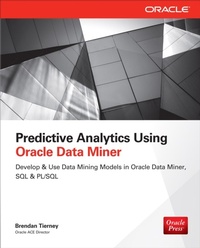
Predictive Analytics Using Oracle Data Miner
Develop & Use Data Mining Models in ODM, SQL & PL/SQL
1. Auflage
Erschienen am 8. August 2014
445 Seiten
978-0-07-182175-9 (ISBN)
Als Download verfügbar
Beschreibung
Build Next-Generation In-Database Predictive Analytics Applications with Oracle Data Miner If you have an Oracle Database and want to leverage that data to discover new insights, make predictions, and generate actionable insights, this book is a must read for you! In Predictive Analytics Using Oracle Data Miner: Develop & Use Oracle Data Mining Models in Oracle Data Miner, SQL & PL/SQL, Brendan Tierney, Oracle ACE Director and data mining expert, guides you through the basic concepts of data mining and offers step-by-step instructions for solving data-driven problems using SQL Developer s Oracle Data Mining extension. Brendan takes it full circle by showing you how to deploy advanced analytical methodologies and predictive models immediately into enterprise-wide production environments using the in-database SQL and PL/SQL functionality. Definitely a must read for any Oracle data professional! --Charlie Berger, Senior Director Product Management, Oracle Data Mining and Advanced Analytics Perform in-database data mining to unlock hidden insights in data. Written by an Oracle ACE Director, Predictive Analytics Using Oracle Data Miner shows you how to use this powerful tool to create and deploy advanced data mining models. Covering topics for the data scientist, Oracle developer, and Oracle database administrator, this Oracle Press guide shows you how to get started with Oracle Data Miner and build Oracle Data Miner models using SQL and PL/SQL packages. You'll get best practices for integrating your Oracle Data Miner models into applications to automate the discovery and distribution of business intelligence predictions throughout the enterprise. Install and configure Oracle Data Miner for Oracle Database 11g Release 11.2 and Oracle Database 12c Create Oracle Data Miner projects and workflows Prepare data for data mining Develop data mining models using association rule analysis, classification, clustering, regression, and anomaly detection Use data dictionary views and prepare your data using in-database transformations Build and use data mining models using SQL and PL/SQL packages Migrate your Oracle Data Miner models, integrate them into dashboards and applications, and run them in parallel Build transient data mining models with the Predictive Queries feature in Oracle Database 12c
Weitere Details
Weitere Ausgaben
Inhalt
- Cover
- About the Author
- About the Technical Editor
- Title Page
- Copyright Page
- Contents at a Glance
- Contents
- Acknowledgments
- Introduction
- PART I: Oracle Data Miner Fundamentals
- Chapter 1: Oracle Data Miner
- In-Database Data Mining with Oracle Data Mining
- Oracle Advanced Analytics Option
- Oracle Data Mining
- Oracle R Enterprise (ORE)
- History of Data Mining in Oracle
- Oracle Data Mining Components
- Oracle Data Mining Architecture
- Oracle Data Miner GUI Tool
- Oracle Data Mining Using SQL and PL/SQL
- Oracle Statistical Functions
- Applications Powered by Oracle Data Mining
- How Are Customers Using Oracle Advanced Analytics
- Customer Success Stories
- Chapter 2: The Predictive Modeling Lifecycle
- Predictive Modeling Lifecycles
- Knowledge Discovery in Data (KDD) Process
- SEMMA
- CRISP-DM
- Business Understanding
- Data Understanding
- Data Preparation
- Modeling
- Evaluation
- Deployment
- Summary
- Chapter 3: How to Install, Set Up, and Get Started
- Enabling the Oracle Advanced Analytics Option
- Creating a Data Mining Tablespace
- Creating an ODM Schema
- Creating a Connection for Your DM User in SQL Developer
- Creating the Oracle Data Mining Repository
- Using SQL Developer to Create the ODM Repository
- Using SQL Scripts to Create the ODM Repository
- Setting Up Additional Users to Access ODM
- ODM Schema System Privileges
- Setting Up and Using the Pre-built Database Appliance
- Summary
- PART II: Using the Oracle Data Miner Tool
- Chapter 4: ODM Menus, Projects, and Workflows
- The ODM Menus
- Creating a Project
- Creating, Exporting, and Importing a Workflow
- Creating a Workflow
- Exporting a Workflow
- Importing a Workflow
- Adjusting the Layout
- The ODM Workflow Menu
- The Components Workflow Editor
- Summary
- Chapter 5: Exploring Your Data
- Gathering Statistics and Exploring Your Data
- Adding a Data Source
- Data Source Properties
- The Explore Data Node
- Building Up a Story About the Data
- Exploring the Data Based on Attribute Grouping
- Graphs
- Creating a Graph
- SQL Query Node
- Feature Selection
- Summary
- Chapter 6: Data Preparation
- Aggregate
- Using the Aggregation Wizard
- Adding a New Aggregation-Level Attribute
- Adding an Aggregation Expression
- Filter Columns
- Filter Columns Details
- Filter Rows
- Join
- Sample
- Transform
- Automatic Data Preparation (ADP)
- Summary
- Chapter 7: Association Rule Analysis
- What Is Association Rule Analysis?
- Association Rule Analysis in Oracle
- Building Association Rules Using ODM
- Defining the Data Source
- Creating the Association Node
- Model Settings
- Association Node Properties Tab
- Viewing the Association Rules
- Generated Rules
- Generated Itemsets
- Adding a Data Source Node for Transaction Descriptions
- Applying Filters to the Association Rules
- Outputting and Persisting the Association Rules
- Summary
- Chapter 8: Classification
- What Is Classification?
- Classification Methods Available in Oracle
- Building Classification Models
- Model Settings
- Property Inspector
- Using Different Build and Test Data Sets
- Creating Additional Models and Removing Unwanted Models
- Generating the Models
- Evaluating the Classification Models
- Performance
- Performance Matrix
- ROC
- Lift
- Profit
- Applying a Classification Model to New Data
- Summary
- Chapter 9: Clustering
- What Is Clustering?
- Clustering Methods Available in Oracle
- Building Clustering Models
- Model Settings
- Property Inspector
- Creating Additional Models and Removing Unwanted Models
- Generating the Models
- Evaluating the Classification Models
- View Your Cluster Models
- Cluster Details
- Comparing Clusters: Multicluster-Multivariable Comparison
- Renaming Clusters
- Applying a Clustering Model to New Data
- Summary
- Chapter 10: Regression
- What Is Regression?
- Regression Methods Available in Oracle
- Preparing Your Data for Regression
- Building Regression Models
- Regression Model Settings
- Property Inspector
- Generating the Regression Models
- Viewing the Regression Models
- Regression Model Test Results
- Applying a Regression Model to New Data
- Summary
- Chapter 11: Anomaly Detection
- What Is Anomaly Detection?
- Anomaly Detection in Oracle
- Building an Anomaly Detection Model
- Model Settings
- Property Inspector
- Generating the Models
- Evaluating the Anomaly Detection Model
- Applying the Model to Your Data
- Summary
- PART III: Data Mining Using SQL and PL/SQL
- Chapter 12: The ODM Data Dictionary, SQL, and PL/SQL Packages
- ODM Data Dictionary Views
- ODM SQL Functions
- ODM PL/SQL Packages
- DBMS_DATA_MINING PL/SQL Package
- DBMS_PREDICTIVE_ANALYTICS PL/SQL Package
- Summary
- Chapter 13: Data Preparation
- Data Preparation for Data Mining
- Data Sampling
- Data Aggregation and Pivoting the Data
- Handling Missing Data
- Histograms and Binning
- Creating a Target Variable/Attribute
- Automatic Data Preparation in ODM
- ADP with Transformation Lists
- Using DBMS_DATA_MINING_TRANSFORM PL/SQL Package
- List of Package Procedures and Functions
- Example of Using the DBMS_DATA_MINING_TRANSFORM Package
- Embedding Transformation List into the Model
- Summary
- Chapter 14: Association Rule Analysis
- Setting Up Your Data
- Settings Table
- Creating the Association Rule Analysis Model
- Viewing the Association Rule Model Item Sets and Rule
- Viewing the Frequent Item Sets
- Viewing the Association Rules
- Summary
- Chapter 15: Classification
- Setting Up Your Data
- Settings Table
- Creating the Classification Models
- Evaluating the Classification Models
- Preparing the Data
- Computing the Confusion Matrix
- Computing the Lift
- Computing the ROC
- Applying the Model to New Data
- Applying the Model in Real Time
- Applying the Model in Batch
- Summary
- Chapter 16: Clustering
- Setting Up Your Data
- Viewing Your Existing Cluster Models
- Settings Table
- Creating a Cluster Model
- Examining the Cluster Model
- Querying the Cluster Models in Your Schema
- Examining the Cluster Details
- Applying the Cluster Model to New Data
- Applying the Cluster Model in Real Time
- Applying the Cluster Model in Batch Mode
- Combining Clusters
- Summary
- Chapter 17: Regression
- Examining the Existing Regression Model(s)
- Settings Table for Regression
- Creating a Regression Model
- Examining and Evaluating the Regression Models
- Global Statistics for a GLM Regression Model
- GLM Regression Model Details
- SVM Regression Model Details
- Residual Statistics
- Applying Regression Model to Your Data
- Using the Regression Model in Real Time
- Using the Regression Model in Batch Mode
- Summary
- Chapter 18: Anomaly Detection
- Examining the Existing Anomaly Detection Model(s)
- Settings Table
- Creating an Anomaly Detection Model
- Applying the Anomaly Detection Model to Your Data
- Using the Anomaly Detection Model in Real Time
- Using the Anomaly Detection Model in Batch Mode
- Summary
- PART IV: Migration and Implementations
- Chapter 19: How to Migrate Your ODM Models
- Oracle Data Miner Script Generation
- Running the ODM Workflow Scripts
- PL/SQL Procedures for ODM Model Migration
- System Privileges Needed for Exporting and Importing ODM Models
- Exporting an ODM Model
- Importing and the ODM Model
- Dropping an ODM Model
- Renaming an ODM Model
- Summary
- Chapter 20: Implementation-Related Topics
- How to Add Your ODM Models to Your OBI Dashboards
- Importing the ODM Model
- Creating a View to Include the ODM Model
- Importing the View to the Physical Layer of the BI Repository (RPD)
- Adding New Columns to the Business Model Layer
- Adding to the OBI Dashboards
- How to Build and Apply ODM Models in Parallel
- How to Run Your ODM Workflows and ODM Models in Parallel
- How to Run Your ODM Model in Real Time Using Parallel Query
- How to Run Your ODM Model in Batch Mode Using Parallel Query
- Predictive Queries
- Summary
- Index

