

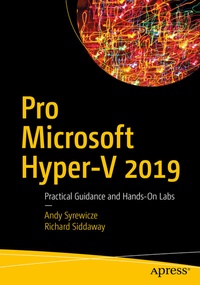
Pro Microsoft Hyper-V 2019
Beschreibung

Virtualization is the cornerstone of today's data center. As a modern-day IT pro, you are required to manage environments that are in a regular state of flux and increasing in both size and complexity. To keep up, you need practical information in a format that is succinct, yet comprehensive and highly applicable.
Pro Hyper-V 2019 breaks down critical and time-saving topics into a series of easy-to-digest chapters, showing you how to perform Hyper-V management tasks using both GUI and PowerShell-based tools. Building on your existing knowledge of Windows Server management, Active Directory, networking, and storage, experts and Microsoft MVPs Syrewicze and Siddaway begin with a foundation of why computing workloads are virtualized. This is followedby chapters covering the range of management tasks associated with virtualized environments, including: managing hosts and guest machines; networking, storage, and high availability (host and guest); disaster recovery and virtual machine migration; and monitoring.
What You'll Learn
-
Apply practical information to administer your Hyper-V environments
-
Understand multiple administration styles (GUI, command line, and automation)
-
Written by IT pros for IT pros - just the information you really need without the padding
-
Administer and use containers
-
Utilize hands-on labs to learn about storage, networking, and high availability
Who This Book Is For
IT administrators tasked with implementing Hyper-V environments or migrating from VMware. IT pros joining a team that is responsible for managing Hyper-V and "lone administrators" covering the gamut in smaller organizations will also find this book indispensable.
Weitere Details
Weitere Ausgaben
Andere Ausgaben
Personen
Andy Syrewicze is Technical Evangelist for Altaro Software and is based in the USA. He is heavily involved in the IT community, on Altaro's behalf, with podcasts, webinars, blogging, and public speaking. He spent the last 15+ years focusing on virtualization, cloud services, VMware, and the Microsoft Server Stack, with an emphasis on Hyper-V and Clustering. He spends a great deal of time working with the IT community as one of Microsoft's Cloud and Datacenter Management MVPs. He has a passion for technology and always enjoys talking about tech with peers, customers, and fellow IT pros over a cup of coffee or a cold beer.
Richard Siddaway is based in England, UK. With over 25 years of experience in various aspects of IT, he specializes in the Microsoft environment at an architectural level-especially around Active Directory (AD), Exchange, SQL Server, and infrastructure optimization. Much of his recent experience has involved automation,usually with PowerShell, of administrative tasks, including a client service portal for cloud-based services, Active Directory management, and infrastructure creation. Microsoft has recognized his technical expertise and community activities by presenting a Microsoft Most Valued Professional award over multiple years. He is a frequent speaker at conferences in the UK, Europe, and USA. He has a number of books to his credit covering the PowerShell language, using PowerShell to administer Windows systems, WMI, and Active Directory.
