

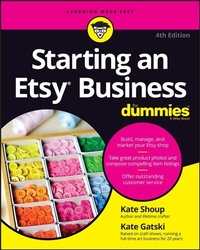
Starting an Etsy Business For Dummies
Beschreibung

Etsy is the premiere online marketplace for distinctive handmade and vintage crafts and goods. Starting an Etsy Business For Dummies, Fourth Edition provides you with the information and tools you need to start selling successfully on Etsy. This comprehensive resource and guide will show you how easy it is to set up shop and start generating income. There are millions of people out there looking to purchase unique products, and more and more shoppers are opting for one-of-a-kind sources over big-box stores. There's never been a better time to open your own Etsy shop, and there's never been an easier way than with this book. This updated edition covers all the latest changes to the site, plus shows you how to take captivating photos and short-form videos of your products, write appealing descriptions, and set up your Etsy shop in a way that motivates buyers to click that "add to cart" button. With helpful information, tips, tools, and tricks, this book is your ultimate guide to building your own Etsy shop.
* Learn the ins and outs of running a successful Etsy shop
* Get tips and advice for marketing and pricing your products competitively
* Break through the new shop barrier and start showing up in search results
* Improve your sales on Etsy with expert info on finding your customers
This book is great for small business owners, artists, and entrepreneurs looking to build an online craft business on the Etsy platform.
Weitere Details
Weitere Ausgaben
Andere Ausgaben
Personen
Kate Gatski is the owner of Gatski Metal, a company that creates handmade sculpture and furniture from reclaimed materials. She is a member of the Full Time Etsy Crafters Team and has been selling on Etsy for almost 15 years.
Inhalt
Part 1: Getting Started with Etsy 5
Chapter 1: Handmade for Each Other: Falling in Love with Etsy 7
Chapter 2: Basic Training: Etsy Account Basics 19
Chapter 3: Buy, Buy, Buy: Finding and Buying Items on Etsy 41
Chapter 4: Safety First: Maintaining Your Privacy and Safety on Etsy 65
Part 2: If You Build It, They Will Come: Setting Up Your Etsy Shop 75
Chapter 5: Sell Yes: Understanding What You Can and Can't Sell on Etsy 77
Chapter 6: Setting Up Shop: Creating Your Etsy Storefront 85
Chapter 7: Upper Management: Using Shop Manager to Run Your Etsy Store 103
Chapter 8: Policy Academy: Setting Your Shop's Policies 109
Chapter 9: The Price Is Right! Pricing Your Pieces 121
Part 3: Sell Coverage: Understanding the Etsy Selling Process 131
Chapter 10: Say Cheese! Capturing Product Images 133
Chapter 11: Use Your Words: Composing Engaging Titles and Descriptions 153
Chapter 12: For Your Listing Pleasure: Adding and Managing Item Listings 163
Chapter 13: Order Up! Processing and Shipping Orders 185
Part 4: All Up in Your Business: Handling Business Matters 213
Chapter 14: Super Market: Marketing Your Etsy Business 215
Chapter 15: You've Been Served: Providing Exceptional Customer Service 247
Chapter 16: Business as Usual: Managing Your Etsy Shop 261
Chapter 17: Growing Your Etsy Business 281
Part 5: Community Services: Exploring the Etsy Community 297
Chapter 18: Community Building: Joining the Etsy Community 299
Chapter 19: News Attitude: Keeping Up with Etsy News 311
Chapter 20: Help Me! Getting Help on Etsy 319
Part 6: The Part of Tens 329
Chapter 21: Ten Terrific Tips for Etsy Sellers 331
Chapter 22: Ten Strategies for Marketing Your Etsy Shop 335
Index 339
Chapter 1
Handmade for Each Other: Falling in Love with Etsy
IN THIS CHAPTER
Understanding Etsy's purpose and how Etsy makes money
Signing up for and navigating Etsy
Setting up your Etsy shop and understanding the selling process
Exploring the Etsy community
Introducing the Etsy apps
Launched in 2005, Etsy is a website where artisans and craftspeople can sell their wares online. Basically, the site - which describes itself as "the global marketplace for unique and creative goods" - enables artistic types to parlay their passion into their life's work.
But Etsy is more than that. In addition to providing a platform for e-commerce, the Brooklyn-based company also hosts a thriving international community of creators - a community with a shared set of values, including having a commitment to their craft, minimizing waste, embracing differences, digging deeper, and leading with optimism. "In a time of increasing automation," say the folks at Etsy, "it's our mission to keep human connection at the heart of commerce."
For even more details on Etsy, click the Read Our Wonderfully Weird Story link to open the site's About page. In addition to articulating Etsy's main mission, this page provides links for buyers and sellers to additional information and resources, a link to the site's Help Center, and links to the Etsy News blog and the Investor Relations page.
Having picked up this book, you're probably interested in joining this community of creators. To get you started, this chapter offers you a bird's-eye view of Etsy - its purpose and business model, how to sign up for the site and navigate it, and all sorts of good stuff about opening and running your own shop.
Creative Crusade: Understanding Etsy's Purpose and Business Model
Some people think of Etsy as a sort of eBay for handmade goods. And you can see why: People use both Etsy and eBay to buy stuff from other individuals. Also, both sites charge listing fees and make a small commission on every sale. Plus, members use feedback to rate their transactions.
But the sites differ in big ways, too:
- Although Etsy is growing - as of this writing, the site boasts 7.4 million sellers and more than 90 million buyers, and in 2021 it yielded $13.5 billion in gross sales - it's still the proverbial mouse to eBay's proverbial elephant.
- Whereas eBay uses an auction format, Etsy doesn't. Instead, it connects buyers directly with sellers through its online marketplace.
- Whereas (almost) anything goes on eBay, Etsy was created specifically to enable artists and craftspeople to sell their handmade wares online. Over time, however, the site has evolved to empower a broader array of small business owners and makers. You'll find out more about what you can and can't sell on Etsy in Chapter 5.
Etsy stays afloat by charging sellers a fee for each item listed on the site. At this time, the listing fee is $0.20 per item, which Etsy assesses when the item is listed.
Etsy also collects a transaction fee from the seller for each item sold - currently 6.5 percent of the total price of the item, plus the amount you charge for gift-wrapping and shipping or any other charges (if applicable). Etsy also charges a fee to process payments; this fee is assessed based on the total amount of the sale, including tax and shipping. (The precise amount of this fee depends on the location of your bank account. For sellers whose bank is in the U.S., the fee is 3 percent of the total sale, plus $0.25.)
Finally, Etsy offers various fee-based services to help you manage and grow your shop, like Etsy shipping labels (see Chapter 13), advertising (see Chapter 14), Etsy Plus (see Chapter 17), and Pattern (see Chapter 17).
You can pay these fees in one of several ways: by using a credit card that you put on file with Etsy; by using your PayPal account; or by having the amount deducted from any sales you've made. (If your sales balance is zero or negative, then you'll have an amount due.) We talk more about Etsy fees in Chapters 12 and 16.
Introducing the World of Etsy
Just what can you do on Etsy? And how do you use the site? This section scratches the surface. (You find the nitty-gritty, step-by-step info about these topics in later chapters.)
Registering with Etsy
You don't need to register with Etsy to scope out what goodies are for sale. But if you're in the market to buy any of said goodies - or to communicate with other Etsy members or participate in the site's community features - you need to create an account with the site.
Fortunately, creating an account is simple and free. You just enter your name and email address and choose a username and password. You don't even need to supply a credit card number!
If you plan to use Etsy to sell your own items, you need to take a few more steps as well as provide a major credit card (think MasterCard, Visa, Discover, or American Express) and other vitals, such as your bank routing and account number and your address.
For step-by-step coverage of completing the registration process and signing in to your Etsy account, turn to Chapter 2. Chapter 6 covers the steps you need to take to become an Etsy seller.
Navigating the Etsy home page
Whether you're buying or selling, exploring or researching, Etsy's home page is your home base. It's the page that appears when you go to www.etsy.com. You can also access Etsy's home page from anywhere on the Etsy site by clicking the Etsy logo in the upper-left corner of each Etsy Marketplace page. (We explain why we say "Etsy Marketplace" here in a sec.)
The Etsy home page, shown in Figure 1-1, features several important sections. These include the following. (Note that this section assumes that you're not signed in to your Etsy account. You'll see additional options if you are logged in - and even more if you have set up your Etsy shop. We talk more about these options in the next few sections and in Chapters 2 and 7.)
- A standard search box, for when you know what you're looking for
- A set of links along the top, which you can click to browse items in popular categories and sign into your Etsy account
- A series of Editors' Picks for top Etsy items
- Links to recent Etsy Journal blog posts
- A "What Is Etsy?" section, with links to additional resources
- Access to Etsy's Help Center
Source: Etsy.com
FIGURE 1-1: Etsy's home page.
Understanding Your Account and Shop Manager
After you create your Etsy account (see Chapter 2) and set up your shop (see Chapter 6), and assuming you're logged into the site, you can access settings for your account and your shop from the links along the top of any Etsy Marketplace page. (See Figure 1-2.)
Source: Etsy.com
FIGURE 1-2: The Shop Manager and Your Account links.
The Your Account menu (see Figure 1-3) contains a series of links that provide access to all sorts of useful info - your public profile, your gift card balance, messages to and from other Etsy users, special offers just for you, items you've bought and reviews you've left, and your account settings, as well as a Sign Out option. If you have not yet set up your Etsy shop, you'll also see a Sell on Etsy link. For help navigating Your Account, turn to Chapter 2. Chapter 7 covers Shop Manager.
Source: Etsy.com
FIGURE 1-3: Your Account.
Shop Manager is where you, well, manage your shop. It contains a dashboard that provides you with key shop stats at a glance (see Figure 1-4), as well as links to tools to create and manage listings, send and receive messages, keep track of orders and shipping, view stats, handle your finances, run marketing campaigns, and more. You can find out more about navigating the Shop Manager in Chapter 7.
Source: Etsy.com
FIGURE 1-4: Shop Manager.
Notice in Figure 1-4 that Shop Manager has no header bar, which means you have no easy access to the various links that appear on the header bar on every Etsy Marketplace page. To access those links, you have to switch from Shop Manager to the Etsy Marketplace. To do so, click the Shop Manager link in the upper-left corner of the Shop Manager page. Then choose Etsy Marketplace from the list that appears.
Etsy uses the term Etsy Marketplace to describe the area on the site where buyers can find items listed for sale. The part of the site geared toward sellers is called the Shop Manager.
Discovering what's for sale on Etsy
Etsy features unique items - goodies you simply can't find anywhere else - along with supplies for crafting your own pieces. In fact, Etsy offers an incredible breadth of items for sale, from accessories to ceramics, jewelry to quilts, and everything in between.
To help you find a specific item, Etsy offers a robust...
