

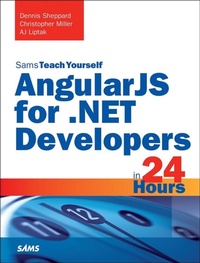
AngularJS for .NET Developers in 24 Hours, Sams Teach Yourself
1. Auflage
Erschienen am 19. Oktober 2015
352 Seiten
978-0-13-431505-8 (ISBN)
Beschreibung
In just 24 sessions of one hour or less, you will be up and running with AngularJS in your Microsoft .NET environment. Using a straightforward, step-by-step approach, each lesson builds on your .NET skills and knowledge, helping you quickly learn the essentials of AngularJS, and use it to streamline any web development project.
Step-by-step instructions carefully walk you through the most common questions, issues, and tasks.
Q&A sections, quizzes, and exercises help you build and test your knowledge.
By The Way notes present interesting pieces of information.
Try it Yourself sidebars offer advice or teach an easier way to do something.
Watch Out! cautions advise you about potential problems and help you steer clear of disaster.
Dennis Sheppard is a Front-End Architect at NextTier Education in Chicago, IL. He has delivered enterprise solutions for the private equity, insurance, healthcare, education, and distribution industries. Christopher Miller is an Architect at West Monroe Partners. He has built solutions for the higher education, private equity, and renewable energy industries. AJ Liptak, is a Senior Consultant at West Monroe Partners specializing in modern web application development. He has delivered transformative solutions for the telecom, healthcare, finance, and distribution industries.
Learn how to...
Build AngularJS web apps from scratch, or integrate with existing .NET code
Organize, reuse, and test JavaScript web application code far more effectively
Discover key JavaScript design patterns that support AngularJS (and their similarities to C#)
Use AngularJS modules, controllers, views, data-binding, and event handling
Implement AngularJS services efficiently
Work with directives, custom directives, and dependency injection
Set up AngularJS routing
Apply best practices for organizing AngularJS applications
Master sophisticated AngularJS techniques, including filters, advanced patterns, and communication between controllers
Deploy AngularJS code to the Microsoft Azure cloud
Unit-test and debug your single page applications
Integrate AngularJS with .NET Web Forms and .NET MVC
Build REST APIs in .NET and consume their services in AngularJS
Combine AngularJS with .NET SignalR to build real-time web apps
Extend AngularJS development with bower, gulp, and webstorm
Preview the future of AngularJS: Version 2.0 and beyond
Step-by-step instructions carefully walk you through the most common questions, issues, and tasks.
Q&A sections, quizzes, and exercises help you build and test your knowledge.
By The Way notes present interesting pieces of information.
Try it Yourself sidebars offer advice or teach an easier way to do something.
Watch Out! cautions advise you about potential problems and help you steer clear of disaster.
Dennis Sheppard is a Front-End Architect at NextTier Education in Chicago, IL. He has delivered enterprise solutions for the private equity, insurance, healthcare, education, and distribution industries. Christopher Miller is an Architect at West Monroe Partners. He has built solutions for the higher education, private equity, and renewable energy industries. AJ Liptak, is a Senior Consultant at West Monroe Partners specializing in modern web application development. He has delivered transformative solutions for the telecom, healthcare, finance, and distribution industries.
Learn how to...
Build AngularJS web apps from scratch, or integrate with existing .NET code
Organize, reuse, and test JavaScript web application code far more effectively
Discover key JavaScript design patterns that support AngularJS (and their similarities to C#)
Use AngularJS modules, controllers, views, data-binding, and event handling
Implement AngularJS services efficiently
Work with directives, custom directives, and dependency injection
Set up AngularJS routing
Apply best practices for organizing AngularJS applications
Master sophisticated AngularJS techniques, including filters, advanced patterns, and communication between controllers
Deploy AngularJS code to the Microsoft Azure cloud
Unit-test and debug your single page applications
Integrate AngularJS with .NET Web Forms and .NET MVC
Build REST APIs in .NET and consume their services in AngularJS
Combine AngularJS with .NET SignalR to build real-time web apps
Extend AngularJS development with bower, gulp, and webstorm
Preview the future of AngularJS: Version 2.0 and beyond
Weitere Details
Reihe
Sprache
Englisch
Verlagsort
Boston
USA
Verlagsgruppe
Pearson Education (US)
Zielgruppe
Für höhere Schule und Studium
ISBN-13
978-0-13-431505-8 (9780134315058)
Copyright in bibliographic data and cover images is held by Nielsen Book Services Limited or by the publishers or by their respective licensors: all rights reserved.
Schweitzer Klassifikation
Weitere Ausgaben
Personen
Dennis Sheppard began his development career more than 20 years ago on an Apple IIe writing BASIC programs that printed "Hello!" an infinite number of times. It wasn't quite love at first sight, but it was close enough. Several years later, after graduating from Louisiana Tech University with a computer science degree, Dennis got all professional with front-end development using ExtJS and .NET. Since then, he's worked with a plethora of technologies, including a handful of JavaScript frameworks. He's quite smitten with AngularJS and the roller coaster ride that is being a front-end developer. Dennis is a
Microsoft Certified Solutions Developer and has delivered enterprise solutions for the private equity, insurance, healthcare, education, and distribution industries. Dennis is now the Front-End Architect at NextTier Education in Chicago, and lives in the suburbs with his wife, two kiddos, and a golden retriever.
Christopher Miller is an Architect in West Monroe Partners' Technology practice. He received a B.S. with Highest Distinction in computer and information technology from Purdue University and started full-time at West Monroe Partners shortly thereafter. Beginning his career in the private equity space, he helped transform his client's aging applications into modern web applications with the help of newer UI technologies such as HTML5 and jQuery. He has moved on from investment management applications and is currently working on a Software-as-a-Service solution in the renewable energy space at West Monroe Partners. A Microsoft Certified Solutions Developer in Web Applications, his interests include multi-tenancy, RESTful API development, message-based architecture, Microsoft Azure, and of course, AngularJS and other front-end web technologies. Chris lives with his new wife, Hatlyn, in Chicago's West Loop neighborhood.
AJ Liptak is a Senior Consultant at West Monroe Partners in the Technology practice, focusing on modern web applications. After earning his degree in computer information systems from Bradley University, he started at West Monroe Partners working in the banking, private equity, and distribution industries. He is a Microsoft Certified Solutions Developer and has recently provided transformative solutions for the telecom and healthcare industries. AJ lives in Chicago's West Loop neighborhood, where he spends most of his free time riding his bike, trying new restaurants, and exploring cutting-edge technology.
Microsoft Certified Solutions Developer and has delivered enterprise solutions for the private equity, insurance, healthcare, education, and distribution industries. Dennis is now the Front-End Architect at NextTier Education in Chicago, and lives in the suburbs with his wife, two kiddos, and a golden retriever.
Christopher Miller is an Architect in West Monroe Partners' Technology practice. He received a B.S. with Highest Distinction in computer and information technology from Purdue University and started full-time at West Monroe Partners shortly thereafter. Beginning his career in the private equity space, he helped transform his client's aging applications into modern web applications with the help of newer UI technologies such as HTML5 and jQuery. He has moved on from investment management applications and is currently working on a Software-as-a-Service solution in the renewable energy space at West Monroe Partners. A Microsoft Certified Solutions Developer in Web Applications, his interests include multi-tenancy, RESTful API development, message-based architecture, Microsoft Azure, and of course, AngularJS and other front-end web technologies. Chris lives with his new wife, Hatlyn, in Chicago's West Loop neighborhood.
AJ Liptak is a Senior Consultant at West Monroe Partners in the Technology practice, focusing on modern web applications. After earning his degree in computer information systems from Bradley University, he started at West Monroe Partners working in the banking, private equity, and distribution industries. He is a Microsoft Certified Solutions Developer and has recently provided transformative solutions for the telecom and healthcare industries. AJ lives in Chicago's West Loop neighborhood, where he spends most of his free time riding his bike, trying new restaurants, and exploring cutting-edge technology.
Inhalt
&>
Introduction . . . . . . . . . . . . . . . . . . . . . . . . . . . . . . . . . . . . . . . . . . . . . . . . . . . 1
HOUR 1: Introducing Modern Front-End Development . . . . . . . . . . . . . . . . . . . . . 5
Why Does Everything Look So Different? . . . . . . . . . . . . . . . . . . . . . . . . . . . 5
How Is the Code Different? . . . . . . . . . . . . . . . . . . . . . . . . . . . . . . . . . . . . . 6
Options for Front-End Development . . . . . . . . . . . . . . . . . . . . . . . . . . . . . . 8
Why Angular? . . . . . . . . . . . . . . . . . . . . . . . . . . . . . . . . . . . . . . . . . . . . . 9
Why Is Angular 1 Still Relevant? . . . . . . . . . . . . . . . . . . . . . . . . . . . . . . . 10
Summary . . . . . . . . . . . . . . . . . . . . . . . . . . . . . . . . . . . . . . . . . . . . . . . . 10
Q&A . . . . . . . . . . . . . . . . . . . . . . . . . . . . . . . . . . . . . . . . . . . . . . . . . . . 11
Workshop . . . . . . . . . . . . . . . . . . . . . . . . . . . . . . . . . . . . . . . . . . . . . . . . 11
Exercise . . . . . . . . . . . . . . . . . . . . . . . . . . . . . . . . . . . . . . . . . . . . . . . . . 11
HOUR 2: Presenting JavaScript Patterns . . . . . . . . . . . . . . . . . . . . . . . . . . . . . 13
Five JavaScript Tips and Tricks . . . . . . . . . . . . . . . . . . . . . . . . . . . . . . . . . 14
JavaScript Patterns . . . . . . . . . . . . . . . . . . . . . . . . . . . . . . . . . . . . . . . . . 17
Summary . . . . . . . . . . . . . . . . . . . . . . . . . . . . . . . . . . . . . . . . . . . . . . . . 26
Q&A . . . . . . . . . . . . . . . . . . . . . . . . . . . . . . . . . . . . . . . . . . . . . . . . . . . 26
Workshop . . . . . . . . . . . . . . . . . . . . . . . . . . . . . . . . . . . . . . . . . . . . . . . . 27
Exercise . . . . . . . . . . . . . . . . . . . . . . . . . . . . . . . . . . . . . . . . . . . . . . . . . 27
HOUR 3: Tinkering with Tools for Modern Front-End Development . . . . . . . . . . . 29
The Tool Landscape . . . . . . . . . . . . . . . . . . . . . . . . . . . . . . . . . . . . . . . . 29
Node . . . . . . . . . . . . . . . . . . . . . . . . . . . . . . . . . . . . . . . . . . . . . . . . . . . 30
Package Management . . . . . . . . . . . . . . . . . . . . . . . . . . . . . . . . . . . . . . . 30
Summary . . . . . . . . . . . . . . . . . . . . . . . . . . . . . . . . . . . . . . . . . . . . . . . . 35
Q&A . . . . . . . . . . . . . . . . . . . . . . . . . . . . . . . . . . . . . . . . . . . . . . . . . . . 35
Workshop . . . . . . . . . . . . . . . . . . . . . . . . . . . . . . . . . . . . . . . . . . . . . . . . 35
Exercise . . . . . . . . . . . . . . . . . . . . . . . . . . . . . . . . . . . . . . . . . . . . . . . . . 36
HOUR 4: Mastering Modules . . . . . . . . . . . . . . . . . . . . . . . . . . . . . . . . . . . . . . 37
Angular Modules . . . . . . . . . . . . . . . . . . . . . . . . . . . . . . . . . . . . . . . . . . 37
Creating Modules . . . . . . . . . . . . . . . . . . . . . . . . . . . . . . . . . . . . . . . . . . 38
Summary . . . . . . . . . . . . . . . . . . . . . . . . . . . . . . . . . . . . . . . . . . . . . . . . 40
Q&A . . . . . . . . . . . . . . . . . . . . . . . . . . . . . . . . . . . . . . . . . . . . . . . . . . . 40
Workshop . . . . . . . . . . . . . . . . . . . . . . . . . . . . . . . . . . . . . . . . . . . . . . . . 40
Exercise . . . . . . . . . . . . . . . . . . . . . . . . . . . . . . . . . . . . . . . . . . . . . . . . . 40
HOUR 5: Covering Controlle
Introduction . . . . . . . . . . . . . . . . . . . . . . . . . . . . . . . . . . . . . . . . . . . . . . . . . . . 1
HOUR 1: Introducing Modern Front-End Development . . . . . . . . . . . . . . . . . . . . . 5
Why Does Everything Look So Different? . . . . . . . . . . . . . . . . . . . . . . . . . . . 5
How Is the Code Different? . . . . . . . . . . . . . . . . . . . . . . . . . . . . . . . . . . . . . 6
Options for Front-End Development . . . . . . . . . . . . . . . . . . . . . . . . . . . . . . 8
Why Angular? . . . . . . . . . . . . . . . . . . . . . . . . . . . . . . . . . . . . . . . . . . . . . 9
Why Is Angular 1 Still Relevant? . . . . . . . . . . . . . . . . . . . . . . . . . . . . . . . 10
Summary . . . . . . . . . . . . . . . . . . . . . . . . . . . . . . . . . . . . . . . . . . . . . . . . 10
Q&A . . . . . . . . . . . . . . . . . . . . . . . . . . . . . . . . . . . . . . . . . . . . . . . . . . . 11
Workshop . . . . . . . . . . . . . . . . . . . . . . . . . . . . . . . . . . . . . . . . . . . . . . . . 11
Exercise . . . . . . . . . . . . . . . . . . . . . . . . . . . . . . . . . . . . . . . . . . . . . . . . . 11
HOUR 2: Presenting JavaScript Patterns . . . . . . . . . . . . . . . . . . . . . . . . . . . . . 13
Five JavaScript Tips and Tricks . . . . . . . . . . . . . . . . . . . . . . . . . . . . . . . . . 14
JavaScript Patterns . . . . . . . . . . . . . . . . . . . . . . . . . . . . . . . . . . . . . . . . . 17
Summary . . . . . . . . . . . . . . . . . . . . . . . . . . . . . . . . . . . . . . . . . . . . . . . . 26
Q&A . . . . . . . . . . . . . . . . . . . . . . . . . . . . . . . . . . . . . . . . . . . . . . . . . . . 26
Workshop . . . . . . . . . . . . . . . . . . . . . . . . . . . . . . . . . . . . . . . . . . . . . . . . 27
Exercise . . . . . . . . . . . . . . . . . . . . . . . . . . . . . . . . . . . . . . . . . . . . . . . . . 27
HOUR 3: Tinkering with Tools for Modern Front-End Development . . . . . . . . . . . 29
The Tool Landscape . . . . . . . . . . . . . . . . . . . . . . . . . . . . . . . . . . . . . . . . 29
Node . . . . . . . . . . . . . . . . . . . . . . . . . . . . . . . . . . . . . . . . . . . . . . . . . . . 30
Package Management . . . . . . . . . . . . . . . . . . . . . . . . . . . . . . . . . . . . . . . 30
Summary . . . . . . . . . . . . . . . . . . . . . . . . . . . . . . . . . . . . . . . . . . . . . . . . 35
Q&A . . . . . . . . . . . . . . . . . . . . . . . . . . . . . . . . . . . . . . . . . . . . . . . . . . . 35
Workshop . . . . . . . . . . . . . . . . . . . . . . . . . . . . . . . . . . . . . . . . . . . . . . . . 35
Exercise . . . . . . . . . . . . . . . . . . . . . . . . . . . . . . . . . . . . . . . . . . . . . . . . . 36
HOUR 4: Mastering Modules . . . . . . . . . . . . . . . . . . . . . . . . . . . . . . . . . . . . . . 37
Angular Modules . . . . . . . . . . . . . . . . . . . . . . . . . . . . . . . . . . . . . . . . . . 37
Creating Modules . . . . . . . . . . . . . . . . . . . . . . . . . . . . . . . . . . . . . . . . . . 38
Summary . . . . . . . . . . . . . . . . . . . . . . . . . . . . . . . . . . . . . . . . . . . . . . . . 40
Q&A . . . . . . . . . . . . . . . . . . . . . . . . . . . . . . . . . . . . . . . . . . . . . . . . . . . 40
Workshop . . . . . . . . . . . . . . . . . . . . . . . . . . . . . . . . . . . . . . . . . . . . . . . . 40
Exercise . . . . . . . . . . . . . . . . . . . . . . . . . . . . . . . . . . . . . . . . . . . . . . . . . 40
HOUR 5: Covering Controlle
