

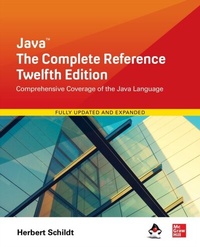
Java: The Complete Reference, Twelfth Edition
1. Auflage
Erschienen am 12. November 2021
1573 Seiten
978-1-260-46342-2 (ISBN)
Als Download verfügbar
Beschreibung

The Definitive Java Programming GuideFully updated for Java SE 17, Java : The Complete Reference, Twelfth Edition explains how to develop, compile, debug, and run Java programs. Best-selling programming author Herb Schildt covers the entire Java language, including its syntax, keywords, and fundamental programming principles. You ll also find information on key portions of the Java API library, such as I/O, the Collections Framework, the stream library, and the concurrency utilities. Swing, JavaBeans, and servlets are examined, and numerous examples demonstrate Java in action. Of course, recent additions to the Java language, such as records, sealed classes, and switch expressions are discussed in detail. Best of all, the book is written in the clear, crisp, uncompromising style that has made Schildt the choice of millions worldwide.Coverage includes:Data types, variables, arrays, and operatorsControl statementsClasses, objects, and methodsMethod overloading and overridingInheritanceInterfaces and packagesException handlingMultithreaded programmingEnumerations, autoboxing, and annotationsThe I/O classesGenericsLambda expressionsModulesRecordsSealed classesText blocksswitch expressionsPattern matching with instanceofString handlingThe Collections FrameworkNetworkingEvent handlingAWTSwingThe Concurrent APIThe Stream APIRegular expressionsJavaBeansServletsMuch, much more
Weitere Details
Weitere Ausgaben
Andere Ausgaben
Herbert Schildt
Java: The Complete Reference, Twelfth Edition
Buch
12/2021
12. Auflage
McGraw-Hill Education
59,71 €
Artikel ist vergriffen; siehe Neuauflage
Inhalt
- Cover
- About the Author
- Title Page
- Copyright Page
- Contents at a Glance
- Contents
- Preface
- For Further Study
- Part I The Java Language
- Chapter 1 The History and Evolution of Java
- Java's Lineage
- The Birth of Modern Programming: C
- C++: The Next Step
- The Stage Is Set for Java
- The Creation of Java
- The C# Connection
- How Java Impacted the Internet
- Java Applets
- Security
- Portability
- Java's Magic: The Bytecode
- Moving Beyond Applets
- A Faster Release Schedule
- Servlets: Java on the Server Side
- The Java Buzzwords
- Simple
- Object-Oriented
- Robust
- Multithreaded
- Architecture-Neutral
- Interpreted and High Performance
- Distributed
- Dynamic
- The Evolution of Java
- A Culture of Innovation
- Chapter 2 An Overview of Java
- Object-Oriented Programming
- Two Paradigms
- Abstraction
- The Three OOP Principles
- A First Simple Program
- Entering the Program
- Compiling the Program
- A Closer Look at the First Sample Program
- A Second Short Program
- Two Control Statements
- The if Statement
- The for Loop
- Using Blocks of Code
- Lexical Issues
- Whitespace
- Identifiers
- Literals
- Comments
- Separators
- The Java Keywords
- The Java Class Libraries
- Chapter 3 Data Types, Variables, and Arrays
- Java Is a Strongly Typed Language
- The Primitive Types
- Integers
- byte
- short
- int
- long
- Floating-Point Types
- float
- double
- Characters
- Booleans
- A Closer Look at Literals
- Integer Literals
- Floating-Point Literals
- Boolean Literals
- Character Literals
- String Literals
- Variables
- Declaring a Variable
- Dynamic Initialization
- The Scope and Lifetime of Variables
- Type Conversion and Casting
- Java's Automatic Conversions
- Casting Incompatible Types
- Automatic Type Promotion in Expressions
- The Type Promotion Rules
- Arrays
- One-Dimensional Arrays
- Multidimensional Arrays
- Alternative Array Declaration Syntax
- Introducing Type Inference with Local Variables
- Some var Restrictions
- A Few Words About Strings
- Chapter 4 Operators
- Arithmetic Operators
- The Basic Arithmetic Operators
- The Modulus Operator
- Arithmetic Compound Assignment Operators
- Increment and Decrement
- The Bitwise Operators
- The Bitwise Logical Operators
- The Left Shift
- The Right Shift
- The Unsigned Right Shift
- Bitwise Operator Compound Assignments
- Relational Operators
- Boolean Logical Operators
- Short-Circuit Logical Operators
- The Assignment Operator
- The ? Operator
- Operator Precedence
- Using Parentheses
- Chapter 5 Control Statements
- Java's Selection Statements
- if
- The Traditional switch
- Iteration Statements
- while
- do-while
- for
- The For-Each Version of the for Loop
- Local Variable Type Inference in a for Loop
- Nested Loops
- Jump Statements
- Using break
- Using continue
- return
- Chapter 6 Introducing Classes
- Class Fundamentals
- The General Form of a Class
- A Simple Class
- Declaring Objects
- A Closer Look at new
- Assigning Object Reference Variables
- Introducing Methods
- Adding a Method to the Box Class
- Returning a Value
- Adding a Method That Takes Parameters
- Constructors
- Parameterized Constructors
- The this Keyword
- Instance Variable Hiding
- Garbage Collection
- A Stack Class
- Chapter 7 A Closer Look at Methods and Classes
- Overloading Methods
- Overloading Constructors
- Using Objects as Parameters
- A Closer Look at Argument Passing
- Returning Objects
- Recursion
- Introducing Access Control
- Understanding static
- Introducing final
- Arrays Revisited
- Introducing Nested and Inner Classes
- Exploring the String Class
- Using Command-Line Arguments
- Varargs: Variable-Length Arguments
- Overloading Vararg Methods
- Varargs and Ambiguity
- Local Variable Type Inference with Reference Types
- Chapter 8 Inheritance
- Inheritance Basics
- Member Access and Inheritance
- A More Practical Example
- A Superclass Variable Can Reference a Subclass Object
- Using super
- Using super to Call Superclass Constructors
- A Second Use for super
- Creating a Multilevel Hierarchy
- When Constructors Are Executed
- Method Overriding
- Dynamic Method Dispatch
- Why Overridden Methods?
- Applying Method Overriding
- Using Abstract Classes
- Using final with Inheritance
- Using final to Prevent Overriding
- Using final to Prevent Inheritance
- Local Variable Type Inference and Inheritance
- The Object Class
- Chapter 9 Packages and Interfaces
- Packages
- Defining a Package
- Finding Packages and CLASSPATH
- A Short Package Example
- Packages and Member Access
- An Access Example
- Importing Packages
- Interfaces
- Defining an Interface
- Implementing Interfaces
- Nested Interfaces
- Applying Interfaces
- Variables in Interfaces
- Interfaces Can Be Extended
- Default Interface Methods
- Default Method Fundamentals
- A More Practical Example
- Multiple Inheritance Issues
- Use static Methods in an Interface
- Private Interface Methods
- Final Thoughts on Packages and Interfaces
- Chapter 10 Exception Handling
- Exception-Handling Fundamentals
- Exception Types
- Uncaught Exceptions
- Using try and catch
- Displaying a Description of an Exception
- Multiple catch Clauses
- Nested try Statements
- throw
- throws
- finally
- Java's Built-in Exceptions
- Creating Your Own Exception Subclasses
- Chained Exceptions
- Three Additional Exception Features
- Using Exceptions
- Chapter 11 Multithreaded Programming
- The Java Thread Model
- Thread Priorities
- Synchronization
- Messaging
- The Thread Class and the Runnable Interface
- The Main Thread
- Creating a Thread
- Implementing Runnable
- Extending Thread
- Choosing an Approach
- Creating Multiple Threads
- Using isAlive( ) and join( )
- Thread Priorities
- Synchronization
- Using Synchronized Methods
- The synchronized Statement
- Interthread Communication
- Deadlock
- Suspending, Resuming, and Stopping Threads
- Obtaining a Thread's State
- Using a Factory Method to Create and Start a Thread
- Using Multithreading
- Chapter 12 Enumerations, Autoboxing, and Annotations
- Enumerations
- Enumeration Fundamentals
- The values( ) and valueOf( ) Methods
- Java Enumerations Are Class Types
- Enumerations Inherit Enum
- Another Enumeration Example
- Type Wrappers
- Character
- Boolean
- The Numeric Type Wrappers
- Autoboxing
- Autoboxing and Methods
- Autoboxing/Unboxing Occurs in Expressions
- Autoboxing/Unboxing Boolean and Character Values
- Autoboxing/Unboxing Helps Prevent Errors
- A Word of Warning
- Annotations
- Annotation Basics
- Specifying a Retention Policy
- Obtaining Annotations at Run Time by Use of Reflection
- The AnnotatedElement Interface
- Using Default Values
- Marker Annotations
- Single-Member Annotations
- The Built-In Annotations
- Type Annotations
- Repeating Annotations
- Some Restrictions
- Chapter 13 I/O, Try-with-Resources, and Other Topics
- I/O Basics
- Streams
- Byte Streams and Character Streams
- The Predefined Streams
- Reading Console Input
- Reading Characters
- Reading Strings
- Writing Console Output
- The PrintWriter Class
- Reading and Writing Files
- Automatically Closing a File
- The transient and volatile Modifiers
- Introducing instanceof
- strictfp
- Native Methods
- Using assert
- Assertion Enabling and Disabling Options
- Static Import
- Invoking Overloaded Constructors Through this( )
- A Word About Value-Based Classes
- Chapter 14 Generics
- What Are Generics?
- A Simple Generics Example
- Generics Work Only with Reference Types
- Generic Types Differ Based on Their Type Arguments
- How Generics Improve Type Safety
- A Generic Class with Two Type Parameters
- The General Form of a Generic Class
- Bounded Types
- Using Wildcard Arguments
- Bounded Wildcards
- Creating a Generic Method
- Generic Constructors
- Generic Interfaces
- Raw Types and Legacy Code
- Generic Class Hierarchies
- Using a Generic Superclass
- A Generic Subclass
- Run-Time Type Comparisons Within a Generic Hierarchy
- Casting
- Overriding Methods in a Generic Class
- Type Inference with Generics
- Local Variable Type Inference and Generics
- Erasure
- Bridge Methods
- Ambiguity Errors
- Some Generic Restrictions
- Type Parameters Can't Be Instantiated
- Restrictions on Static Members
- Generic Array Restrictions
- Generic Exception Restriction
- Chapter 15 Lambda Expressions
- Introducing Lambda Expressions
- Lambda Expression Fundamentals
- Functional Interfaces
- Some Lambda Expression Examples
- Block Lambda Expressions
- Generic Functional Interfaces
- Passing Lambda Expressions as Arguments
- Lambda Expressions and Exceptions
- Lambda Expressions and Variable Capture
- Method References
- Method References to static Methods
- Method References to Instance Methods
- Method References with Generics
- Constructor References
- Predefined Functional Interfaces
- Chapter 16 Modules
- Module Basics
- A Simple Module Example
- Compile and Run the First Module Example
- A Closer Look at requires and exports
- java.base and the Platform Modules
- Legacy Code and the Unnamed Module
- Exporting to a Specific Module
- Using requires transitive
- Use Services
- Service and Service Provider Basics
- The Service-Based Keywords
- A Module-Based Service Example
- Module Graphs
- Three Specialized Module Features
- Open Modules
- The opens Statement
- requires static
- Introducing jlink and Module JAR Files
- Linking Files in an Exploded Directory
- Linking Modular JAR Files
- JMOD Files
- A Brief Word About Layers and Automatic Modules
- Final Thoughts on Modules
- Chapter 17 Switch Expressions, Records, and Other Recently Added Features
- Enhancements to switch
- Use a List of case Constants
- Introducing the switch Expression and the yield Statement
- Introducing the Arrow in a case Statement
- A Closer Look at the Arrow case
- Another switch Expression Example
- Text Blocks
- Text Block Fundamentals
- Understanding Leading Whitespace
- Use Double Quotes in a Text Block
- Escape Sequences in Text Blocks
- Records
- Record Basics
- Create Record Constructors
- Another Record Constructor Example
- Create Record Getter Methods
- Pattern Matching with instanceof
- Pattern Variables in a Logical AND Expression
- Pattern Matching in Other Statements
- Sealed Classes and Interfaces
- Sealed Classes
- Sealed Interfaces
- Future Directions
- Part II The Java Library
- Chapter 18 String Handling
- The String Constructors
- String Length
- Special String Operations
- String Literals
- String Concatenation
- String Concatenation with Other Data Types
- String Conversion and toString( )
- Character Extraction
- charAt( )
- getChars( )
- getBytes( )
- toCharArray( )
- String Comparison
- equals( ) and equalsIgnoreCase( )
- regionMatches( )
- startsWith( ) and endsWith( )
- equals( ) Versus ==
- compareTo( )
- Searching Strings
- Modifying a String
- substring( )
- concat( )
- replace( )
- trim( ) and strip( )
- Data Conversion Using valueOf( )
- Changing the Case of Characters Within a String
- Joining Strings
- Additional String Methods
- StringBuffer
- StringBuffer Constructors
- length( ) and capacity( )
- ensureCapacity( )
- setLength( )
- charAt( ) and setCharAt( )
- getChars( )
- append( )
- insert( )
- reverse( )
- delete( ) and deleteCharAt( )
- replace( )
- substring( )
- Additional StringBuffer Methods
- StringBuilder
- Chapter 19 Exploring java.lang
- Primitive Type Wrappers
- Number
- Double and Float
- Understanding isInfinite( ) and isNaN( )
- Byte, Short, Integer, and Long
- Character
- Additions to Character for Unicode Code Point Support
- Boolean
- Void
- Process
- Runtime
- Executing Other Programs
- Runtime.Version
- ProcessBuilder
- System
- Using currentTimeMillis( ) to Time Program Execution
- Using arraycopy( )
- Environment Properties
- System.Logger and System.LoggerFinder
- Object
- Using clone( ) and the Cloneable Interface
- Class
- ClassLoader
- Math
- Trigonometric Functions
- Exponential Functions
- Rounding Functions
- Miscellaneous Math Methods
- StrictMath
- Compiler
- Thread, ThreadGroup, and Runnable
- The Runnable Interface
- Thread
- ThreadGroup
- ThreadLocal and InheritableThreadLocal
- Package
- Module
- ModuleLayer
- RuntimePermission
- Throwable
- SecurityManager
- StackTraceElement
- StackWalker and StackWalker.StackFrame
- Enum
- Record
- ClassValue
- The CharSequence Interface
- The Comparable Interface
- The Appendable Interface
- The Iterable Interface
- The Readable Interface
- The AutoCloseable Interface
- The Thread.UncaughtExceptionHandler Interface
- The java.lang Subpackages
- java.lang.annotation
- java.lang.constant
- java.lang.instrument
- java.lang.invoke
- java.lang.management
- java.lang.module
- java.lang.ref
- java.lang.reflect
- Chapter 20 java.util Part 1: The Collections Framework
- Collections Overview
- The Collection Interfaces
- The Collection Interface
- The List Interface
- The Set Interface
- The SortedSet Interface
- The NavigableSet Interface
- The Queue Interface
- The Deque Interface
- The Collection Classes
- The ArrayList Class
- The LinkedList Class
- The HashSet Class
- The LinkedHashSet Class
- The TreeSet Class
- The PriorityQueue Class
- The ArrayDeque Class
- The EnumSet Class
- Accessing a Collection via an Iterator
- Using an Iterator
- The For-Each Alternative to Iterators
- Spliterators
- Storing User-Defined Classes in Collections
- The RandomAccess Interface
- Working with Maps
- The Map Interfaces
- The Map Classes
- Comparators
- Using a Comparator
- The Collection Algorithms
- Arrays
- The Legacy Classes and Interfaces
- The Enumeration Interface
- Vector
- Stack
- Dictionary
- Hashtable
- Properties
- Using store( ) and load( )
- Parting Thoughts on Collections
- Chapter 21 java.util Part 2: More Utility Classes
- StringTokenizer
- BitSet
- Optional, OptionalDouble, OptionalInt, and OptionalLong
- Date
- Calendar
- GregorianCalendar
- TimeZone
- SimpleTimeZone
- Locale
- Random
- Timer and TimerTask
- Currency
- Formatter
- The Formatter Constructors
- The Formatter Methods
- Formatting Basics
- Formatting Strings and Characters
- Formatting Numbers
- Formatting Time and Date
- The %n and %% Specifiers
- Specifying a Minimum Field Width
- Specifying Precision
- Using the Format Flags
- Justifying Output
- The Space, +, 0, and ( Flags
- The Comma Flag
- The # Flag
- The Uppercase Option
- Using an Argument Index
- Closing a Formatter
- The Java printf( ) Connection
- Scanner
- The Scanner Constructors
- Scanning Basics
- Some Scanner Examples
- Setting Delimiters
- Other Scanner Features
- The ResourceBundle, ListResourceBundle, and PropertyResourceBundle Classes
- Miscellaneous Utility Classes and Interfaces
- The java.util Subpackages
- java.util.concurrent, java.util.concurrent.atomic, and java.util.concurrent.locks
- java.util.function
- java.util.jar
- java.util.logging
- java.util.prefs
- java.util.random
- java.util.regex
- java.util.spi
- java.util.stream
- java.util.zip
- Chapter 22 Input/Output: Exploring java.io
- The I/O Classes and Interfaces
- File
- Directories
- Using FilenameFilter
- The listFiles( ) Alternative
- Creating Directories
- The AutoCloseable, Closeable, and Flushable Interfaces
- I/O Exceptions
- Two Ways to Close a Stream
- The Stream Classes
- The Byte Streams
- InputStream
- OutputStream
- FileInputStream
- FileOutputStream
- ByteArrayInputStream
- ByteArrayOutputStream
- Filtered Byte Streams
- Buffered Byte Streams
- SequenceInputStream
- PrintStream
- DataOutputStream and DataInputStream
- RandomAccessFile
- The Character Streams
- Reader
- Writer
- FileReader
- FileWriter
- CharArrayReader
- CharArrayWriter
- BufferedReader
- BufferedWriter
- PushbackReader
- PrintWriter
- The Console Class
- Serialization
- Serializable
- Externalizable
- ObjectOutput
- ObjectOutputStream
- ObjectInput
- ObjectInputStream
- A Serialization Example
- Stream Benefits
- Chapter 23 Exploring NIO
- The NIO Classes
- NIO Fundamentals
- Buffers
- Channels
- Charsets and Selectors
- Enhancements Added by NIO.2
- The Path Interface
- The Files Class
- The Paths Class
- The File Attribute Interfaces
- The FileSystem, FileSystems, and FileStore Classes
- Using the NIO System
- Use NIO for Channel-Based I/O
- Use NIO for Stream-Based I/O
- Use NIO for Path and File System Operations
- Chapter 24 Networking
- Networking Basics
- The java.net Networking Classes and Interfaces
- InetAddress
- Factory Methods
- Instance Methods
- Inet4Address and Inet6Address
- TCP/IP Client Sockets
- URL
- URLConnection
- HttpURLConnection
- The URI Class
- Cookies
- TCP/IP Server Sockets
- Datagrams
- DatagramSocket
- DatagramPacket
- A Datagram Example
- Introducing java.net.http
- Three Key Elements
- A Simple HTTP Client Example
- Things to Explore in java.net.http
- Chapter 25 Event Handling
- Two Event Handling Mechanisms
- The Delegation Event Model
- Events
- Event Sources
- Event Listeners
- Event Classes
- The ActionEvent Class
- The AdjustmentEvent Class
- The ComponentEvent Class
- The ContainerEvent Class
- The FocusEvent Class
- The InputEvent Class
- The ItemEvent Class
- The KeyEvent Class
- The MouseEvent Class
- The MouseWheelEvent Class
- The TextEvent Class
- The WindowEvent Class
- Sources of Events
- Event Listener Interfaces
- The ActionListener Interface
- The AdjustmentListener Interface
- The ComponentListener Interface
- The ContainerListener Interface
- The FocusListener Interface
- The ItemListener Interface
- The KeyListener Interface
- The MouseListener Interface
- The MouseMotionListener Interface
- The MouseWheelListener Interface
- The TextListener Interface
- The WindowFocusListener Interface
- The WindowListener Interface
- Using the Delegation Event Model
- Some Key AWT GUI Concepts
- Handling Mouse Events
- Handling Keyboard Events
- Adapter Classes
- Inner Classes
- Anonymous Inner Classes
- Chapter 26 Introducing the AWT: Working with Windows, Graphics, and Text
- AWT Classes
- Window Fundamentals
- Component
- Container
- Panel
- Window
- Frame
- Canvas
- Working with Frame Windows
- Setting the Window's Dimensions
- Hiding and Showing a Window
- Setting a Window's Title
- Closing a Frame Window
- The paint( ) Method
- Displaying a String
- Setting the Foreground and Background Colors
- Requesting Repainting
- Creating a Frame-Based Application
- Introducing Graphics
- Drawing Lines
- Drawing Rectangles
- Drawing Ellipses and Circles
- Drawing Arcs
- Drawing Polygons
- Demonstrating the Drawing Methods
- Sizing Graphics
- Working with Color
- Color Methods
- Setting the Current Graphics Color
- A Color Demonstration Program
- Setting the Paint Mode
- Working with Fonts
- Determining the Available Fonts
- Creating and Selecting a Font
- Obtaining Font Information
- Managing Text Output Using FontMetrics
- Chapter 27 Using AWT Controls, Layout Managers, and Menus
- AWT Control Fundamentals
- Adding and Removing Controls
- Responding to Controls
- The HeadlessException
- Labels
- Using Buttons
- Handling Buttons
- Applying Check Boxes
- Handling Check Boxes
- CheckboxGroup
- Choice Controls
- Handling Choice Lists
- Using Lists
- Handling Lists
- Managing Scroll Bars
- Handling Scroll Bars
- Using a TextField
- Handling a TextField
- Using a TextArea
- Understanding Layout Managers
- FlowLayout
- BorderLayout
- Using Insets
- GridLayout
- CardLayout
- GridBagLayout
- Menu Bars and Menus
- Dialog Boxes
- A Word About Overriding paint( )
- Chapter 28 Images
- File Formats
- Image Fundamentals: Creating, Loading, and Displaying
- Creating an Image Object
- Loading an Image
- Displaying an Image
- Double Buffering
- ImageProducer
- MemoryImageSource
- ImageConsumer
- PixelGrabber
- ImageFilter
- CropImageFilter
- RGBImageFilter
- Additional Imaging Classes
- Chapter 29 The Concurrency Utilities
- The Concurrent API Packages
- java.util.concurrent
- java.util.concurrent.atomic
- java.util.concurrent.locks
- Using Synchronization Objects
- Semaphore
- CountDownLatch
- CyclicBarrier
- Exchanger
- Phaser
- Using an Executor
- A Simple Executor Example
- Using Callable and Future
- The TimeUnit Enumeration
- The Concurrent Collections
- Locks
- Atomic Operations
- Parallel Programming via the Fork/Join Framework
- The Main Fork/Join Classes
- The Divide-and-Conquer Strategy
- A Simple First Fork/Join Example
- Understanding the Impact of the Level of Parallelism
- An Example that Uses RecursiveTask&V&
- Executing a Task Asynchronously
- Cancelling a Task
- Determining a Task's Completion Status
- Restarting a Task
- Things to Explore
- Some Fork/Join Tips
- The Concurrency Utilities Versus Java's Traditional Approach
- Chapter 30 The Stream API
- Stream Basics
- Stream Interfaces
- How to Obtain a Stream
- A Simple Stream Example
- Reduction Operations
- Using Parallel Streams
- Mapping
- Collecting
- Iterators and Streams
- Use an Iterator with a Stream
- Use Spliterator
- More to Explore in the Stream API
- Chapter 31 Regular Expressions and Other Packages
- Regular Expression Processing
- Pattern
- Matcher
- Regular Expression Syntax
- Demonstrating Pattern Matching
- Two Pattern-Matching Options
- Exploring Regular Expressions
- Reflection
- Remote Method Invocation (RMI)
- A Simple Client/Server Application Using RMI
- Formatting Date and Time with java.text
- DateFormat Class
- SimpleDateFormat Class
- The java.time Time and Date API
- Time and Date Fundamentals
- Formatting Date and Time
- Parsing Date and Time Strings
- Other Things to Explore in java.time
- Part III Introducing GUI Programming with Swing
- Chapter 32 Introducing Swing
- The Origins of Swing
- Swing Is Built on the AWT
- Two Key Swing Features
- Swing Components Are Lightweight
- Swing Supports a Pluggable Look and Feel
- The MVC Connection
- Components and Containers
- Components
- Containers
- The Top-Level Container Panes
- The Swing Packages
- A Simple Swing Application
- Event Handling
- Painting in Swing
- Painting Fundamentals
- Compute the Paintable Area
- A Paint Example
- Chapter 33 Exploring Swing
- JLabel and ImageIcon
- JTextField
- The Swing Buttons
- JButton
- JToggleButton
- Check Boxes
- Radio Buttons
- JTabbedPane
- JScrollPane
- JList
- JComboBox
- Trees
- JTable
- Chapter 34 Introducing Swing Menus
- Menu Basics
- An Overview of JMenuBar, JMenu, and JMenuItem
- JMenuBar
- JMenu
- JMenuItem
- Create a Main Menu
- Add Mnemonics and Accelerators to Menu Items
- Add Images and Tooltips to Menu Items
- Use JRadioButtonMenuItem and JCheckBoxMenuItem
- Create a Popup Menu
- Create a Toolbar
- Use Actions
- Put the Entire MenuDemo Program Together
- Continuing Your Exploration of Swing
- Part IV Applying Java
- Chapter 35 Java Beans
- What Is a Java Bean?
- Advantages of Beans
- Introspection
- Design Patterns for Properties
- Design Patterns for Events
- Methods and Design Patterns
- Using the BeanInfo Interface
- Bound and Constrained Properties
- Persistence
- Customizers
- The JavaBeans API
- Introspector
- PropertyDescriptor
- EventSetDescriptor
- MethodDescriptor
- A Bean Example
- Chapter 36 Introducing Servlets
- Background
- The Life Cycle of a Servlet
- Servlet Development Options
- Using Tomcat
- A Simple Servlet
- Create and Compile the Servlet Source Code
- Start Tomcat
- Start a Web Browser and Request the Servlet
- The Servlet API
- The jakarta.servlet Package
- The Servlet Interface
- The ServletConfig Interface
- The ServletContext Interface
- The ServletRequest Interface
- The ServletResponse Interface
- The GenericServlet Class
- The ServletInputStream Class
- The ServletOutputStream Class
- The Servlet Exception Classes
- Reading Servlet Parameters
- The jakarta.servlet.http Package
- The HttpServletRequest Interface
- The HttpServletResponse Interface
- The HttpSession Interface
- The Cookie Class
- The HttpServlet Class
- Handling HTTP Requests and Responses
- Handling HTTP GET Requests
- Handling HTTP POST Requests
- Using Cookies
- Session Tracking
- Part V Appendixes
- Appendix A Using Java's Documentation Comments
- The javadoc Tags
- @author
- {@code}
- @deprecated
- {@docRoot}
- @exception
- @hidden
- {@index}
- {@inheritDoc}
- {@link}
- {@linkplain}
- {@literal}
- @param
- @provides
- @return
- @see
- @serial
- @serialData
- @serialField
- @since
- {@summary}
- {@systemProperty}
- @throws
- @uses
- {@value}
- @version
- The General Form of a Documentation Comment
- What javadoc Outputs
- An Example that Uses Documentation Comments
- Appendix B Introducing JShell
- JShell Basics
- List, Edit, and Rerun Code
- Add a Method
- Create a Class
- Use an Interface
- Evaluate Expressions and Use Built-in Variables
- Importing Packages
- Exceptions
- Some More JShell Commands
- Exploring JShell Further
- Appendix C Compile and Run Simple Single-File Programs in One Step
- Index

