

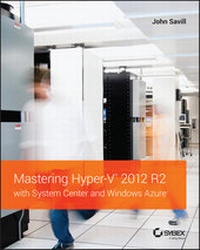
Mastering Hyper-V 2012 R2 with System Center and Windows Azure
Erschienen am 3. April 2014
576 Seiten
978-1-118-82815-1 (ISBN)
Beschreibung

This book will help you understand the capabilities of MicrosoftHyper-V, architect a Hyper-V solution for your datacenter, plan adeployment/migration, and then manage it all using native tools andSystem Center. Coverage also includes hybrid cloud scenariosspecifically with Windows Azure to complete the full virtualizationpiece of providing data both on premise and off premise.
In addition, you will explore the Windows Azure capabilities forvirtual machines and managing a hybrid cloud, including WindowsAzure's Internet as a Service (IaaS) and storagecapabilities, how seamless management is possible with PowerShelland System Center, plus how Azure Storage can play a part in acompany's complete solution.
Key topics covered include: virtualization fundamentals, networkvirtualization, storage configuration, Hyper-V management andmaintenance, failover clustering and migration, Hyper-V replica andcloud orchestration, private cloud implementation, Azure IaaS,Azure storage, managing with PowerShell, Hyper-V decoding, andWindows Server 2012 R2 integration.
Weitere Details
Weitere Ausgaben
Andere Ausgaben
Buch
04/2014
Wiley
65,90 €
Artikel ist vergriffen; siehe andere Ausgabe
Person
John Savill is a Windows technical specialist, an 11-timeMVP, and an MCSE for Private Cloud and Server Infrastructure 2012.He's also ITIL certified and a CISSP. John is the author ofthe popular FAQ for Windows and a senior contributing editor toWindows IT Pro, as well as the author of MicrosoftVirtualization Secrets (Wiley). John speaks at leading industryevents and blogs at http://www.savilltech.com/blog.
Inhalt
1 - Cover [Seite 1]
2 - Title Page [Seite 5]
3 - Copyright [Seite 6]
4 - Contents [Seite 15]
5 - Chapter 1 Introduction to Virtualization and Microsoft Solutions [Seite 25]
5.1 - The Evolution of the Datacenter [Seite 25]
5.1.1 - One Box, One Operating System [Seite 25]
5.1.2 - How Virtualization Has Changed the Way Companies Work and Its Key Values [Seite 29]
5.2 - History of Hyper-V [Seite 34]
5.2.1 - Windows Server 2008 Hyper-V Features [Seite 36]
5.2.2 - Windows Server 2008 R2 Changes [Seite 37]
5.2.3 - Windows Server 2008 R2 Service Pack 1 [Seite 39]
5.2.4 - Windows Server 2012 Hyper-V Changes [Seite 40]
5.2.5 - Windows Server 2012 R2 [Seite 45]
5.3 - Licensing of Hyper-V [Seite 47]
5.3.1 - One Operating System (Well, Two, but Really One) [Seite 48]
5.3.2 - Choosing the Version of Hyper-V [Seite 50]
5.4 - The Role of System Center with Hyper-V [Seite 51]
5.4.1 - System Center Configuration Manager [Seite 52]
5.4.2 - System Center Virtual Machine Manager and App Controller [Seite 52]
5.4.3 - System Center Operations Manager [Seite 52]
5.4.4 - System Center Data Protection Manager [Seite 53]
5.4.5 - System Center Service Manager [Seite 53]
5.4.6 - System Center Orchestrator [Seite 54]
5.5 - Clouds and Services [Seite 54]
5.6 - The Bottom Line [Seite 56]
6 - Chapter 2 Virtual Machine Resource Fundamentals [Seite 59]
6.1 - Understanding VMBus [Seite 59]
6.2 - The Anatomy of a Virtual Machine [Seite 62]
6.2.1 - Generation 1 Virtual Machine [Seite 63]
6.2.2 - Generation 2 Virtual Machine [Seite 68]
6.3 - Processor Resources [Seite 71]
6.3.1 - Virtual Processor to Logical Processor Scheduling [Seite 73]
6.3.2 - Processor Assignment [Seite 76]
6.3.3 - NUMA Support [Seite 81]
6.4 - Memory Resources [Seite 84]
6.5 - Virtual Storage [Seite 91]
6.5.1 - VHD [Seite 91]
6.5.2 - VHDX [Seite 93]
6.5.3 - Creating a Virtual Hard Disk [Seite 94]
6.5.4 - Pass-Through Storage [Seite 96]
6.6 - The Bottom Line [Seite 96]
7 - Chapter 3 Virtual Networking [Seite 99]
7.1 - Virtual Switch Fundamentals [Seite 99]
7.1.1 - Three Types of Virtual Switch [Seite 99]
7.1.2 - Creating a Virtual Switch [Seite 102]
7.2 - Extensible Switch [Seite 104]
7.3 - VLANs and PVLANS [Seite 107]
7.3.1 - Understanding VLANs [Seite 107]
7.3.2 - VLANs and Hyper-V [Seite 110]
7.3.3 - PVLANs [Seite 111]
7.4 - How SCVMM Simplifies Networking with Hyper-V [Seite 115]
7.4.1 - SCVMM Networking Architecture [Seite 116]
7.4.2 - Deploying Networking with SCVMM 2012 R2 [Seite 121]
7.5 - Network Virtualization [Seite 136]
7.5.1 - Network Virtualization Overview [Seite 136]
7.5.2 - Implementing Network Virtualization [Seite 141]
7.5.3 - Useful Network Virtualization Commands [Seite 143]
7.5.4 - Network Virtualization Gateway [Seite 148]
7.5.5 - Summary [Seite 155]
7.6 - VMQ, RSS, and SR-IOV [Seite 156]
7.6.1 - SR-IOV [Seite 156]
7.6.2 - DVMQ [Seite 160]
7.6.3 - RSS and vRSS [Seite 162]
7.7 - NIC Teaming [Seite 165]
7.8 - Host Virtual Adapters and Types of Networks Needed in a Hyper-V Host [Seite 167]
7.9 - Types of Guest Network Adapters [Seite 171]
7.10 - Monitoring Virtual Traffic [Seite 174]
7.11 - The Bottom Line [Seite 176]
8 - Chapter 4 Storage Configurations [Seite 177]
8.1 - Storage Fundamentals and VHDX [Seite 177]
8.1.1 - Types of Controllers [Seite 180]
8.1.2 - Common VHDX Maintenance Actions [Seite 181]
8.1.3 - Performing Dynamic VHDX Resize [Seite 183]
8.2 - Storage Spaces and Windows as a Storage Solution [Seite 184]
8.3 - Server Message Block (SMB) Usage [Seite 190]
8.3.1 - SMB Technologies [Seite 190]
8.3.2 - Using SMB for Hyper-V Storage [Seite 196]
8.4 - iSCSI with Hyper-V [Seite 197]
8.4.1 - Using the Windows iSCSI Target [Seite 199]
8.4.2 - Using the Windows iSCSI Initiator [Seite 201]
8.4.3 - Considerations for Using iSCSI [Seite 202]
8.5 - Understanding Virtual Fibre Channel [Seite 202]
8.6 - Leveraging Shared VHDX [Seite 210]
8.7 - Data Deduplication and Hyper-V [Seite 212]
8.8 - Storage Quality of Service [Seite 213]
8.9 - SAN Storage and SCVMM [Seite 215]
8.10 - The Bottom Line [Seite 217]
9 - Chapter 5 Managing Hyper-V [Seite 219]
9.1 - Installing Hyper-V [Seite 219]
9.1.1 - Using Configuration Levels [Seite 221]
9.1.2 - Enabling the Hyper-V Role [Seite 222]
9.1.3 - Actions after Installation of Hyper-V [Seite 224]
9.1.4 - Deploying Hyper-V Servers with SCVMM [Seite 226]
9.2 - Hyper-V Management Tools [Seite 227]
9.2.1 - Using Hyper-V Manager [Seite 229]
9.2.2 - Core Actions Using PowerShell [Seite 234]
9.3 - Securing the Hyper-V Server [Seite 238]
9.4 - Creating and Managing a Virtual Machine [Seite 238]
9.5 - Creating and Using Hyper-V Templates [Seite 243]
9.6 - Hyper-V Integration Services and Supported Operating Systems [Seite 253]
9.7 - Migrating Physical Servers and Virtual Machines to Hyper-V Virtual Machines [Seite 257]
9.8 - Upgrading and Migrating from Previous Versions [Seite 260]
9.8.1 - Stand-Alone Hosts [Seite 261]
9.8.2 - Clusters [Seite 261]
9.9 - The Bottom Line [Seite 265]
10 - Chapter 6 Maintaining a Hyper-V Environment [Seite 267]
10.1 - Patch Planning and Implementation [Seite 267]
10.1.1 - Leveraging WSUS [Seite 268]
10.1.2 - Patching Hyper-V Clusters [Seite 269]
10.2 - Malware Configurations [Seite 272]
10.3 - Backup Planning [Seite 273]
10.4 - Defragmentation with Hyper-V [Seite 276]
10.5 - Using Checkpoints [Seite 278]
10.6 - Using Service Templates [Seite 282]
10.7 - Performance Tuning and Monitoring with Hyper-V [Seite 285]
10.7.1 - Resource Metering [Seite 289]
10.7.2 - Monitoring [Seite 294]
10.8 - The Bottom Line [Seite 295]
11 - Chapter 7 Failover Clustering and Migration Technologies [Seite 297]
11.1 - Failover Clustering Basics [Seite 297]
11.2 - Understanding Quorum and Why It's Important [Seite 299]
11.2.1 - Quorum Basics [Seite 300]
11.2.2 - Modifying Cluster Vote Configuration [Seite 306]
11.2.3 - Advanced Quorum Options and Forcing Quorums [Seite 308]
11.2.4 - Geographically Distributed Clusters [Seite 310]
11.3 - Why Use Clustering with Hyper-V? [Seite 311]
11.3.1 - Service Monitoring [Seite 312]
11.3.2 - Protected Network [Seite 315]
11.3.3 - Cluster-Aware Updating [Seite 315]
11.3.4 - Where to Implement High Availability [Seite 316]
11.4 - Configuring a Hyper-V Cluster [Seite 319]
11.4.1 - Cluster Network Requirements and Configurations [Seite 320]
11.4.2 - Performing Cluster Validation [Seite 327]
11.4.3 - Creating a Cluster [Seite 330]
11.5 - Creating Clusters with SCVMM [Seite 331]
11.6 - Using Cluster Shared Volumes [Seite 334]
11.7 - Making a Virtual Machine a Clustered Virtual Machine [Seite 338]
11.8 - Live Migration [Seite 340]
11.8.1 - Windows Server 2012 Live Migration Enhancements [Seite 344]
11.8.2 - Live Storage Move [Seite 345]
11.8.3 - Shared Nothing Live Migration [Seite 350]
11.8.4 - Configuring Constrained Delegation [Seite 352]
11.8.5 - Initiating Simultaneous Migrations Using PowerShell [Seite 354]
11.8.6 - Windows Server 2012 R2 Live Migration Enhancements [Seite 354]
11.9 - Dynamic Optimization and Resource Balancing [Seite 356]
11.10 - The Bottom Line [Seite 360]
12 - Chapter 8 Hyper-V Replica and Cloud Orchestration [Seite 363]
12.1 - The Need for Disaster Recovery and DR Basics [Seite 363]
12.2 - Asynchronous vs. Synchronous Replication [Seite 365]
12.3 - Introduction to Hyper-V Replica [Seite 366]
12.4 - Enabling Hyper-V Replica [Seite 368]
12.5 - Configuring Hyper-V Replica [Seite 370]
12.6 - Using Hyper-V Replica Broker [Seite 376]
12.7 - Performing Hyper-V Replica Failover [Seite 377]
12.8 - Sizing a Hyper-V Replica Solution [Seite 383]
12.9 - Using Hyper-V Replica Cloud Orchestration for Automated Failover [Seite 385]
12.9.1 - Overview of Hyper-V Recovery Manager [Seite 386]
12.9.2 - Getting Started with HRM [Seite 387]
12.10 - Architecting the Right Disaster Recovery Solution [Seite 391]
12.11 - The Bottom Line [Seite 392]
13 - Chapter 9 Implementing the Private Cloud and SCVMM [Seite 393]
13.1 - The Benefits of the Private Cloud [Seite 393]
13.2 - Private Cloud Components [Seite 398]
13.3 - SCVMM Fundamentals [Seite 400]
13.3.1 - Installation [Seite 401]
13.3.2 - SCVMM Management Console [Seite 403]
13.3.3 - Libraries [Seite 406]
13.4 - Creating a Private Cloud Using System Center Virtual Machine Manager [Seite 410]
13.5 - Granting Users Access to the Private Cloud with App Controller [Seite 417]
13.5.1 - Installation and Initial Configuration [Seite 418]
13.5.2 - User Interaction with App Controller [Seite 420]
13.6 - Enabling Workflows and Advanced Private Cloud Concepts Using Service Manager and Orchestrator [Seite 423]
13.7 - How the Rest of System Center Fits into Your Private Cloud Architecture [Seite 426]
13.8 - The Bottom Line [Seite 429]
14 - Chapter 10 Remote Desktop Services [Seite 431]
14.1 - Remote Desktop Services and Bring Your Own Device [Seite 431]
14.2 - Microsoft Desktop and Session Virtualization Technologies [Seite 435]
14.2.1 - RD Web Access [Seite 437]
14.2.2 - RD Connection Broker [Seite 438]
14.2.3 - RD Virtualization Host [Seite 439]
14.2.4 - RD Gateway [Seite 439]
14.3 - Requirements for a Complete Desktop Virtualization Solution [Seite 440]
14.4 - Creating the VDI Template [Seite 444]
14.5 - Deploying a New VDI Collection Using Scenario-Based Deployment [Seite 447]
14.6 - Using RemoteFX [Seite 453]
14.7 - Remote Desktop Protocol Capabilities [Seite 457]
14.8 - Choosing the Right Desktop Virtualization Technology [Seite 460]
14.9 - The Bottom Line [Seite 463]
15 - Chapter 11 Windows Azure IaaS and Storage [Seite 465]
15.1 - Understanding Public Cloud "as a Service" [Seite 465]
15.2 - When Public Cloud Services Are the Best Solution [Seite 467]
15.3 - Windows Azure 101 [Seite 471]
15.3.1 - Windows Azure Compute [Seite 471]
15.3.2 - Windows Azure Data Services [Seite 473]
15.3.3 - Windows Azure App Services [Seite 474]
15.3.4 - Windows Azure Network [Seite 475]
15.4 - Capabilities of Azure IaaS and How It Is Purchased [Seite 475]
15.5 - Creating Virtual Machines in Azure IaaS [Seite 484]
15.5.1 - Managing with PowerShell [Seite 495]
15.6 - Windows Azure Virtual Networks [Seite 498]
15.7 - Linking On-Premises Networks with Azure IaaS [Seite 507]
15.8 - Migrating Virtual Machines between Hyper-V and Azure IaaS [Seite 510]
15.9 - Leveraging Azure Storage [Seite 511]
15.10 - The Bottom Line [Seite 514]
16 - Chapter 12 Bringing It All Together with a Best-of-Breed Cloud Solution [Seite 515]
16.1 - Which Is the Right Technology To Choose? [Seite 515]
16.1.1 - Consider the Public Cloud [Seite 516]
16.1.2 - Decide If a Server Workload Should Be Virtualized [Seite 520]
16.1.3 - Do I Want a Private Cloud? [Seite 522]
16.2 - Enabling Single Pane of Glass Management [Seite 523]
16.3 - The Bottom Line [Seite 525]
17 - Chapter 13 The Hyper-V Decoder Ring for the VMware Administrator [Seite 527]
17.1 - Overview of the VMware Solution and Key Differences from Hyper-V [Seite 527]
17.2 - Translating Key VMware Technologies and Actions to Hyper-V [Seite 530]
17.2.1 - Translations [Seite 530]
17.2.2 - Most Common Misconceptions [Seite 535]
17.3 - Converting VMware Skills to Hyper-V and System Center [Seite 538]
17.4 - Migrating from VMware to Hyper-V [Seite 539]
17.5 - Th e Bottom Line [Seite 541]
18 - Appendix A The Bottom Line [Seite 543]
18.1 - Chapter 1: Introduction to Virtualization and Microsoft Solutions [Seite 543]
18.2 - Chapter 2: Virtual Machine Resource Fundamentals [Seite 544]
18.3 - Chapter 3: Virtual Networking [Seite 545]
18.4 - Chapter 4: Storage Configurations [Seite 546]
18.5 - Chapter 5: Managing Hyper-V [Seite 546]
18.6 - Chapter 6: Maintaining a Hyper-V Environment [Seite 547]
18.7 - Chapter 7: Failover Clustering and Migration Technologies [Seite 548]
18.8 - Chapter 8: Hyper-V Replica and Cloud Orchestration [Seite 549]
18.9 - Chapter 9: Implementing the Private Cloud and SCVMM [Seite 550]
18.10 - Chapter 10: Remote Desktop Services [Seite 550]
18.11 - Chapter 11: Windows Azure IaaS and Storage [Seite 551]
18.12 - Chapter 12: Bringing It All Together with a Best-of-Breed Cloud Solution [Seite 552]
18.13 - Chapter 13: The Hyper-V Decoder Ring for the VMware Administrator [Seite 553]
19 - Index [Seite 555]
2 - Title Page [Seite 5]
3 - Copyright [Seite 6]
4 - Contents [Seite 15]
5 - Chapter 1 Introduction to Virtualization and Microsoft Solutions [Seite 25]
5.1 - The Evolution of the Datacenter [Seite 25]
5.1.1 - One Box, One Operating System [Seite 25]
5.1.2 - How Virtualization Has Changed the Way Companies Work and Its Key Values [Seite 29]
5.2 - History of Hyper-V [Seite 34]
5.2.1 - Windows Server 2008 Hyper-V Features [Seite 36]
5.2.2 - Windows Server 2008 R2 Changes [Seite 37]
5.2.3 - Windows Server 2008 R2 Service Pack 1 [Seite 39]
5.2.4 - Windows Server 2012 Hyper-V Changes [Seite 40]
5.2.5 - Windows Server 2012 R2 [Seite 45]
5.3 - Licensing of Hyper-V [Seite 47]
5.3.1 - One Operating System (Well, Two, but Really One) [Seite 48]
5.3.2 - Choosing the Version of Hyper-V [Seite 50]
5.4 - The Role of System Center with Hyper-V [Seite 51]
5.4.1 - System Center Configuration Manager [Seite 52]
5.4.2 - System Center Virtual Machine Manager and App Controller [Seite 52]
5.4.3 - System Center Operations Manager [Seite 52]
5.4.4 - System Center Data Protection Manager [Seite 53]
5.4.5 - System Center Service Manager [Seite 53]
5.4.6 - System Center Orchestrator [Seite 54]
5.5 - Clouds and Services [Seite 54]
5.6 - The Bottom Line [Seite 56]
6 - Chapter 2 Virtual Machine Resource Fundamentals [Seite 59]
6.1 - Understanding VMBus [Seite 59]
6.2 - The Anatomy of a Virtual Machine [Seite 62]
6.2.1 - Generation 1 Virtual Machine [Seite 63]
6.2.2 - Generation 2 Virtual Machine [Seite 68]
6.3 - Processor Resources [Seite 71]
6.3.1 - Virtual Processor to Logical Processor Scheduling [Seite 73]
6.3.2 - Processor Assignment [Seite 76]
6.3.3 - NUMA Support [Seite 81]
6.4 - Memory Resources [Seite 84]
6.5 - Virtual Storage [Seite 91]
6.5.1 - VHD [Seite 91]
6.5.2 - VHDX [Seite 93]
6.5.3 - Creating a Virtual Hard Disk [Seite 94]
6.5.4 - Pass-Through Storage [Seite 96]
6.6 - The Bottom Line [Seite 96]
7 - Chapter 3 Virtual Networking [Seite 99]
7.1 - Virtual Switch Fundamentals [Seite 99]
7.1.1 - Three Types of Virtual Switch [Seite 99]
7.1.2 - Creating a Virtual Switch [Seite 102]
7.2 - Extensible Switch [Seite 104]
7.3 - VLANs and PVLANS [Seite 107]
7.3.1 - Understanding VLANs [Seite 107]
7.3.2 - VLANs and Hyper-V [Seite 110]
7.3.3 - PVLANs [Seite 111]
7.4 - How SCVMM Simplifies Networking with Hyper-V [Seite 115]
7.4.1 - SCVMM Networking Architecture [Seite 116]
7.4.2 - Deploying Networking with SCVMM 2012 R2 [Seite 121]
7.5 - Network Virtualization [Seite 136]
7.5.1 - Network Virtualization Overview [Seite 136]
7.5.2 - Implementing Network Virtualization [Seite 141]
7.5.3 - Useful Network Virtualization Commands [Seite 143]
7.5.4 - Network Virtualization Gateway [Seite 148]
7.5.5 - Summary [Seite 155]
7.6 - VMQ, RSS, and SR-IOV [Seite 156]
7.6.1 - SR-IOV [Seite 156]
7.6.2 - DVMQ [Seite 160]
7.6.3 - RSS and vRSS [Seite 162]
7.7 - NIC Teaming [Seite 165]
7.8 - Host Virtual Adapters and Types of Networks Needed in a Hyper-V Host [Seite 167]
7.9 - Types of Guest Network Adapters [Seite 171]
7.10 - Monitoring Virtual Traffic [Seite 174]
7.11 - The Bottom Line [Seite 176]
8 - Chapter 4 Storage Configurations [Seite 177]
8.1 - Storage Fundamentals and VHDX [Seite 177]
8.1.1 - Types of Controllers [Seite 180]
8.1.2 - Common VHDX Maintenance Actions [Seite 181]
8.1.3 - Performing Dynamic VHDX Resize [Seite 183]
8.2 - Storage Spaces and Windows as a Storage Solution [Seite 184]
8.3 - Server Message Block (SMB) Usage [Seite 190]
8.3.1 - SMB Technologies [Seite 190]
8.3.2 - Using SMB for Hyper-V Storage [Seite 196]
8.4 - iSCSI with Hyper-V [Seite 197]
8.4.1 - Using the Windows iSCSI Target [Seite 199]
8.4.2 - Using the Windows iSCSI Initiator [Seite 201]
8.4.3 - Considerations for Using iSCSI [Seite 202]
8.5 - Understanding Virtual Fibre Channel [Seite 202]
8.6 - Leveraging Shared VHDX [Seite 210]
8.7 - Data Deduplication and Hyper-V [Seite 212]
8.8 - Storage Quality of Service [Seite 213]
8.9 - SAN Storage and SCVMM [Seite 215]
8.10 - The Bottom Line [Seite 217]
9 - Chapter 5 Managing Hyper-V [Seite 219]
9.1 - Installing Hyper-V [Seite 219]
9.1.1 - Using Configuration Levels [Seite 221]
9.1.2 - Enabling the Hyper-V Role [Seite 222]
9.1.3 - Actions after Installation of Hyper-V [Seite 224]
9.1.4 - Deploying Hyper-V Servers with SCVMM [Seite 226]
9.2 - Hyper-V Management Tools [Seite 227]
9.2.1 - Using Hyper-V Manager [Seite 229]
9.2.2 - Core Actions Using PowerShell [Seite 234]
9.3 - Securing the Hyper-V Server [Seite 238]
9.4 - Creating and Managing a Virtual Machine [Seite 238]
9.5 - Creating and Using Hyper-V Templates [Seite 243]
9.6 - Hyper-V Integration Services and Supported Operating Systems [Seite 253]
9.7 - Migrating Physical Servers and Virtual Machines to Hyper-V Virtual Machines [Seite 257]
9.8 - Upgrading and Migrating from Previous Versions [Seite 260]
9.8.1 - Stand-Alone Hosts [Seite 261]
9.8.2 - Clusters [Seite 261]
9.9 - The Bottom Line [Seite 265]
10 - Chapter 6 Maintaining a Hyper-V Environment [Seite 267]
10.1 - Patch Planning and Implementation [Seite 267]
10.1.1 - Leveraging WSUS [Seite 268]
10.1.2 - Patching Hyper-V Clusters [Seite 269]
10.2 - Malware Configurations [Seite 272]
10.3 - Backup Planning [Seite 273]
10.4 - Defragmentation with Hyper-V [Seite 276]
10.5 - Using Checkpoints [Seite 278]
10.6 - Using Service Templates [Seite 282]
10.7 - Performance Tuning and Monitoring with Hyper-V [Seite 285]
10.7.1 - Resource Metering [Seite 289]
10.7.2 - Monitoring [Seite 294]
10.8 - The Bottom Line [Seite 295]
11 - Chapter 7 Failover Clustering and Migration Technologies [Seite 297]
11.1 - Failover Clustering Basics [Seite 297]
11.2 - Understanding Quorum and Why It's Important [Seite 299]
11.2.1 - Quorum Basics [Seite 300]
11.2.2 - Modifying Cluster Vote Configuration [Seite 306]
11.2.3 - Advanced Quorum Options and Forcing Quorums [Seite 308]
11.2.4 - Geographically Distributed Clusters [Seite 310]
11.3 - Why Use Clustering with Hyper-V? [Seite 311]
11.3.1 - Service Monitoring [Seite 312]
11.3.2 - Protected Network [Seite 315]
11.3.3 - Cluster-Aware Updating [Seite 315]
11.3.4 - Where to Implement High Availability [Seite 316]
11.4 - Configuring a Hyper-V Cluster [Seite 319]
11.4.1 - Cluster Network Requirements and Configurations [Seite 320]
11.4.2 - Performing Cluster Validation [Seite 327]
11.4.3 - Creating a Cluster [Seite 330]
11.5 - Creating Clusters with SCVMM [Seite 331]
11.6 - Using Cluster Shared Volumes [Seite 334]
11.7 - Making a Virtual Machine a Clustered Virtual Machine [Seite 338]
11.8 - Live Migration [Seite 340]
11.8.1 - Windows Server 2012 Live Migration Enhancements [Seite 344]
11.8.2 - Live Storage Move [Seite 345]
11.8.3 - Shared Nothing Live Migration [Seite 350]
11.8.4 - Configuring Constrained Delegation [Seite 352]
11.8.5 - Initiating Simultaneous Migrations Using PowerShell [Seite 354]
11.8.6 - Windows Server 2012 R2 Live Migration Enhancements [Seite 354]
11.9 - Dynamic Optimization and Resource Balancing [Seite 356]
11.10 - The Bottom Line [Seite 360]
12 - Chapter 8 Hyper-V Replica and Cloud Orchestration [Seite 363]
12.1 - The Need for Disaster Recovery and DR Basics [Seite 363]
12.2 - Asynchronous vs. Synchronous Replication [Seite 365]
12.3 - Introduction to Hyper-V Replica [Seite 366]
12.4 - Enabling Hyper-V Replica [Seite 368]
12.5 - Configuring Hyper-V Replica [Seite 370]
12.6 - Using Hyper-V Replica Broker [Seite 376]
12.7 - Performing Hyper-V Replica Failover [Seite 377]
12.8 - Sizing a Hyper-V Replica Solution [Seite 383]
12.9 - Using Hyper-V Replica Cloud Orchestration for Automated Failover [Seite 385]
12.9.1 - Overview of Hyper-V Recovery Manager [Seite 386]
12.9.2 - Getting Started with HRM [Seite 387]
12.10 - Architecting the Right Disaster Recovery Solution [Seite 391]
12.11 - The Bottom Line [Seite 392]
13 - Chapter 9 Implementing the Private Cloud and SCVMM [Seite 393]
13.1 - The Benefits of the Private Cloud [Seite 393]
13.2 - Private Cloud Components [Seite 398]
13.3 - SCVMM Fundamentals [Seite 400]
13.3.1 - Installation [Seite 401]
13.3.2 - SCVMM Management Console [Seite 403]
13.3.3 - Libraries [Seite 406]
13.4 - Creating a Private Cloud Using System Center Virtual Machine Manager [Seite 410]
13.5 - Granting Users Access to the Private Cloud with App Controller [Seite 417]
13.5.1 - Installation and Initial Configuration [Seite 418]
13.5.2 - User Interaction with App Controller [Seite 420]
13.6 - Enabling Workflows and Advanced Private Cloud Concepts Using Service Manager and Orchestrator [Seite 423]
13.7 - How the Rest of System Center Fits into Your Private Cloud Architecture [Seite 426]
13.8 - The Bottom Line [Seite 429]
14 - Chapter 10 Remote Desktop Services [Seite 431]
14.1 - Remote Desktop Services and Bring Your Own Device [Seite 431]
14.2 - Microsoft Desktop and Session Virtualization Technologies [Seite 435]
14.2.1 - RD Web Access [Seite 437]
14.2.2 - RD Connection Broker [Seite 438]
14.2.3 - RD Virtualization Host [Seite 439]
14.2.4 - RD Gateway [Seite 439]
14.3 - Requirements for a Complete Desktop Virtualization Solution [Seite 440]
14.4 - Creating the VDI Template [Seite 444]
14.5 - Deploying a New VDI Collection Using Scenario-Based Deployment [Seite 447]
14.6 - Using RemoteFX [Seite 453]
14.7 - Remote Desktop Protocol Capabilities [Seite 457]
14.8 - Choosing the Right Desktop Virtualization Technology [Seite 460]
14.9 - The Bottom Line [Seite 463]
15 - Chapter 11 Windows Azure IaaS and Storage [Seite 465]
15.1 - Understanding Public Cloud "as a Service" [Seite 465]
15.2 - When Public Cloud Services Are the Best Solution [Seite 467]
15.3 - Windows Azure 101 [Seite 471]
15.3.1 - Windows Azure Compute [Seite 471]
15.3.2 - Windows Azure Data Services [Seite 473]
15.3.3 - Windows Azure App Services [Seite 474]
15.3.4 - Windows Azure Network [Seite 475]
15.4 - Capabilities of Azure IaaS and How It Is Purchased [Seite 475]
15.5 - Creating Virtual Machines in Azure IaaS [Seite 484]
15.5.1 - Managing with PowerShell [Seite 495]
15.6 - Windows Azure Virtual Networks [Seite 498]
15.7 - Linking On-Premises Networks with Azure IaaS [Seite 507]
15.8 - Migrating Virtual Machines between Hyper-V and Azure IaaS [Seite 510]
15.9 - Leveraging Azure Storage [Seite 511]
15.10 - The Bottom Line [Seite 514]
16 - Chapter 12 Bringing It All Together with a Best-of-Breed Cloud Solution [Seite 515]
16.1 - Which Is the Right Technology To Choose? [Seite 515]
16.1.1 - Consider the Public Cloud [Seite 516]
16.1.2 - Decide If a Server Workload Should Be Virtualized [Seite 520]
16.1.3 - Do I Want a Private Cloud? [Seite 522]
16.2 - Enabling Single Pane of Glass Management [Seite 523]
16.3 - The Bottom Line [Seite 525]
17 - Chapter 13 The Hyper-V Decoder Ring for the VMware Administrator [Seite 527]
17.1 - Overview of the VMware Solution and Key Differences from Hyper-V [Seite 527]
17.2 - Translating Key VMware Technologies and Actions to Hyper-V [Seite 530]
17.2.1 - Translations [Seite 530]
17.2.2 - Most Common Misconceptions [Seite 535]
17.3 - Converting VMware Skills to Hyper-V and System Center [Seite 538]
17.4 - Migrating from VMware to Hyper-V [Seite 539]
17.5 - Th e Bottom Line [Seite 541]
18 - Appendix A The Bottom Line [Seite 543]
18.1 - Chapter 1: Introduction to Virtualization and Microsoft Solutions [Seite 543]
18.2 - Chapter 2: Virtual Machine Resource Fundamentals [Seite 544]
18.3 - Chapter 3: Virtual Networking [Seite 545]
18.4 - Chapter 4: Storage Configurations [Seite 546]
18.5 - Chapter 5: Managing Hyper-V [Seite 546]
18.6 - Chapter 6: Maintaining a Hyper-V Environment [Seite 547]
18.7 - Chapter 7: Failover Clustering and Migration Technologies [Seite 548]
18.8 - Chapter 8: Hyper-V Replica and Cloud Orchestration [Seite 549]
18.9 - Chapter 9: Implementing the Private Cloud and SCVMM [Seite 550]
18.10 - Chapter 10: Remote Desktop Services [Seite 550]
18.11 - Chapter 11: Windows Azure IaaS and Storage [Seite 551]
18.12 - Chapter 12: Bringing It All Together with a Best-of-Breed Cloud Solution [Seite 552]
18.13 - Chapter 13: The Hyper-V Decoder Ring for the VMware Administrator [Seite 553]
19 - Index [Seite 555]
