

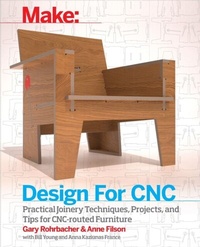
Design for CNC
Beschreibung
Design, DIY, and computer-controlled fabrication are a powerful combination for making high-quality customized things. Written by the founders of the architecture, design, and research firm Filson and Rohrbacher, this book takes you through the basics of CNC fabrication, the design process, production, and construction of your own furniture designs. Through their AtFAB series of projects, accompanied by an overview of digital techniques and design thinking, this book introduces the knowledge and skills that you''ll find widely applicable across all kinds of CNC projects. Not only will you learn how to design, fabricate, and assemble a wide range of projects, you''ll have some great furniture to show for it!
While 3D printing has been grabbing headlines, high school, college, library, and other public makerspaces have been making things with CNC machines. With a CNC router, you can cut parts from strong, tactile, durable materials like wood. Once you have your design and material, you can set up your job and let it run. When it''s done, you can put the project together for an heirloom of your own. While 3D printing can make exciting things with complex designs, CNCs are the digital workhorses that produce large-scale, long-lasting objects.
Weitere Details
Weitere Ausgaben
Inhalt
- Intro
- Contents
- Foreword
- Preface
- Part I. Designing For Fabrication
- Chapter 1. A Modern Way of Making
- The Geography of Distributed Making
- Why Do CNC Projects Look the Way They Do?
- A Very Brief History of CNC Furniture
- Join the Revolution
- Chapter 2. End Mill to Furniture Collection
- Subtractive Machining
- End Mills
- Drilling
- Cutting Laterally
- The Inside Corner Problem
- Fillets
- Tool Diameter Matters
- Exercise: How to Draw Fillets
- Toolpaths
- Profile Toolpaths
- Outside Profile
- Inside Profile
- Pocket Toolpath
- Drill Toolpath
- Drawing Smooth Motion
- Eight Basic CNC Joint Conditions
- Flat Parts From Sheet Materials
- Overlap
- Edge to Edge
- Edge-to-Edge-to-Edge
- End-to-Face
- End to Face to Edge
- Through
- Three-Way
- Four-Way
- Assemblies
- S/Z Joint
- Tab Assembly
- Hanger Assembly
- Corner Assembly
- Foot Assembly
- Shear
- Structures
- Torsion
- Vierendeel
- Rotational
- Programs
- The 5-30 Minute Chair
- Iteration and Design Frameworks
- Rotational Stools
- Evolution From the Chair to AtFAB
- Cat in Bag ii Table
- 90-Minute Lounge Chair
- One to Several Table
- Open Storage Cabinet
- Poke Credenza
- Cellular Screen
- AtFAB Furniture Collection
- Chapter 3. 3D Model to 2D Parts
- From Design to Fabrication
- Mise en Place
- Layers
- Underlays
- Flattening and Layout
- Face Right Side Up
- Consider Grain Direction
- Leave Space Between Parts
- Minimize Material Waste
- Components
- Create Unique Components
- Profiles
- Cutting Layers
- Export Options
- Optional: Export a DXF File
- Chapter 4. Getting Started with Design
- Define a Project Program
- Ergonomics
- Fabrication Constraints
- File Setup For Design
- Layer Naming Conventions
- Create File, Add Layers
- Draw the Cut Sheet Underlay
- Massing Model and Stock Material
- Create Massing
- Model Material Stock
- Standards Versus Proportions
- Schematic Design: Model Parts
- Copy and Modify Stock, Form Seat
- Create Bench Sides
- Add Front and Back Parts
- Using Reference Lines
- Form Legs
- Modeling Feet
- Evaluate and Analyze
- Scale
- Iteration
- Evaluate and Refine Structure
- Organize with Components
- Define Components
- Flatten Model, Layout Parts
- Design Development: Joinery
- Joinery Organization
- Draw Seat Reference Lines
- Draw Sides Reference Lines
- Make Joinery
- Make Joinery on Front
- Make Joinery on Sides
- Make Hanger Assembly
- Analyze Bench Joinery
- Design Refinement
- Sniglets and Fasteners
- Draw Sniglet and Hole Components
- Model Sniglets
- Model Holes
- Visualize and Simulate
- Part II. Virtual Meets Physical
- Chapter 5. Precision-Fit Plywood Joinery
- Plywood
- Selecting Materials
- Nominal Thickness
- Calipers
- How to Digitally Dial In Joinery Fit
- Designed for 19mm Plywood
- Measure Your Materials
- Scale Your CAD File
- Scaling, Offsetting, and Parameters
- Why Scaling Works
- Why Offsets Don't Work
- The Parametric Solution
- Prototyping
- Partial Prototypes
- Test Pieces
- Scale Prototypes
- Chapter 6. Machining For Designers
- Machining Begins with Material and Tooling
- Spindles and Speed
- Chip Formation
- What Is a Milling Machine?
- What Is a Router?
- High-Speed Spindles
- Machining Variables
- Relating Everything to Everything
- Where to Begin?
- CNC Router Anatomy
- Safety
- Workholding Strategies
- Screws and Clamps
- Vacuum Systems
- End-Mill Anatomy
- Collets
- End-Mill Geometries
- End Types
- Flute Types
- Feed Direction
- Conventional Cutting
- Climb Cutting
- Feed Direction Strategies
- Ramp Moves and Tabs
- Smooth Ramps
- Spiral Ramps
- Tabs
- Pockets
- Offset
- Raster
- Stepover
- Depth of Cut
- Putting It All Together
- Troubleshooting
- Chapter 7. Modeling Software to Machine
- From CAD to CAM
- Digital/Physical Alignment
- Units
- VCarve Pro
- Job Setup
- Job Size
- Z Zero Position
- XY Datum Position
- Design Scaling
- Modeling Resoluton
- Complete Setup
- Importing Vectors
- Create Circles/Arcs
- Component/Group Handling
- Data to Import
- Vector and Layer Adjustments
- Ungroup Vectors
- Join Open Vectors
- Creating Profile Toolpaths From Vectors
- Rotational Stools Toolpaths
- VCarve's Multi-Menu Interface
- Fastener Hole Toolpaths
- Open the Tool Database
- Select 1/8" Tool
- Cutting Depths
- Edit Passes
- Machine Vectors
- Name and Calculate Toolpath
- Simulate Toolpaths
- Seat Inside Profile Toolpaths
- Create Seat Inside Profile Toolpaths
- Simulate Inside Profiles
- Outside Profile Toolpaths
- Adding Ramps
- Toolpath Order
- Simulation and Analysis
- Save Toolpaths for Fabrication
- Ready to Fabricate?
- Chapter 8. Rotational Stools
- About the Design
- Before You Begin
- Measure and Scale
- Cut and Evaluate Fit
- Evaluate the Lazy Stool
- Evaluate the Lively Stool
- Troubleshooting
- Measure
- Analyze
- Adjust
- Evaluate and Iterate
- Assemble
- Fasteners
- How to Drill
- Chapter 9. Cat In Bag ii Table
- About the Design
- Before You Begin
- Finishes for CNC Projects
- Partial Prototyping: Using a Test Piece
- Measure and Scale
- Measure Material
- Scale Test Piece CAD file
- Assign CAM Settings
- Evaluate Your Test Piece
- Prototyping Finishes
- Record Settings and Adjustments
- Apply Test Piece Settings to the Full-Scale File
- Cut and Finish
- Assembly
- Part III. 2D & 3D Modifications
- Chapter 10. 5-30 Minute Chair
- About the Design
- Before You Begin
- Develop a Program
- Select Materials
- Design Decisions: 2D and 3D Modifications
- 2D Design Transformations
- 3D Design Transformations
- Working with Scale Prototypes
- Exercise: Transform the Chair into a Bench
- Measure and Scale
- Create the Partial Prototpye
- Prepare File
- Prepare Toolpaths
- Cut, Assemble, and Evaluate
- Adjust and Cut Chair
- Assemble
- Chapter 11. 90-Minute Lounge Chair
- About the Design
- Before You Begin
- Select Materials
- Design Decisions: 2D and 3D Modifications
- 2D Modifications
- Exercise: 3D Transformations
- Measure & Scale
- Partial Prototpye
- Prepare Toolpaths
- About the Pockets
- Create Pocket Toolpaths
- Simulate
- Cut Sequence for Complex Parts
- Pocket Cutting: Top Down or Bottom Up?
- Assemble and Evaluate the Test Piece
- Evaluate Fit
- Evaluate Cut Depth
- Adjust and Cut Chair Files
- Assemble
- Using the Jig
- Part IV. Parametric Transformations
- Chapter 12. Parametric Design
- What are Parameters?
- AtFAB's Parameters
- Tool Diameter
- Material Thickness
- Shape
- Module
- Dimensions
- Details
- Designing Parameters
- Parametric Case Study: the Cat in Bag ii Table
- Functions, Variables, and Limits
- Parametric Processing Applets
- Installing and Using the Apps
- Chapter 13. One to Several Table
- About the Design
- Before You Begin
- Establish a Program and Dimensions
- Select Materials
- Parametric Transformation
- Parametric Design
- Using the One to Several Table App
- Set Overall Conditions
- Prepare CAD File
- Measure & Scale
- Create the Partial Prototpye
- Prepare File
- Prepare Toolpaths
- Cut, Assemble, and Evaluate
- Adjust and Cut Table
- Assemble Table
- Chapter 14. Open Storage Cabinet
- About the Design
- Before You Begin
- Establish a Program and Dimensions
- Select Materials
- Measure Two Materials
- Find TCMAX
- Find TDMAX
- Parametric Transformation
- Using the Open Storage app
- Set Overall Conditions
- Prepare CAD File
- Layout Parts
- Prepare for CAM Import
- Calculate the Scaling Multiplier
- Scale Toolpaths
- Create a Partial Prototpye
- Prepare File
- Prepare Toolpaths
- Cut, Assemble, and Evaluate
- Adjust Cabinet Files and Prepare for Cutting
- Cut Pockets on the Correct Side
- Cut Cabinet
- Assemble
- Part V. Moving Parts and Large Structures
- Chapter 15. Poke Credenza
- About the Design
- Before You Begin
- Materials
- Patterns and Modifications
- What to Draw?
- Measure and Scale
- Create the Partial Prototpye
- Prepare File
- Adjust Slots
- Prepare Toolpaths
- Prepare Toolpaths for Sliding Doors
- Cut Sequence
- Cut, Assemble, and Evaluate
- Adjust and Cut Credenza
- Cut on the Correct Side
- Assemble
- Chapter 16. Cellular Screen
- About the Design
- Before You Begin a Large Project
- Materials
- Manage Parts
- Measure & Scale
- Scale CAD file & Test Piece
- Partial Prototyping Large Projects
- Create the Partial Prototpye
- Screen: Multi-Sheet Workflow
- Assign toolpaths to each sheet
- Cut Screen File and Stage Parts
- Assemble the Screen
- Part VI. Resources
- Appendix A. Design Resources
- Design Repositories
- Recommended Reading on Design
- Design Thinking
- Open Design
- Parametric Design
- Human Factors and Ergonomics
- Appendix B. Sourcing Materials
- Tips
- Materials We Like
- Plywood and Other Sheet Materials
- Coatings & Finishes
- Hardware resources
- Sheet Materials Beyond Plywood
- Engineered Wood Sheeting (MDF & OSB)
- High-Density Polyethylene (HDPE)
- Composites
- Acrylic
- Appendix C. Machining Resources
- Bibliography and Recommended Reading on Routing
- Tool Vendors
- Tool Recommendations
- Glossary
- Index
