

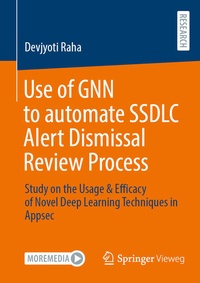
Use of GNN to automate SSDLC Alert Dismissal Review Process
Beschreibung

The work grew out of a very practical problem: the AppSec team was drowning in security scanning alerts but still occasionally missed real issues that had been dismissed as false positives. Wanted to present a way not just to tune individual tools, but to look across CodeQL, OWASP ZAP, GHAS secret scanning, and other scanners and understand where the triage process itself was failing. That led to the idea of treating the entire alert history as a graph, where alerts, code files, services, dependencies, users, and incidents are all connected nodes linked by data flows, temporal relationships, and shared context. From there, the team designed a JSON schema to normalize alerts from different tools, built a heterogeneous graph on top of that data, and implemented a graph neural network to learn patterns that distinguish correctly closed alerts from those that later turned out to be genuine issues.
It all started with synthetic and pilot datasets to prove feasibility, wiring up a small GCN/GAT-based model that could ingest these graphs and output a "retriage probability" for each closed alert, then iterated on node features and relationships until the model consistently identified historically missed alerts with high precision. Alongside the model, continued developing scripts and pipelines to generate training data, evaluate confusion matrices, and visualize results so that AppSec engineers could see not just scores but concrete examples of alerts being flagged for a second look. As results stabilized-showing strong precision and recall on retrospective tests-the focus shifted to integration: embedding this GNN step into CI/CD and SIEM workflows so that closed alerts could be continuously re-scored, and high-risk ones automatically routed back to the security team for triage, with analyst feedback feeding into the next training cycle.
Weitere Details
Weitere Ausgaben
Andere Ausgaben
Person
Devjyoti Raha is working as an application architect with a strong enthusiasm in promoting automation leveraging AI.
Inhalt
Introduction.- Review Of Literature.- Methodology.- Results.- Discussion.- Summary, Implications, And Recommendations.- References.
