

Peter Rabbit Tales: The Tooth Fairy
Erschienen am 6. Juni 2024
16 Seiten
978-0-241-64323-5 (ISBN)
Beschreibung

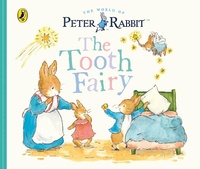
Join Peter Rabbit as he experiences his first wobbly tooth, and is visited by the tooth fairy in this brand new story!
Peter cannot wait to eat breakfast, and takes a big bite of his favourite food, a radish! But when his first bite results in a loose tooth, Mrs. Rabbit tells him the tooth fairy will come visit him.
Peter starts to worry why the tooth fairy wants his tooth and whether he'll ever be able to eat all his favourite foods again... And what surprise will the tooth fairy leave under his pillow in the morning?
This new gentle and reassuring tale mirrors a little one's exciting and worrisome first-experience about losing a tooth, featuring new illustrations of an adorable tooth fairy character.
Discover more Peter Rabbit stories in this series all about first experiences:
Starting School
Goodnight Peter
Happy Birthday!
Peter Hops Aboard
Three Little Bunnies
The Christmas Star
Peter cannot wait to eat breakfast, and takes a big bite of his favourite food, a radish! But when his first bite results in a loose tooth, Mrs. Rabbit tells him the tooth fairy will come visit him.
Peter starts to worry why the tooth fairy wants his tooth and whether he'll ever be able to eat all his favourite foods again... And what surprise will the tooth fairy leave under his pillow in the morning?
This new gentle and reassuring tale mirrors a little one's exciting and worrisome first-experience about losing a tooth, featuring new illustrations of an adorable tooth fairy character.
Discover more Peter Rabbit stories in this series all about first experiences:
Starting School
Goodnight Peter
Happy Birthday!
Peter Hops Aboard
Three Little Bunnies
The Christmas Star
Weitere Details
Reihe
Auflage
New edition
Sprache
Englisch
Verlagsort
Großbritannien
Verlagsgruppe
Penguin Random House Children's UK
Zielgruppe
Für Kinder
Interest Age: From 0 to 5 years
Editions-Typ
Neue Ausgabe
Produkt-Hinweis
Fixed format
Dateigröße
37,86 MB
ISBN-13
978-0-241-64323-5 (9780241643235)
Copyright in bibliographic data and cover images is held by Nielsen Book Services Limited or by the publishers or by their respective licensors: all rights reserved.
Schweitzer Klassifikation
Weitere Ausgaben
Andere Ausgaben

Person
Beatrix Potter is one of the world's best-loved children's authors of all time. From her first book, The Tale of Peter Rabbit (1902) she went on to create a series of stories based around animal characters including Mrs Tiggy-winkle, Mr Jeremy Fisher and Tom Kitten. Her humorous, lively tales and beautiful illustrations have become a natural part of childhood.
A source of inspiration was the Lake District where she lived for the last thirty years of her life as a farmer and conservationist.
A source of inspiration was the Lake District where she lived for the last thirty years of her life as a farmer and conservationist.
