

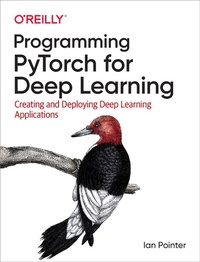
Programming PyTorch for Deep Learning
Creating and Deploying Deep Learning Applications
Erschienen am 20. September 2019
220 Seiten
978-1-4920-4530-4 (ISBN)
Beschreibung

Deep learning is changing everything. This machine-learning method has already surpassed traditional computer vision techniques, and the same is happening with NLP. If you're looking to bring deep learning into your domain, this practical book will bring you up to speed on key concepts using Facebook's PyTorch framework.Once author Ian Pointer helps you set up PyTorch on a cloud-based environment, you'll learn how use the framework to create neural architectures for performing operations on images, sound, text, and other types of data. By the end of the book, you'll be able to create neural networks and train them on multiple types of data.Learn how to deploy deep learning models to productionExplore PyTorch use cases in companies other than FacebookLearn how to apply transfer learning to imagesApply cutting-edge NLP techniques using a model trained on Wikipedia
Weitere Details
Weitere Ausgaben
Andere Ausgaben
Buch
10/2019
O'Reilly
56,00 €
Versand in 15-20 Tagen
Inhalt
- Intro
- Copyright
- Table of Contents
- Preface
- Deep Learning in the World Today
- But What Is Deep Learning Exactly, and Do I Need a PhD to Understand It?
- PyTorch
- What About TensorFlow?
- Conventions Used in This Book
- Using Code Examples
- O'Reilly Online Learning
- How to Contact Us
- Acknowledgments
- Chapter 1. Getting Started with PyTorch
- Building a Custom Deep Learning Machine
- GPU
- CPU/Motherboard
- RAM
- Storage
- Deep Learning in the Cloud
- Google Colaboratory
- Cloud Providers
- Which Cloud Provider Should I Use?
- Using Jupyter Notebook
- Installing PyTorch from Scratch
- Download CUDA
- Anaconda
- Finally, PyTorch! (and Jupyter Notebook)
- Tensors
- Tensor Operations
- Tensor Broadcasting
- Conclusion
- Further Reading
- Chapter 2. Image Classification with PyTorch
- Our Classification Problem
- Traditional Challenges
- But First, Data
- PyTorch and Data Loaders
- Building a Training Dataset
- Building Validation and Test Datasets
- Finally, a Neural Network!
- Activation Functions
- Creating a Network
- Loss Functions
- Optimizing
- Training
- Making It Work on the GPU
- Putting It All Together
- Making Predictions
- Model Saving
- Conclusion
- Further Reading
- Chapter 3. Convolutional Neural Networks
- Our First Convolutional Model
- Convolutions
- Pooling
- Dropout
- History of CNN Architectures
- AlexNet
- Inception/GoogLeNet
- VGG
- ResNet
- Other Architectures Are Available!
- Using Pretrained Models in PyTorch
- Examining a Model's Structure
- BatchNorm
- Which Model Should You Use?
- One-Stop Shopping for Models: PyTorch Hub
- Conclusion
- Further Reading
- Chapter 4. Transfer Learning and Other Tricks
- Transfer Learning with ResNet
- Finding That Learning Rate
- Differential Learning Rates
- Data Augmentation
- Torchvision Transforms
- Color Spaces and Lambda Transforms
- Custom Transform Classes
- Start Small and Get Bigger!
- Ensembles
- Conclusion
- Further Reading
- Chapter 5. Text Classification
- Recurrent Neural Networks
- Long Short-Term Memory Networks
- Gated Recurrent Units
- biLSTM
- Embeddings
- torchtext
- Getting Our Data: Tweets!
- Defining Fields
- Building a Vocabulary
- Creating Our Model
- Updating the Training Loop
- Classifying Tweets
- Data Augmentation
- Random Insertion
- Random Deletion
- Random Swap
- Back Translation
- Augmentation and torchtext
- Transfer Learning?
- Conclusion
- Further Reading
- Chapter 6. A Journey into Sound
- Sound
- The ESC-50 Dataset
- Obtaining the Dataset
- Playing Audio in Jupyter
- Exploring ESC-50
- SoX and LibROSA
- torchaudio
- Building an ESC-50 Dataset
- A CNN Model for ESC-50
- This Frequency Is My Universe
- Mel Spectrograms
- A New Dataset
- A Wild ResNet Appears
- Finding a Learning Rate
- Audio Data Augmentation
- torchaudio Transforms
- SoX Effect Chains
- SpecAugment
- Further Experiments
- Conclusion
- Further Reading
- Chapter 7. Debugging PyTorch Models
- It's 3 a.m. What Is Your Data Doing?
- TensorBoard
- Installing TensorBoard
- Sending Data to TensorBoard
- PyTorch Hooks
- Plotting Mean and Standard Deviation
- Class Activation Mapping
- Flame Graphs
- Installing py-spy
- Reading Flame Graphs
- Fixing a Slow Transformation
- Debugging GPU Issues
- Checking Your GPU
- Gradient Checkpointing
- Conclusion
- Further Reading
- Chapter 8. PyTorch in Production
- Model Serving
- Building a Flask Service
- Setting Up the Model Parameters
- Building the Docker Container
- Local Versus Cloud Storage
- Logging and Telemetry
- Deploying on Kubernetes
- Setting Up on Google Kubernetes Engine
- Creating a k8s Cluster
- Scaling Services
- Updates and Cleaning Up
- TorchScript
- Tracing
- Scripting
- TorchScript Limitations
- Working with libTorch
- Obtaining libTorch and Hello World
- Importing a TorchScript Model
- Conclusion
- Further Reading
- Chapter 9. PyTorch in the Wild
- Data Augmentation: Mixed and Smoothed
- mixup
- Label Smoothing
- Computer, Enhance!
- Introduction to Super-Resolution
- An Introduction to GANs
- The Forger and the Critic
- Training a GAN
- The Dangers of Mode Collapse
- ESRGAN
- Further Adventures in Image Detection
- Object Detection
- Faster R-CNN and Mask R-CNN
- Adversarial Samples
- Black-Box Attacks
- Defending Against Adversarial Attacks
- More Than Meets the Eye: The Transformer Architecture
- Paying Attention
- Attention Is All You Need
- BERT
- FastBERT
- GPT-2
- Generating Text with GPT-2
- ULMFiT
- What to Use?
- Conclusion
- Further Reading
- Index
- About the Author
- Colophon
