

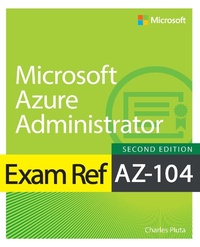
Exam Ref AZ-104 Microsoft Azure Administrator
2. Auflage
Erschienen am 25. Juli 2024
384 Seiten
978-0-13-834606-5 (ISBN)
Beschreibung
Prepare for Microsoft Exam AZ-104 and demonstrate your real-world mastery and knowledge of Microsoft Azure administration. Designed for working Azure administrators, this Exam Ref focuses on the critical thinking and decision-making acumen needed for success at the Microsoft Certified Solutions Associate level.
Focus on the expertise measured by these objectives:
Manage Azure identities and governance
Implement and manage storage
Deploy and manage Azure compute resources
Implement and manage virtual networking
Monitor and maintain Azure resources
This Microsoft Exam Ref:
Organizes its coverage by the Skills Measured list published for the exam
Features strategic, what-if scenarios to challenge you
Assumes you want to validate and demonstrate your command of managing Microsoft Azure cloud environments
About the Exam
Exam AZ-104 focuses on knowledge needed to manage Microsoft Entra ID, RBAC, subscriptions, and governance; manage storage accounts and Azure Storage data; configure Azure files and blob storage; configure VMs for high availability and scalability; automate VM deployment and configuration; create and configure VMs, containers, and Web Apps; implement, manage, secure, monitor, and troubleshoot virtual networking; configure name resolution and load balancing; integrate on-premises networks; monitor resources with Azure Monitor; implement backup and recovery.
About Microsoft Certification
Passing this exam fulfills your requirements for the Microsoft Certified: Azure Administrator Associate credential, demonstrating your readiness to implement, manage, and monitor identity, governance, storage, compute, and virtual networks in a cloud environment, and to provision, size, monitor, and adjust resources as appropriate.
See full details at: microsoft.com/learn
Focus on the expertise measured by these objectives:
Manage Azure identities and governance
Implement and manage storage
Deploy and manage Azure compute resources
Implement and manage virtual networking
Monitor and maintain Azure resources
This Microsoft Exam Ref:
Organizes its coverage by the Skills Measured list published for the exam
Features strategic, what-if scenarios to challenge you
Assumes you want to validate and demonstrate your command of managing Microsoft Azure cloud environments
About the Exam
Exam AZ-104 focuses on knowledge needed to manage Microsoft Entra ID, RBAC, subscriptions, and governance; manage storage accounts and Azure Storage data; configure Azure files and blob storage; configure VMs for high availability and scalability; automate VM deployment and configuration; create and configure VMs, containers, and Web Apps; implement, manage, secure, monitor, and troubleshoot virtual networking; configure name resolution and load balancing; integrate on-premises networks; monitor resources with Azure Monitor; implement backup and recovery.
About Microsoft Certification
Passing this exam fulfills your requirements for the Microsoft Certified: Azure Administrator Associate credential, demonstrating your readiness to implement, manage, and monitor identity, governance, storage, compute, and virtual networks in a cloud environment, and to provision, size, monitor, and adjust resources as appropriate.
See full details at: microsoft.com/learn
Weitere Details
Reihe
Auflage
2nd edition
Sprache
Englisch
Verlagsort
Boston
USA
Verlagsgruppe
Pearson Education (US)
Zielgruppe
Für Beruf und Forschung
Dateigröße
87,29 MB
ISBN-13
978-0-13-834606-5 (9780138346065)
Copyright in bibliographic data and cover images is held by Nielsen Book Services Limited or by the publishers or by their respective licensors: all rights reserved.
Schweitzer Klassifikation
Weitere Ausgaben
Person
Charles Pluta is a technical consultant and Microsoft Certified Trainer (MCT) who has authored several certification exams, lab guides, and learner guides for various technology vendors. As a technical consultant, Charles has assisted small, medium, and large organizations by deploying and maintaining their IT infrastructure. He is also a speaker, a staff member, or a trainer at several large annual industry conferences. Charles has a degree in Computer Networking and holds over 15 industry certifications. He makes a point to leave the United States to travel to a different country every year. When not working or traveling, he plays pool in Augusta, Georgia.
Inhalt
CHAPTER 1 Manage Azure identities and governance
CHAPTER 2 Implement and manage storage
CHAPTER 3 Deploy and manage Azure compute resources
CHAPTER 4 Configure and manage virtual networking
CHAPTER 5 Monitor and back up Azure resources
CHAPTER 6 Exam Ref AZ-104 Microsoft Azure Administrator exam updates
CHAPTER 2 Implement and manage storage
CHAPTER 3 Deploy and manage Azure compute resources
CHAPTER 4 Configure and manage virtual networking
CHAPTER 5 Monitor and back up Azure resources
CHAPTER 6 Exam Ref AZ-104 Microsoft Azure Administrator exam updates
