

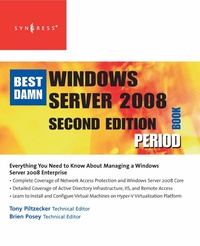
The Best Damn Windows Server 2008 Book Period
2. Auflage
Erschienen am 31. August 2011
824 Seiten
978-0-08-056007-6 (ISBN)
Beschreibung
Best Damn Windows Server 2008 Book Period, Second Edition is completely revised and updated to Windows Server 2008.
This book will show you how to increase the reliability and flexibility of your server infrastructure with built-in Web and virtualization technologies; have more control over your servers and web sites using new tools like IIS7, Windows Server Manager, and Windows PowerShell; and secure your network with Network Access Protection and the Read-Only Domain Controller.
- Web server management with Internet Information Services 7.0
- Virtualize multiple operating systems on a single server
- Hardening Security, including Network Access Protection, Federated Rights Management, and Read-Only Domain Controller
Weitere Details
Weitere Ausgaben
Person
Tony Piltzecker (CISSP, MCSE, CCNA, CCVP, Check Point CCSA, Citrix CCA), is an independent consultant based in Boston, MA. Tony's specialties include network security design, Microsoft operating system and applications architecture, as well as Cisco IP Telephony implementations. Tony's background includes positions as Systems Practice Manager for Presidio Networked Solutions, IT Manager for SynQor Inc, Network Architect for Planning Systems, Inc, and Senior Networking Consultant with Integrated Information Systems. Along with his various certifications, Tony holds a bachelor's degree in business administration.
Inhalt
Configuring Network Access, Configure Remote Access, Configure Network Access Protection (NAP) components, Configure Network Authentication, Configure data transmission protocols, Configure wireless access, Configure certificate services, Configure DHCP, Configure IPv4 and IPv6 addressing, Configure routing; Configuring the Domain Name System (DNS), Configure zones, Configure zone resolution, Configure DNS client settings, Configure DHCP and WINS for DNS; Deploying Servers, Configure Windows Deployment Services (WDS), Capture WDS images, Deploy WDS images, Configure Windows activation, Create virtual machines, Configure Virtual Server settings, Install Windows Server Enterprise, Install server core; Configuring Server Roles, Implement server roles by using Server Manager, Configure ADLDS, Configure ADRMS, Configure the AD server core, Configure the read-only domain controller (RODC), Configure AD Certificate Services and PKI, Configure Active Directory Federation Services (ADFS); Maintaining the Active Directory Environment, Configure backup and recovery, Perform offline maintenance, Configure custom application directory partitions, Configure AD DS auditing, Configure audit policy by using GPOs, Monitor Active Directory; Configuring the Active Directory Infrastructure, Configure communication security for Active Directory, Configure authentication
