


Learning Virtual Reality
Developing Immersive Experiences and Applications for Desktop, Web, and Mobile
Erschienen am 26. Oktober 2015
172 Seiten
978-1-4919-2280-4 (ISBN)
Beschreibung

As virtual reality approaches mainstream consumer use, a vibrant development ecosystem has emerged in the past few years. This hands-on guide takes you through VR development essentials for desktop, mobile, and browser-based applications. You'll explore the three go-to platforms?OculusVR, Gear VR, and Cardboard VR?as well as several VR development environments, programming tools, and techniques.
If you're an experienced programmer familiar with mobile development, this book will help you gain a working knowledge of VR development through clear and simple examples. Once you create a complete application in the final chapter, you'll have a jumpstart on the next major entertainment medium.
- Learn VR basics for UI design, 3D graphics, and stereo rendering
- Explore Unity3D, the current development choice among game engines
- Create native applications for desktop computers with the Oculus Rift
- Develop mobile applications for Samsung's Gear VR with the Android and Oculus Mobile SDKs
- Build browser-based applications with the WebVR Javascript API and WebGL
- Create simple and affordable mobile apps for any smartphone with Google's Cardboard VR
- Bring everything together to build a 360-degree panoramic photo viewer
Weitere Details
Weitere Ausgaben
Andere Ausgaben
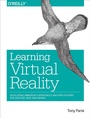
Tony Parisi
Learning Virtual Reality
Developing Immersive Experiences and Applications for Desktop, Web, and Mobile
Buch
12/2015
O'Reilly
28,50 €
Versand in 10-20 Tagen
Inhalt
- Intro
- Copyright
- Table of Contents
- Preface
- Audience
- How This Book Is Organized
- Updates for the Revised Edition
- Conventions Used in This Book
- Using Code Examples
- Safari® Books Online
- How to Contact Us
- Acknowledgments
- Chapter 1. Introduction
- What Is Virtual Reality?
- Stereoscopic Displays
- Motion Tracking Hardware
- Input Devices
- Computing Platforms
- Virtual Reality Applications
- Chapter Summary
- Chapter 2. Virtual Reality Hardware
- Oculus Rift
- The DK1
- The DK2
- The CV1
- Setting Up Your Oculus Rift
- Other High-End Head-Mounted Displays
- Samsung Gear VR: Deluxe, Portable Virtual Reality
- The Oculus Mobile SDK
- Google Cardboard: Low-Cost VR for Smartphones
- Stereo Rendering and Head Tracking with Cardboard VR
- Cardboard VR Input
- Developing for Google Cardboard
- VR Input Devices
- Chapter Summary
- Chapter 3. Going Native: Developing for Oculus Rift on the Desktop
- 3D Graphics Basics
- 3D Coordinate Systems
- Meshes, Polygons, and Vertices
- Materials, Textures, and Lights
- Transforms and Matrices
- Cameras, Perspective, Viewports, and Projections
- Stereoscopic Rendering
- Unity3D: The Game Engine for the Common Man
- Setting Up the Oculus SDK
- Setting Up Your Unity Environment for Oculus Development
- Building Your First VR Example
- Building and Running the Application
- Walking Through the Code
- Chapter Summary
- Chapter 4. Going Mobile: Developing for Gear VR
- The Gear VR User Interface and Oculus Home
- Using the Oculus Mobile SDK
- Setting Up the Android SDK
- Generating an Oculus Signature File
- Setting Up Your Device for USB Debugging
- Developing for Gear VR Using Unity3D
- Setting Up Your Unity3D Environment
- A Simple Unity3D Sample
- Handling Touchpad Events
- Deploying Applications for Gear VR
- Chapter Summary
- Chapter 5. WebVR: Browser-Based Virtual Reality in HTML5
- The Story of WebVR
- The WebVR API
- Supported Browsers and Devices
- Querying for VR Displays
- Presenting Content to the VR Display
- Refreshing the VR Display
- Head Tracking
- Creating a WebVR Application
- Three.js: A JavaScript 3D Engine
- A Full Example
- Tools and Techniques for Creating Web VR
- WebVR Engines and Development Tools
- Using Unity3D and Unreal for WebVR Development
- Open Source Libraries and Frameworks
- WebVR and the Future of Web Browsing
- Chapter Summary
- Chapter 6. VR Everywhere: Google Cardboard for Low-Cost Mobile Virtual Reality
- Cardboard Basics
- Supported Devices and Operating Systems
- Headset Manufacturers
- Cardboard Applications
- Input Devices for Cardboard
- Cardboard Stereo Rendering and Head Tracking
- Developing with the Google VR SDK for Android
- Setting Up the Environment
- Walking Through the Code
- Developing with the Google VR SDK for Unity
- Setting Up the SDK
- Building Treasure Hunt for Unity
- A Walkthrough of the Unity Code
- Developing Cardboard Applications Using HTML5 and a Mobile Browser
- Setting Up the WebVR Project
- The JavaScript Cardboard Code
- Chapter Summary
- Chapter 7. Your First VR Application
- About 360-Degree Panoramas
- Setting Up the Project
- Getting the Software, Hardware, and Sample Code
- Creating the Unity Scene and Project
- Adding Cardboard VR Support
- Creating a Gaze-and-Tap User Interface
- Creating a 2D Plane
- Adding Input Support to the Project
- Creating an Event Handler Script
- Handling Switch Events
- Creating the Functioning User Interface
- Where to Take the Project from Here
- Chapter Summary
- Appendix A. Resources
- Headsets, Input Devices, and Video Capture Systems
- Headsets
- Input Devices
- 360 Video
- Applications and Content
- Flagship Experiences
- Noteworthy Companies
- Download Sites
- WebVR Showcases and Applications
- SDKs, Development Tools, and Programming Languages
- Device SDKs
- Game Engine Middleware
- Programming Languages
- Software Frameworks
- Websites
- Meetup Groups
- Index
- About the Author
- Colophon
