

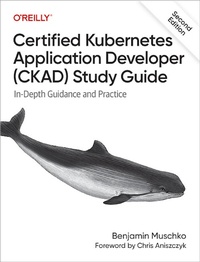
Certified Kubernetes Application Developer (CKAD) Study Guide
In-Depth Guidance and Practice
Erschienen am 22. Mai 2024
366 Seiten
978-1-0981-5282-6 (ISBN)
Beschreibung

Developers with the ability to operate, troubleshoot, and monitor applications in Kubernetes are in high demand today. To meet this need, the Cloud Native Computing Foundation created a certification exam to establish a developer's credibility and value in the job market for work in a Kubernetes environment.The Certified Kubernetes Application Developer (CKAD) exam format is different from the typical multiple-choice format of other certifications. Instead, the CKAD is performance-based and requires deep knowledge under immense time pressure.Updated to reflect revisions to the official curriculum made in September 2022, this revised study guide takes you through all the topics you need to fully prepare for the exam. Author Benjamin Muschko also shares his personal experience and tips.Learn when and how to apply Kubernetes's concepts to manage an applicationUnderstand the objectives, abilities, tips, and tricks needed to pass the CKAD examExplore the ins and outs of the kubectl command-line toolSolve real-world Kubernetes problems in a hands-on command-line environmentNavigate and solve questions during the CKAD examNew topics include: Deployment strategies, the Helm package manager, resources that extend Kubernetes (CRD), building container images, and more
Weitere Details
Weitere Ausgaben
Andere Ausgaben
Benjamin Muschko
Certified Kubernetes Application Developer (CKAD) Study Guide
In-Depth Guidance and Practice
Buch
ca. 06/2026
2. Auflage
O'Reilly
60,00 €
Noch nicht erschienen
Inhalt
- Cover
- Copyright
- Table of Contents
- Foreword
- Preface
- Who This Book Is For
- What You Will Learn
- What's New in the Second Edition
- Conventions Used in This Book
- Using Code Examples
- O'Reilly Online Learning
- How to Contact Us
- Acknowledgments
- Part I. Introduction
- Chapter 1. Exam Details and Resources
- Kubernetes Certification Learning Path
- Kubernetes and Cloud Native Associate (KCNA)
- Kubernetes and Cloud Native Security Associate (KCSA)
- Certified Kubernetes Application Developer (CKAD)
- Certified Kubernetes Administrator (CKA)
- Certified Kubernetes Security Specialist (CKS)
- Exam Objectives
- Curriculum
- Application Design and Build
- Application Deployment
- Application Observability and Maintenance
- Application Environment, Configuration, and Security
- Services and Networking
- Involved Kubernetes Primitives
- Documentation
- Exam Environment and Tips
- Candidate Skills
- Time Management
- Command-Line Tips and Tricks
- Setting a Context and Namespace
- Using the Alias for kubectl
- Using kubectl Command Auto-Completion
- Internalize Resource Short Names
- Practicing and Practice Exams
- Summary
- Chapter 2. Kubernetes in a Nutshell
- What Is Kubernetes?
- Features
- High-Level Architecture
- Control Plane Node Components
- Common Node Components
- Advantages
- Summary
- Chapter 3. Interacting with Kubernetes
- API Primitives and Objects
- Using kubectl
- Managing Objects
- Imperative Object Management
- Declarative Object Management
- Hybrid Approach
- Which Approach to Use?
- Summary
- Part II. Application Design and Build
- Chapter 4. Containers
- Container Terminology
- Containerizing a Java-Based Application
- Writing a Dockerfile
- Building the Container Image
- Listing Container Images
- Running the Container
- Listing Containers
- Interacting with the Container
- Publishing the Container Image
- Saving and Loading a Container Image
- Going Further
- Summary
- Exam Essentials
- Sample Exercises
- Chapter 5. Pods and Namespaces
- Working with Pods
- Creating Pods
- Listing Pods
- Pod Life Cycle Phases
- Rendering Pod Details
- Accessing Logs of a Pod
- Executing a Command in Container
- Creating a Temporary Pod
- Using a Pod's IP Address for Network Communication
- Configuring Pods
- Deleting a Pod
- Working with Namespaces
- Listing Namespaces
- Creating and Using a Namespace
- Setting a Namespace Preference
- Deleting a Namespace
- Summary
- Exam Essentials
- Sample Exercises
- Chapter 6. Jobs and CronJobs
- Working with Jobs
- Creating and Inspecting Jobs
- Job Operation Types
- Restart Behavior
- Working with CronJobs
- Creating and Inspecting CronJobs
- Configuring Retained Job History
- Summary
- Exam Essentials
- Sample Exercises
- Chapter 7. Volumes
- Working with Storage
- Volume Types
- Ephemeral Volumes
- Persistent Volumes
- Storage Classes
- Summary
- Exam Essentials
- Sample Exercises
- Chapter 8. Multi-Container Pods
- Working with Multiple Containers in a Pod
- Init Containers
- The Sidecar Pattern
- The Adapter Pattern
- The Ambassador Pattern
- Summary
- Exam Essentials
- Sample Exercises
- Chapter 9. Labels and Annotations
- Working with Labels
- Declaring Labels
- Inspecting Labels
- Modifying Labels for a Live Object
- Using Label Selectors
- Recommended Labels
- Working with Annotations
- Declaring Annotations
- Inspecting Annotations
- Modifying Annotations for a Live Object
- Reserved Annotations
- Summary
- Exam Essentials
- Sample Exercises
- Part III. Application Deployment
- Chapter 10. Deployments
- Working with Deployments
- Creating Deployments
- Listing Deployments and Their Pods
- Rendering Deployment Details
- Deleting a Deployment
- Performing Rolling Updates and Rollbacks
- Updating a Deployment's Pod Template
- Rolling Out a New Revision
- Adding a Change Cause for a Revision
- Rolling Back to a Previous Revision
- Scaling Workloads
- Manually Scaling a Deployment
- Autoscaling a Deployment
- Creating Horizontal Pod Autoscalers
- Listing Horizontal Pod Autoscalers
- Rendering Horizontal Pod Autoscaler Details
- Defining Multiple Scaling Metrics
- Summary
- Exam Essentials
- Sample Exercises
- Chapter 11. Deployment Strategies
- Rolling Deployment Strategy
- Implementation
- Use Cases and Trade-Offs
- Fixed Deployment Strategy
- Implementation
- Use Cases and Trade-Offs
- Blue-Green Deployment Strategy
- Implementation
- Use Cases and Trade-Offs
- Canary Deployment Strategy
- Implementation
- Use Cases and Trade-Offs
- Summary
- Exam Essentials
- Sample Exercises
- Chapter 12. Helm
- Managing an Existing Chart
- Identifying a Chart
- Adding a Chart Repository
- Searching for a Chart in a Repository
- Installing a Chart
- Listing Installed Charts
- Upgrading an Installed Chart
- Uninstalling a Chart
- Summary
- Exam Essentials
- Sample Exercises
- Part IV. Application Observability and Maintenance
- Chapter 13. API Deprecations
- Understanding the Deprecation Policy
- Listing Available API Versions
- Handling Deprecation Warnings
- Handling a Removed or Replaced API
- Summary
- Exam Essentials
- Sample Exercises
- Chapter 14. Container Probes
- Working with Probes
- Probe Types
- Health Verification Methods
- Health Check Attributes
- The Readiness Probe
- The Liveness Probe
- The Startup Probe
- Summary
- Exam Essentials
- Sample Exercises
- Chapter 15. Troubleshooting Pods and Containers
- Troubleshooting Pods
- Retrieving High-Level Information
- Inspecting Events
- Using Port Forwarding
- Troubleshooting Containers
- Inspecting Logs
- Opening an Interactive Shell
- Interacting with a Distroless Container
- Inspecting Resource Metrics
- Summary
- Exam Essentials
- Sample Exercises
- Part V. Application Environment, Configuration, and Security
- Chapter 16. CustomResourceDefinitions (CRDs)
- Working with CRDs
- Example CRD
- Implementing a CRD Schema
- Instantiating an Object for the CRD
- Discovering CRDs
- Implementing a Controller
- Summary
- Exam Essentials
- Sample Exercises
- Chapter 17. Authentication, Authorization, and Admission Control
- Processing a Request
- Authentication with kubectl
- The Kubeconfig
- Managing Kubeconfig Using kubectl
- Authorization with Role-Based Access Control
- RBAC Overview
- Understanding RBAC API Primitives
- Default User-Facing Roles
- Creating Roles
- Listing Roles
- Rendering Role Details
- Creating RoleBindings
- Listing RoleBindings
- Rendering RoleBinding Details
- Seeing the RBAC Rules in Effect
- Namespace-Wide and Cluster-Wide RBAC
- Working with Service Accounts
- The Default Service Account
- Creating a Service Account
- Setting Permissions for a Service Account
- Admission Control
- Summary
- Exam Essentials
- Sample Exercises
- Chapter 18. Resource Requirements, Limits, and Quotas
- Working with Resource Requirements
- Defining Container Resource Requests
- Defining Container Resource Limits
- Defining Container Resource Requests and Limits
- Working with Resource Quotas
- Creating ResourceQuotas
- Rendering ResourceQuota Details
- Exploring a ResourceQuota's Runtime Behavior
- Working with Limit Ranges
- Creating LimitRanges
- Rendering LimitRange Details
- Exploring a LimitRange's Runtime Behavior
- Summary
- Exam Essentials
- Sample Exercises
- Chapter 19. ConfigMaps and Secrets
- Working with ConfigMaps
- Creating a ConfigMap
- Consuming a ConfigMap as Environment Variables
- Mounting a ConfigMap as a Volume
- Working with Secrets
- Creating a Secret
- Consuming a Secret as Environment Variables
- Mounting a Secret as a Volume
- Summary
- Exam Essentials
- Sample Exercises
- Chapter 20. Security Contexts
- Working with Security Contexts
- Defining a Security Context on the Pod Level
- Defining a Security Context on the Container Level
- Defining a Security Context on the Pod and Container Level
- Summary
- Exam Essentials
- Sample Exercises
- Part VI. Services and Networking
- Chapter 21. Services
- Working with Services
- Service Types
- Port Mapping
- Creating Services
- Listing Services
- Rendering Service Details
- The ClusterIP Service Type
- Creating and Inspecting the Service
- Accessing the Service
- The NodePort Service Type
- Creating and Inspecting the Service
- Accessing the Service
- The LoadBalancer Service Type
- Creating and Inspecting the Service
- Accessing the Service
- Summary
- Exam Essentials
- Sample Exercises
- Chapter 22. Ingresses
- Working with Ingresses
- Installing an Ingress Controller
- Deploying Multiple Ingress Controllers
- Configuring Ingress Rules
- Creating Ingresses
- Defining Path Types
- Listing Ingresses
- Rendering Ingress Details
- Accessing an Ingress
- Summary
- Exam Essentials
- Sample Exercises
- Chapter 23. Network Policies
- Working with Network Policies
- Installing an Network Policy Controller
- Creating a Network Policy
- Listing Network Policies
- Rendering Network Policy Details
- Applying Default Network Policies
- Restricting Access to Specific Ports
- Summary
- Exam Essentials
- Sample Exercises
- Appendix A. Answers to Review Questions
- Chapter 4, Containers
- Chapter 5, Pods and Namespaces
- Chapter 6, Jobs and CronJobs
- Chapter 7, Volumes
- Chapter 8, Multi-Container Pods
- Chapter 9, Labels and Annotations
- Chapter 10, Deployments
- Chapter 11, Deployment Strategies
- Chapter 12, Helm
- Chapter 13, API Deprecations
- Chapter 14, Container Probes
- Chapter 15, Troubleshooting Pods and Containers
- Chapter 16, Custom Resource Definitions (CRDs)
- Chapter 17, Authentication, Authorization, and Admission Control
- Chapter 18, Resource Requirements, Limits, and Quotas
- Chapter 19, ConfigMaps and Secrets
- Chapter 20, Security Contexts
- Chapter 21, Services
- Chapter 22, Ingresses
- Chapter 23, Network Policies
- Appendix B. Exam Review Guide
- Application Design and Build
- Application Deployment
- Application Observability and Maintenance
- Application Environment, Configuration, and Security
- Services and Networking
- About the Author
- Colophon
