

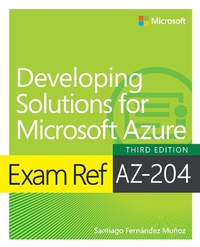
Exam Ref AZ-204 Developing Solutions for Microsoft Azure
3. Auflage
Erschienen am 16. Juli 2024
288 Seiten
978-0-13-831201-5 (ISBN)
Beschreibung
Prepare for Microsoft Exam AZ-204 and demonstrate your real-world knowledge of Microsoft Azure solution development. Designed for working Azure developers, this Exam Ref focuses on the critical thinking and decision-making acumen needed for success at the Microsoft Certified Solutions Associate level.
Focus on the expertise measured by these objectives:
Develop Azure compute solutions
Develop for Azure storage
Implement Azure security
Monitor, troubleshoot, and optimize Azure solutions
Connect to and consume Azure services and third-party services
This Microsoft Exam Ref:
Organizes its coverage by exam objectives
Features strategic, what-if scenarios to challenge you
Assumes you want to validate your ability to design and build diverse Microsoft Azure solutions both on-premises and in the cloud
About the Exam
Exam AZ-204 focuses on knowledge needed to implement IaaS and PaaS solutions; create Azure App Service web apps; implement Azure Functions; develop solutions using Cosmos DB and Blob Storage; create user authentication, authorization, and secure cloud solutions; integrate caching and content delivery within solutions; instrument solutions to support monitoring and logging; develop an App Service logic app; implement API Management; develop event-based and message-based solutions.
About Microsoft Certification
Passing this exam fulfills your requirements for the Microsoft Certified: Azure Developer Associate credential, demonstrating your readiness to design, build, test, and maintain Microsoft Azure cloud solutions, and partner with other cloud professionals and clients to implement them.
See full details at: microsoft.com/learn
Focus on the expertise measured by these objectives:
Develop Azure compute solutions
Develop for Azure storage
Implement Azure security
Monitor, troubleshoot, and optimize Azure solutions
Connect to and consume Azure services and third-party services
This Microsoft Exam Ref:
Organizes its coverage by exam objectives
Features strategic, what-if scenarios to challenge you
Assumes you want to validate your ability to design and build diverse Microsoft Azure solutions both on-premises and in the cloud
About the Exam
Exam AZ-204 focuses on knowledge needed to implement IaaS and PaaS solutions; create Azure App Service web apps; implement Azure Functions; develop solutions using Cosmos DB and Blob Storage; create user authentication, authorization, and secure cloud solutions; integrate caching and content delivery within solutions; instrument solutions to support monitoring and logging; develop an App Service logic app; implement API Management; develop event-based and message-based solutions.
About Microsoft Certification
Passing this exam fulfills your requirements for the Microsoft Certified: Azure Developer Associate credential, demonstrating your readiness to design, build, test, and maintain Microsoft Azure cloud solutions, and partner with other cloud professionals and clients to implement them.
See full details at: microsoft.com/learn
Weitere Details
Reihe
Auflage
3rd edition
Sprache
Englisch
Verlagsort
Boston
USA
Verlagsgruppe
Pearson Education (US)
Zielgruppe
Für Beruf und Forschung
Dateigröße
17,72 MB
ISBN-13
978-0-13-831201-5 (9780138312015)
Copyright in bibliographic data and cover images is held by Nielsen Book Services Limited or by the publishers or by their respective licensors: all rights reserved.
Schweitzer Klassifikation
Weitere Ausgaben
Person
Santiago Fernandez Munoz is a Senior Solution Architect involved in developing international projects. He started his career as a Systems Engineer and jumped into the professional development world, attracted by the possibilities and complexities of distributed computing. He runs his own company, mainly focused on providing services to the industrial environment, specializing in photovoltaic environments and industrial cybersecurity.
Inhalt
CHAPTER 1 Develop an Azure Infrastructure as a Service solution
CHAPTER 2 Develop for Azure storage
CHAPTER 3 Implement Azure security
CHAPTER 4 Monitor, troubleshoot, and optimize Azure solutions
CHAPTER 5 Connect to and consume Azure services and third-party services
CHAPTER 6 AZ-204 developing solutions for Microsoft Azure exam updates
CHAPTER 2 Develop for Azure storage
CHAPTER 3 Implement Azure security
CHAPTER 4 Monitor, troubleshoot, and optimize Azure solutions
CHAPTER 5 Connect to and consume Azure services and third-party services
CHAPTER 6 AZ-204 developing solutions for Microsoft Azure exam updates
