

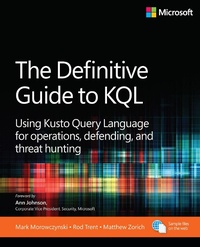
The Definitive Guide to KQL
Using Kusto Query Language for operations, defending, and threat hunting
Erschienen am 10. Juli 2024
480 Seiten
978-0-13-829344-4 (ISBN)
Beschreibung
Turn the avalanche of raw data from Azure Data Explorer, Azure Monitor, Microsoft Sentinel, and other Microsoft data platforms into actionable intelligence with KQL (Kusto Query Language). Experts in information security and analysis guide you through what it takes to automate your approach to risk assessment and remediation, speeding up detection time while reducing manual work using KQL. This accessible and practical guide-designed for a broad range of people with varying experience in KQL-will quickly make KQL second nature for information security.
Solve real problems with Kusto Query Language- and build your competitive advantage:
Learn the fundamentals of KQL-what it is and where it is used
Examine the anatomy of a KQL query
Understand why data summation and aggregation is important
See examples of data summation, including count, countif, and dcount
Learn the benefits of moving from raw data ingestion to a more automated approach for security operations
Unlock how to write efficient and effective queries
Work with advanced KQL operators, advanced data strings, and multivalued strings
Explore KQL for day-to-day admin tasks, performance, and troubleshooting
Use KQL across Azure, including app services and function apps
Delve into defending and threat hunting using KQL
Recognize indicators of compromise and anomaly detection
Learn to access and contribute to hunting queries via GitHub and workbooks via Microsoft Entra ID
Solve real problems with Kusto Query Language- and build your competitive advantage:
Learn the fundamentals of KQL-what it is and where it is used
Examine the anatomy of a KQL query
Understand why data summation and aggregation is important
See examples of data summation, including count, countif, and dcount
Learn the benefits of moving from raw data ingestion to a more automated approach for security operations
Unlock how to write efficient and effective queries
Work with advanced KQL operators, advanced data strings, and multivalued strings
Explore KQL for day-to-day admin tasks, performance, and troubleshooting
Use KQL across Azure, including app services and function apps
Delve into defending and threat hunting using KQL
Recognize indicators of compromise and anomaly detection
Learn to access and contribute to hunting queries via GitHub and workbooks via Microsoft Entra ID
Weitere Details
Reihe
Sprache
Englisch
Verlagsort
Boston
USA
Verlagsgruppe
Pearson Education (US)
Zielgruppe
Für Beruf und Forschung
Dateigröße
19,63 MB
ISBN-13
978-0-13-829344-4 (9780138293444)
Copyright in bibliographic data and cover images is held by Nielsen Book Services Limited or by the publishers or by their respective licensors: all rights reserved.
Schweitzer Klassifikation
Weitere Ausgaben
Personen
Mark Morowczynski is a principal product manager on the Security Customer Experience Engineering (CxE) team at Microsoft. He spends most of his time working with customers on their deployments in the Identity and Access Management (IAM) and information security space. He's spoken at various industry events, including Black Hat, Defcon Blue Team Village, Blue Team Con, Microsoft Ignite, and several BSides and SANS Security Summits. He has a BS in computer science, an MS in computer information and network security, and an MBA from DePaul University. He also has a MS in Information Security Engineering from the SANS Technology Institute. He can be found online on Mastodon at @markmorow@infosec.exchange or his website at https://markmorow.com.
Rod Trent is a senior program manager at Microsoft, focused on cybersecurity and AI. He has spoken at many conferences over the past 30-some years and has written several books, including Must Learn KQL: Essential Learning for the Cloud-focused Data Scientist, and thousands of articles. He is a husband, dad, and first-time grandfather. In his spare time (if such a thing does truly exist), you can regularly find him simultaneously watching Six Million Dollar Man episodes and writing KQL queries. Rod can be found on LinkedIn and X (formerly Twitter) at @rodtrent.
Matthew Zorich was born and raised in Australia and works for the Microsoft GHOST team, which provides threat-hunting oversight to many areas of Microsoft. Before that, he worked for the Microsoft Detection and Response Team (DART) and dealt with some of the most complex and largest-scale cybersecurity compromises on the planet. Before joining Microsoft as a full-time employee, he was a Microsoft MVP, ran a blog focused on Microsoft Sentinel, and contributed hundreds of open-source KQL queries to the community. He is a die-hard sports fan, especially the NBA and cricket.
Rod Trent is a senior program manager at Microsoft, focused on cybersecurity and AI. He has spoken at many conferences over the past 30-some years and has written several books, including Must Learn KQL: Essential Learning for the Cloud-focused Data Scientist, and thousands of articles. He is a husband, dad, and first-time grandfather. In his spare time (if such a thing does truly exist), you can regularly find him simultaneously watching Six Million Dollar Man episodes and writing KQL queries. Rod can be found on LinkedIn and X (formerly Twitter) at @rodtrent.
Matthew Zorich was born and raised in Australia and works for the Microsoft GHOST team, which provides threat-hunting oversight to many areas of Microsoft. Before that, he worked for the Microsoft Detection and Response Team (DART) and dealt with some of the most complex and largest-scale cybersecurity compromises on the planet. Before joining Microsoft as a full-time employee, he was a Microsoft MVP, ran a blog focused on Microsoft Sentinel, and contributed hundreds of open-source KQL queries to the community. He is a die-hard sports fan, especially the NBA and cricket.
Inhalt
Foreword by Ann Johnson
CHAPTER 1 Introduction and Fundamentals
CHAPTER 2 Data Aggregation
CHAPTER 3 Unlocking Insights with Advanced KQL Operators
CHAPTER 4 Operational Excellence with KQL
CHAPTER 5 KQL for Cybersecurity-Defending and Threat Hunting
CHAPTER 6 Advanced KQL Cybersecurity Use Cases and Operators
CHAPTER 1 Introduction and Fundamentals
CHAPTER 2 Data Aggregation
CHAPTER 3 Unlocking Insights with Advanced KQL Operators
CHAPTER 4 Operational Excellence with KQL
CHAPTER 5 KQL for Cybersecurity-Defending and Threat Hunting
CHAPTER 6 Advanced KQL Cybersecurity Use Cases and Operators
