

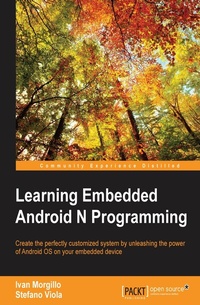
Learning Embedded Android N Programming
Customize your Android system with the power of embedded programming
1. Auflage
Erschienen am 8. Juli 2025
282 Seiten
978-1-78528-328-4 (ISBN)
Beschreibung

Customize your Android system with the power of embedded programmingKey Features - Understand the system architecture and how the source code is organized
- Explore the power of Android and customize the build system
- Build a fully customized Android version as per your requirements
Book DescriptionTake a deep dive into the Android build system and its customization with Learning Embedded Android Programming, written to help you master the steep learning curve of working with embedded Android. Start by exploring the basics of Android OS, discover Google's "repo" system, and discover how to retrieve AOSP source code. You'll then find out to set up the build environment and the first AOSP system. Next, learn how to customize the boot sequence with a new animation, and use an Android "kitchen" to "cook" your custom ROM. By the end of the book, you'll be able to build customized Android open source projects by developing your own set of features. What you will learn - Master Android architecture and system design
- Obtain source code and understand the modular organization
- Customize and build your first system image for the Android emulator
- Level up and build your own Android system for a real-world device
- Use Android as a home automation and entertainment system
- Tailor your system with optimizations and add-ons
- Reach for the stars: look at the Internet of Things, entertainment, and domotics
Who this book is forIf you are a Java programmer who wants to customize, build, and deploy your own Android version using embedded programming, then this book is for you.
- Explore the power of Android and customize the build system
- Build a fully customized Android version as per your requirements
Book DescriptionTake a deep dive into the Android build system and its customization with Learning Embedded Android Programming, written to help you master the steep learning curve of working with embedded Android. Start by exploring the basics of Android OS, discover Google's "repo" system, and discover how to retrieve AOSP source code. You'll then find out to set up the build environment and the first AOSP system. Next, learn how to customize the boot sequence with a new animation, and use an Android "kitchen" to "cook" your custom ROM. By the end of the book, you'll be able to build customized Android open source projects by developing your own set of features. What you will learn - Master Android architecture and system design
- Obtain source code and understand the modular organization
- Customize and build your first system image for the Android emulator
- Level up and build your own Android system for a real-world device
- Use Android as a home automation and entertainment system
- Tailor your system with optimizations and add-ons
- Reach for the stars: look at the Internet of Things, entertainment, and domotics
Who this book is forIf you are a Java programmer who wants to customize, build, and deploy your own Android version using embedded programming, then this book is for you.
Alle Preise
Weitere Details
Weitere Ausgaben
Andere Ausgaben
Ivan Morgillo | Stefano Viola
Learning Embedded Android N Programming
Buch
07/2016
Packt Publishing
55,90 €
Versand in 3-4 Wochen
Personen
Morgillo Ivan :
Ivan Morgillo is a computer engineer, a conference speaker, and a community organizer. He is passionate about programming and embedded systemsfrom DIY domotics to Android devices. He is cofounder of Alter Ego Solutions, a mobile development consulting company. He is also the author of RxJava Essentials, by Packt Publishing and Grokking Rx, by Manning Publications.
Ivan Morgillo is a computer engineer, a conference speaker, and a community organizer. He is passionate about programming and embedded systemsfrom DIY domotics to Android devices. He is cofounder of Alter Ego Solutions, a mobile development consulting company. He is also the author of RxJava Essentials, by Packt Publishing and Grokking Rx, by Manning Publications.
Inhalt
- Cover
- Copyright
- Credits
- About the Authors
- About the Reviewer
- www.PacktPub.com
- Table of Contents
- Preface
- Chapter 1: Understanding the Architecture
- An overview of the Android system
- Linux kernel
- Hardware abstraction layer - HAL
- Libraries and the application framework
- Libraries
- The application framework
- Binder IPC
- The application layer
- Android compatibility
- The Android Compatibility Definition Document
- Device types
- Software compatibility
- Beyond Java
- Native API
- Maintaining 32-bit support
- From Dalvik to ART runtime
- The Android runtime
- A new old approach - AOT compilation
- Garbage collection and other improvements
- Waiting for Android Nougat
- Meeting the Compatibility Test Suite
- CTS setup
- Device setup
- Media files setup
- Run!
- Analyzing the test results
- Diving deeper with CTS Verifier
- Setup
- Manual testing
- Retrieving the results
- Summary
- Chapter 2: Obtaining the Source Code - Structure and Philosophy
- The Android philosophy
- The license
- Open source, closed doors
- The Android development model
- Source code tags and builds
- Nexus
- Phones
- Tablets
- Digital media players
- Source code tools
- Git
- Repo
- Gerrit
- Setting up the environment
- Free space
- Installing the required tools
- Getting ready
- Downloading the code
- Hands on the code
- A look inside AOSP
- The ART directory
- The bionic directory
- The build directory
- The external directory
- The device directory
- The frameworks directory
- The out directory
- The packages directory
- The system directory
- The rest of the directory structure
- Summary
- Chapter 3: Set up and Build - the Emulator Way
- Preparing the host system
- Hardware requirements
- Software requirements
- Installing Java JDK
- Installing system dependencies
- Setting up a Mac OS X environment
- Creating a case-sensitive disk image
- Installing the required software
- The Android build system
- An overview
- Bootstrap
- Setup
- The TARGET_PRODUCT variable
- The TARGET_BUILD_VARIANT variable
- The TARGET_BUILD_TYPE variable
- The TARGET_TOOLS_PREFIX variable
- The OUT_DIR variable
- The TARGET_PREBUILT_KERNEL variable
- The buildspec.mk file
- The lunch command
- Building the system
- More about make
- Beyond the system image
- Inside an AOSP module
- Diving into Android.mk
- Android.mk variables ecosystem
- Module template examples
- Creating a custom device
- Diving into device configuration
- From zero to the screenlock
- Setup
- Build
- Run
- Summary
- Chapter 4: Moving to Real-World Hardware
- Debugging tools
- Introducing ADB
- Pushing files to devices
- Pulling files from devices
- Installing Android APK files
- Logcat
- Fastboot
- Choosing our hardware
- Hardware architectures
- Minimum requirements
- System on Chip - SoC
- The baseband processor
- Our hardware choice
- Motorola Nexus 6
- UDOO Quad
- Compiling Android for a real-world device
- Nexus 6
- UDOO Quad
- Setup
- Bootloader
- System
- Kernel
- Bootloader mode
- Nexus devices
- UDOO family boards
- Flashing Android images
- Nexus 6
- UDOO
- Summary
- Chapter 5: Customizing Kernel and Boot Sequence
- An overview of the Linux kernel
- Obtaining the kernel
- Retrieving the kernel's binary version
- Obtaining the kernel source code
- Setting up the toolchain
- Getting the toolchain
- Preparing the host system
- Configuring the kernel
- Compiling the kernel
- Working with non-Google devices
- Driver management
- Altering the CPU frequency
- An overview of the governors
- Customizing the boot image
- Creating the boot image
- Upgrading the new boot image
- Android boot sequence
- Internal ROM - bios
- An overview of bootloader
- The kernel
- The Init process
- The Android init language
- Actions
- Services
- Options
- Triggers
- Commands
- Imports
- Summary
- Chapter 6: "Cooking" Your First ROM
- History of custom ROMs
- Cyanogenmod
- Building Cyanogenmod
- Installing a pre-build version
- The Android Open Kang Project
- Installing AOKP
- Minor ROMs
- Overview of OEM customizations
- Samsung - TouchWiz
- Huawei EMUI
- HTC Sense
- LG Optimus UI
- Xiaomi MIUI
- An overview of Android recovery
- Diving into Android recovery
- Installing an alternative recovery
- Clockworkmod
- TWRP - Team Win Recovery Project
- Connecting to the recovery shell using ADB
- Device permissions
- Root access
- SuperSu
- Obtaining root access
- Chef toolkit
- Preparing the environment
- Android kitchen
- Other developers' tools
- Manipulating DEX files with APKTool
- Cooking our first ROM
- Gathering the ingredients
- Dumping system partitions
- Modifying an Android system binary image
- Modifying an Android binary boot image
- Flashing our custom ROM
- Summary
- Chapter 7: Tailoring Your Personal Android System
- Receiving over the air updates - OTA
- Updating the whole system
- Updating the system incrementally
- Applying a single component update
- Creating over the air updates
- OTA internals
- Edify syntax
- OTA for custom ROM
- Advanced ROM customization
- ROM customization from binary
- Customizing ROM from source
- Adding new packages to Android's build system
- Adding a package by binary
- Adding packages by source code
- Hacking the Android framework
- Customizing the boot sequence UI
- Customizing the Android Settings menu
- Enhancing the system performance
- Customizing the system property file
- Adding a custom init sequence
- Advanced Linux kernel modding
- Diving into CPU frequency management
- Adding a custom CPU frequency governor
- Exploring I/O schedulers
- Looking forward
- Summary
- Chapter 8: Beyond the Smartphone
- Meeting Arduino
- Android ADK
- Using UDOO as an all-in-one ADK device
- Getting ready
- Flashing the Arduino board
- Creating the Android app
- Exploring the possibilities of the Internet of Things
- Android Auto
- Android Wear
- Domotics
- Can a green droid entertain you?
- Multimedia
- Toys
- Summary
- Index

