

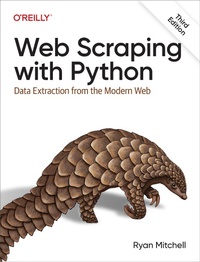
Web Scraping with Python
Erschienen am 14. Februar 2024
352 Seiten
978-1-0981-4532-3 (ISBN)
Beschreibung
If programming is magic, then web scraping is surely a form of wizardry. By writing a simple automated program, you can query web servers, request data, and parse it to extract the information you need. This thoroughly updated third edition not only introduces you to web scraping but also serves as a comprehensive guide to scraping almost every type of data from the modern web.
Part I focuses on web scraping mechanics: using Python to request information from a web server, performing basic handling of the server''s response, and interacting with sites in an automated fashion. Part II explores a variety of more specific tools and applications to fit any web scraping scenario you''re likely to encounter.
- Parse complicated HTML pages
- Develop crawlers with the Scrapy framework
- Learn methods to store the data you scrape
- Read and extract data from documents
- Clean and normalize badly formatted data
- Read and write natural languages
- Crawl through forms and logins
- Scrape JavaScript and crawl through APIs
- Use and write image-to-text software
- Avoid scraping traps and bot blockers
- Use scrapers to test your website
Weitere Details
Sprache
Englisch
Dateigröße
10,31 MB
ISBN-13
978-1-0981-4532-3 (9781098145323)
