

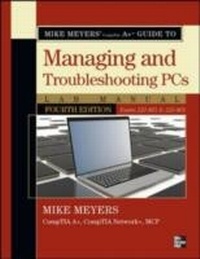
Mike Meyers' CompTIA A+ Guide to 801 Managing and Troubleshooting PCs Lab Manual, Fourth Edition (Exam 220-801)
1. Auflage
Erschienen am 10. Dezember 2012
353 Seiten
978-0-07-179518-0 (ISBN)
Beschreibung

Bestselling CompTIA A+ author Mike Meyers provides hands-on, step-by-step labsupdated for the 2012 release of Exam 220-801so you can practice the IT skills essential for your success Mike Meyers CompTIA A+ Guide to Managing and Troubleshooting Hardware Lab Manual, Fourth Edition contains more than 75 labs that challenge you to solve real-world problems with key concepts. Clear, measurable lab objectives map to certification exam objectives, ensuring direct correspondence to Mike Meyers CompTIA A+ Guide to Managing and Troubleshooting Hardware, Fourth Edition. Lab solutions are only available to instructors and are not printed inside the book. The Lab Manual also includes materials lists and lab set-up instructions. Step-by-step, not click-by click, lab scenarios require you to think critically, and Hint and Warning icons guide you through potentially tricky situations. Post-lab observation questions measure your understanding of lab results and the key term quiz helps to build your vocabulary.
Weitere Details
Weitere Ausgaben
Andere Ausgaben
Buch
01/2013
4. Auflage
Osborne/McGraw-Hill
42,90 €
Artikel z.Zt. nicht lieferbar
Inhalt
- Cover
- About the Authors
- Title Page
- Copyright Page
- Contents at a Glance
- Contents
- Acknowledgments
- Additional Resources for Teachers
- Chapter 1: The Path of the PC Tech
- Lab Exercise 1.01: Preparing to Study
- Learning Objectives
- Lab Materials and Setup
- Getting Down to Business
- Lab Exercise 1.02: Considering Other Certifications
- Learning Objectives
- Lab Materials and Setup
- Getting Down to Business
- Lab Exercise 1.03: Gathering Equipment
- Learning Objectives
- Lab Materials and Setup
- Getting Down to Business
- Chapter 2: Operational Procedures
- Lab Exercise 2.01: The Rude Computer Technician
- Learning Objectives
- Lab Materials and Setup
- Getting Down to Business
- Lab Exercise 2.02: Communicating Effectively
- Learning Objectives
- Lab Materials and Setup
- Getting Down to Business
- Lab Exercise 2.03: Integrating Safety into the Workplace
- Learning Objectives
- Lab Materials and Setup
- Getting Down to Business
- Lab Exercise 2.04: Safeguarding Your IT Future-Becoming a Professional
- Learning Objectives
- Lab Materials and Setup
- Getting Down to Business
- Lab Analysis Test
- Key Term Quiz
- Chapter 3: The Visible PC
- Lab Exercise 3.01: Exploring the Functions and Components of a PC
- Learning Objectives
- Lab Materials and Setup
- Getting Down to Business
- Lab Exercise 3.02: Examining User-Accessible Components
- Learning Objectives
- Lab Materials and Setup
- Getting Down to Business
- Lab Exercise 3.03: Recognizing External Connections
- Learning Objectives
- Lab Materials and Setup
- Getting Down to Business
- Lab Analysis Test
- Key Term Quiz
- Chapter 4: Visible Networks
- Lab Exercise 4.01: Understanding Network Topologies
- Learning Objectives
- Lab Materials and Setup
- Getting Down to Business
- Lab Exercise 4.02: Identifying Local Area Network Hardware
- Learning Objectives
- Lab Materials and Setup
- Getting Down to Business
- Lab Analysis Test
- Key Term Quiz
- Chapter 5: Microprocessors
- Lab Exercise 5.01: Identifying CPU Characteristics
- Learning Objectives
- Lab Materials and Setup
- Getting Down to Business
- Lab Exercise 5.02: Recognizing CPU Sockets
- Learning Objectives
- Lab Materials and Setup
- Getting Down to Business
- Lab Exercise 5.03: Cooling Your CPU
- Learning Objectives
- Lab Materials and Setup
- Getting Down to Business
- Lab Exercise 5.04: Exploring CPU Specifications With CPU-Z
- Learning Objectives
- Lab Materials and Setup
- Getting Down to Business
- Lab Exercise 5.05: Removing and Installing a CPU
- Learning Objectives
- Lab Materials and Setup
- Getting Down to Business
- Lab Analysis Test
- Key Term Quiz
- Chapter 6: RAM
- Lab Exercise 6.01: Determining the Amount of RAM in a PC
- Learning Objectives
- Lab Materials and Setup
- Getting Down to Business
- Lab Exercise 6.02: Identifying Types of RAM
- Learning Objectives
- Lab Materials and Setup
- Getting Down to Business
- Lab Exercise 6.03: Removing and Installing RAM
- Learning Objectives
- Lab Materials and Setup
- Getting Down to Business
- Lab Exercise 6.04: Exploring RAM Specifications with CPU-Z
- Learning Objectives
- Lab Materials and Setup
- Getting Down to Business
- Lab Analysis Test
- Key Term Quiz
- Chapter 7: BIOS
- Lab Exercise 7.01: Identifying BIOS ROM
- Learning Objectives
- Lab Materials and Setup
- Getting Down to Business
- Lab Exercise 7.02: Accessing BIOS via The CMOS Setup Program
- Learning Objectives
- Lab Materials and Setup
- Getting Down to Business
- Lab Exercise 7.03: Configuring BIOS Settings
- Learning Objectives
- Lab Materials and Setup
- Getting Down to Business
- Lab Analysis Test
- Key Term Quiz
- Chapter 8: Motherboards
- Lab Exercise 8.01: Researching New Motherboards
- Learning Objectives
- Lab Materials and Setup
- Getting Down to Business
- Lab Exercise 8.02: Identifying Motherboard Features
- Learning Objectives
- Lab Materials and Setup
- Getting Down to Business
- Lab Exercise 8.03: Exploring Motherboard Features with CPU-Z
- Learning Objectives
- Lab Materials and Setup
- Getting Down to Business
- Lab Exercise 8.04: Identifying Internal Expansion Slots
- Learning Objectives
- Lab Materials and Setup
- Getting Down to Business
- Lab Exercise 8.05: Installing Expansion Cards
- Learning Objectives
- Lab Materials and Setup
- Getting Down to Business
- Lab Exercise 8.06: Managing Hardware with Device Manager
- Learning Objectives
- Lab Materials and Setup
- Getting Down to Business
- Lab Analysis Test
- Key Term Quiz
- Chapter 9: Power Supplies
- Lab Exercise 9.01: Electricity
- Learning Objectives
- Lab Materials and Setup
- Getting Down to Business
- Lab Exercise 9.02: Power Supply Output
- Learning Objectives
- Lab Materials and Setup
- Getting Down to Business
- Lab Exercise 9.03: Power Protection
- Learning Objectives
- Lab Materials and Setup
- Getting Down to Business
- Lab Analysis Test
- Key Term Quiz
- Chapter 10: Hard Drive Technologies
- Lab Exercise 10.01: Installing Parallel ATA Hard Drives
- Learning Objectives
- Lab Materials and Setup
- Getting Down to Business
- Lab Exercise 10.02: Installing Serial ATA Hard Drives
- Learning Objectives
- Lab Materials and Setup
- Getting Down to Business
- Lab Exercise 10.03: Configuring CMOS Settings
- Learning Objectives
- Lab Materials and Setup
- Getting Down to Business
- Lab Exercise 10.04: Comparing Solid-State Drives and Magnetic Hard Drives
- Learning Objectives
- Lab Materials and Setup
- Getting Down to Business
- Lab Exercise 10.05: Exploring SCSI and RAID
- Learning Objectives
- Lab Materials and Setup
- Getting Down to Business
- Lab Analysis Test
- Key Term Quiz
- Chapter 11: Removable Media
- Lab Exercise 11.01: Installing Floppy Drives
- Learning Objectives
- Lab Materials and Setup
- Getting Down to Business
- Lab Exercise 11.02: Installing Optical Drives
- Learning Objectives
- Lab Materials and Setup
- Getting Down to Business
- Lab Exercise 11.03: Working with USB Thumb Drives
- Learning Objectives
- Lab Materials and Setup
- Getting Down to Business
- Lab Exercise 11.04: Configuring Removable Media Drives
- Learning Objectives
- Lab Materials and Setup
- Getting Down to Business
- Lab Exercise 11.05: Burning Optical Discs
- Learning Objectives
- Lab Materials and Setup
- Getting Down to Business
- Lab Analysis Test
- Key Term Quiz
- Chapter 12: Input Devices
- Lab Exercise 12.01: Using USB Drivers
- Learning Objectives
- Lab Materials and Setup
- Getting Down to Business
- Lab Exercise 12.02: Paging Dr. Keyboard!
- Learning Objectives
- Lab Materials and Setup
- Getting Down to Business
- Lab Exercise 12.03: Exploring Scanners
- Learning Objectives
- Lab Materials and Setup
- Getting Down to Business
- Lab Exercise 12.04: Testing Digital Cameras
- Learning Objectives
- Lab Materials and Setup
- Getting Down to Business
- Lab Analysis Test
- Key Term Quiz
- Chapter 13: Video
- Lab Exercise 13.01: Installing Video
- Learning Objectives
- Lab Materials and Setup
- Getting Down to Business
- Lab Exercise 13.02: Configuring Multiple Displays
- Learning Objectives
- Lab Materials and Setup
- Getting Down to Business
- Lab Analysis Test
- Key Term Quiz
- Chapter 14: Local Area Networking
- Lab Exercise 14.01: Building an Ethernet Patch Cable
- Learning Objectives
- Lab Materials and Setup
- Getting Down to Business
- Lab Exercise 14.02: Verifying TCP/IP Settings
- Learning Objectives
- Lab Materials and Setup
- Getting Down to Business
- Lab Exercise 14.03: Sharing Resources
- Learning Objectives
- Lab Materials and Setup
- Getting Down to Business
- Lab Exercise 14.04: Testing Your LAN Connections
- Learning Objectives
- Lab Materials and Setup
- Getting Down to Business
- Lab Analysis Test
- Key Term Quiz
- Chapter 15: Wireless Networking
- Lab Exercise 15.01: Buying Wireless Equipment
- Learning Objectives
- Lab Materials and Setup
- Getting Down to Business
- Lab Exercise 15.02: Wireless Security Features
- Learning Objectives
- Lab Materials and Setup
- Getting Down to Business
- Lab Exercise 15.03: Scanning for Wireless Networks
- Learning Objectives
- Lab Materials and Setup
- Getting Down to Business
- Lab Analysis Test
- Key Term Quiz
- Chapter 16: The Internet
- Lab Exercise 16.01: Identifying Internet Connectivity Properties
- Learning Objectives
- Lab Materials and Setup
- Getting Down to Business
- Lab Exercise 16.02: Installing and Configuring an Internet Connection
- Learning Objectives
- Lab Materials and Setup
- Getting Down to Business
- Lab Exercise 16.03: Enabling Windows Firewall
- Learning Objectives
- Lab Materials and Setup
- Getting Down to Business
- Lab Exercise 16.04: Configuring Windows Internet Connection Sharing
- Learning Objectives
- Lab Materials and Setup
- Getting Down to Business
- Lab Exercise 16.05: Upgrading and Tweaking Internet Explorer
- Learning Objectives
- Lab Materials and Setup
- Getting Down to Business
- Lab Analysis Test
- Key Term Quiz
- Chapter 17: Multimedia
- Lab Exercise 17.01: Installing Sound
- Learning Objectives
- Lab Materials and Setup
- Getting Down to Business
- Lab Exercise 17.02: Recording Sound
- Learning Objectives
- Lab Materials and Setup
- Getting Down to Business
- Lab Exercise 17.03: Exploring Windows Media Player
- Learning Objectives
- Lab Materials and Setup
- Getting Down to Business
- Lab Analysis Test
- Key Term Quiz
- Chapter 18: Portable Computing
- Lab Exercise 18.01: Researching Laptop Upgrade Paths
- Learning Objectives
- Lab Materials and Setup
- Getting Down to Business
- Lab Exercise 18.02: Replacing and Upgrading RAM
- Learning Objectives
- Lab Materials and Setup
- Getting Down to Business
- Lab Exercise 18.03: Adjusting Power Management to Optimize Battery Life
- Learning Objectives
- Lab Materials and Setup
- Getting Down to Business
- Lab Exercise 18.04: Field Trip to Play with the Latest Portable PCs
- Learning Objectives
- Lab Materials and Setup
- Getting Down to Business
- Lab Analysis Test
- Key Term Quiz
- Chapter 19: Printer Technologies and Installation
- Lab Exercise 19.01: Examining Types of Printers
- Learning Objectives
- Lab Materials and Setup
- Getting Down to Business
- Lab Exercise 19.02: Installing a Printer
- Learning Objectives
- Lab Materials and Setup
- Getting Down to Business
- Lab Exercise 19.03: Maintaining and Troubleshooting Printers
- Learning Objectives
- Lab Materials and Setup
- Getting Down to Business
- Lab Analysis Test
- Key Term Quiz
- Chapter 20: Securing Computers
- Lab Exercise 20.01: Configuring Local Policies
- Learning Objectives
- Lab Materials and Setup
- Getting Down to Business
- Lab Exercise 20.02: Reviewing Security Events
- Learning Objectives
- Lab Materials and Setup
- Getting Down to Business
- Lab Analysis Test
- Key Term Quiz
- Chapter 21: The Right PC for You
- Lab Exercise 21.01: Building a Thick Client
- Learning Objective
- Lab Materials and Setup
- Getting Down to Business
- Lab Exercise 21.02: Building a Gaming PC
- Learning Objective
- Lab Materials and Setup
- Getting Down to Business
- Lab Exercise 21.03: Building a Home Theater PC
- Learning Objective
- Lab Materials and Setup
- Getting Down to Business
- Lab Analysis Test
- Key Term Quiz
- Index
