

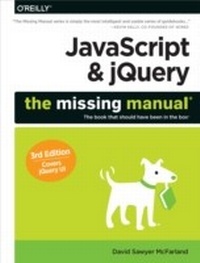
JavaScript & jQuery: The Missing Manual
1. Auflage
Erschienen am 18. September 2014
686 Seiten
978-1-4919-4862-0 (ISBN)
Beschreibung

JavaScript lets you supercharge your HTML with animation, interactivity, and visual effectsbut many web designers find the language hard to learn. This easy-to-read guide not only covers JavaScript basics, but also shows you how to save time and effort with the jQuery and jQuery UI libraries of prewritten JavaScript code. Youll build web pages that feel and act like desktop programswith little or no programming.The important stuff you need to know:Pull back the curtain on JavaScript. Learn how to build a basic program with this language.Get up to speed on jQuery. Quickly assemble JavaScript programs that work well on multiple web browsers.Transform your user interface. Learn jQuery UI, the JavaScript library for interface features like design themes and controls.Make your pages interactive. Create JavaScript events that react to visitor actions.Use animations and effects. Build drop-down navigation menus, pop-ups, automated slideshows, and more.Collect data with web forms. Create easy-to-use forms that ensure more accurate visitor responses.Practice with living examples. Get step-by-step tutorials for web projects you can build yourself.
Weitere Details
Weitere Ausgaben
Andere Ausgaben
David Sawyer Mcfarland
JavaScript & jQuery: The Missing Manual
Buch
10/2014
3. Auflage
O'Reilly
56,00 €
Versand in 10-20 Tagen
Inhalt
- Intro
- The Missing Credits
- Introduction
- What Is JavaScript?
- What Is jQuery?
- HTML: The Barebones Structure
- CSS: Adding Style to Web Pages
- Software for JavaScript Programming
- About This Book
- The Very Basics
- About the Online Resources
- Part One: Getting Started with JavaScript
- Chapter 1: Writing Your First JavaScript Program
- Introducing Programming
- How to Add JavaScript to a Page
- Your First JavaScript Program
- Writing Text on a Web Page
- Attaching an External JavaScript File
- Tracking Down Errors
- Chapter 2: The Grammar of JavaScript
- Statements
- Built-In Functions
- Types of Data
- Variables
- Working with Data Types and Variables
- Tutorial: Using Variables to Create Messages
- Tutorial: Asking for Information
- Arrays
- Tutorial: Writing to a Web Page Using Arrays
- A Quick Object Lesson
- Comments
- Chapter 3: Adding Logic and Control to Your Programs
- Making Programs React Intelligently
- Tutorial: Using Conditional Statements
- Handling Repetitive Tasks with Loops
- Functions: Turn Useful Code Into Reusable Commands
- Tutorial: A Simple Quiz
- Part Two: Getting Started with jQuery
- Chapter 4: Introducing jQuery
- About JavaScript Libraries
- Getting jQuery
- Adding jQuery to a Page
- Modifying Web Pages: An Overview
- Understanding the Document Object Model
- Selecting Page Elements: The jQuery Way
- Adding Content to a Page
- Setting and Reading Tag Attributes
- Reading, Setting, and Removing HTML Attributes
- Acting on Each Element in a Selection
- Automatic Pull Quotes
- Chapter 5: Action/Reaction: Making Pages Come Alive with Events
- What Are Events?
- Using Events the jQuery Way
- Tutorial: Introducing Events
- More jQuery Event Concepts
- Advanced Event Management
- Tutorial: A One-Page FAQ
- Chapter 6: Animations and Effects
- jQuery Effects
- Tutorial: Login Slider
- Animations
- Performing an Action After an Effect Is Completed
- Tutorial: Animated Dashboard
- jQuery and CSS3 Transitions and Animations
- Chapter 7: Common jQuery Tasks
- Swapping Images
- Tutorial: Adding Rollover Images
- Tutorial: Photo Gallery with Effects
- Controlling How Links Behave
- Opening External Links in a New Window
- Creating New Windows
- Introducing jQuery Plug-ins
- Build a Responsive Navigation Bar
- Chapter 8: Enhancing Web Forms
- Understanding Forms
- Adding Smarts to Your Forms
- Tutorial: Basic Form Enhancements
- Form Validation
- Validation Tutorial
- Part Three: Getting Started with jQuery UI
- Chapter 9: Expanding Your Interface
- What Is jQuery UI?
- Why Use jQuery UI?
- Using jQuery UI
- Adding Messages with Dialog Boxes
- Providing Information with Tooltips
- Adding Tabbed Panels
- Saving Space with Accordions
- Adding Menus to a Page
- Chapter 10: Forms Revisited
- Picking Dates with Style
- Stylish Select Menus
- Styling Buttons
- Improve Radio Buttons and Checkboxes
- Providing Hints with Autocomplete
- jQuery UI Form Widget Tutorial
- Chapter 11: Customizing the Look of jQuery UI
- Introducing ThemeRoller
- Downloading and Using Your New Theme
- Overriding jQuery UI Styles
- Chapter 12: jQuery UI Interactions and Effects
- The Draggable Widget
- The Droppable Widget
- Drag-and-Drop Tutorial
- Sorting Page Items
- jQuery UI Effects
- Part Four: Advanced jQuery and JavaScript
- Chapter 13: Introducing Ajax
- What Is Ajax?
- Ajax: The Basics
- Ajax the jQuery Way
- JSON
- Introducing JSONP
- Adding a Flickr Feed to Your Site
- Tutorial: Adding Flickr Images to Your Site
- Chapter 14: Building a To-Do List Application
- An Overview of the Application
- Add a Button
- Add a Dialog Box
- Adding Tasks
- Marking Tasks as Complete
- Deleting Tasks
- Going Further
- Part Five: Tips, Tricks, and Troubleshooting
- Chapter 15: Getting the Most from jQuery
- Useful jQuery Tips and Information
- Using the jQuery Docs
- Traversing the DOM
- More Functions for Manipulating HTML
- Chapter 16: Going Further with JavaScript
- Working with Strings
- Finding Patterns in Strings
- Working with Numbers
- Dates and Times
- Writing More Efficient JavaScript
- Putting It All Together
- Chapter 17: Troubleshooting and Debugging
- Top JavaScript Programming Mistakes
- Debugging with the Console
- Debugging Tutorial
- Part Six: Appendix
- Appendix A: JavaScript Resources
- References
- Basic JavaScript
- jQuery
- Advanced JavaScript
- CSS
- Index
