

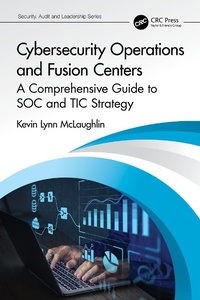
Cybersecurity Operations and Fusion Centers
A Comprehensive Guide to SOC and TIC Strategy
1. Auflage
Erschienen am 19. Oktober 2023
136 Seiten
978-1-000-96835-4 (ISBN)
Beschreibung

Cybersecurity Operations and Fusion Centers: A Comprehensive Guide to SOC and TIC Strategy by Dr. Kevin Lynn McLaughlin is a must-have resource for anyone involved in the establishment and operation of a Cybersecurity Operations and Fusion Center (SOFC). Think of a combination cybersecurity SOC and cybersecurity Threat Intelligence Center (TIC). In this book, Dr. McLaughlin, who is a well-respected cybersecurity expert, provides a comprehensive guide to the critical importance of having an SOFC and the various options available to organizations to either build one from scratch or purchase a ready-made solution. The author takes the reader through the crucial steps of designing an SOFC model, offering expert advice on selecting the right partner, allocating resources, and building a strong and effective team. The book also provides an in-depth exploration of the design and implementation of the SOFC infrastructure and toolset, including the use of virtual tools, the physical security of the SOFC, and the impact of COVID-19 on remote workforce operations. A bit of gamification is described in the book as a way to motivate and maintain teams of high-performing and well-trained cybersecurity professionals.
The day-to-day operations of an SOFC are also thoroughly examined, including the monitoring and detection process, security operations (SecOps), and incident response and remediation. The book highlights the significance of effective reporting in driving improvements in an organization's security posture.
With its comprehensive analysis of all aspects of the SOFC, from team building to incident response, this book is an invaluable resource for anyone looking to establish and operate a successful SOFC. Whether you are a security analyst, senior analyst, or executive, this book will provide you with the necessary insights and strategies to ensure maximum performance and long-term success for your SOFC. By having this book as your guide, you can rest assured that you have the knowledge and skills necessary to protect an organization's data, assets, and operations.
The day-to-day operations of an SOFC are also thoroughly examined, including the monitoring and detection process, security operations (SecOps), and incident response and remediation. The book highlights the significance of effective reporting in driving improvements in an organization's security posture.
With its comprehensive analysis of all aspects of the SOFC, from team building to incident response, this book is an invaluable resource for anyone looking to establish and operate a successful SOFC. Whether you are a security analyst, senior analyst, or executive, this book will provide you with the necessary insights and strategies to ensure maximum performance and long-term success for your SOFC. By having this book as your guide, you can rest assured that you have the knowledge and skills necessary to protect an organization's data, assets, and operations.
Weitere Details
Reihe
Auflage
1. Auflage
Sprache
Englisch
Verlagsort
London
Großbritannien
Verlagsgruppe
Taylor & Francis Ltd
Zielgruppe
Für Beruf und Forschung
Produkt-Hinweis
Reflowable
Illustrationen
1 Line drawings, black and white; 6 Halftones, black and white; 7 Illustrations, black and white
ISBN-13
978-1-000-96835-4 (9781000968354)
Copyright in bibliographic data and cover images is held by Nielsen Book Services Limited or by the publishers or by their respective licensors: all rights reserved.
Schweitzer Klassifikation
Weitere Ausgaben
Andere Ausgaben
Kevin Lynn McLaughlin
Cybersecurity Operations and Fusion Centers
A Comprehensive Guide to SOC and TIC Strategy
Buch
10/2023
1. Auflage
CRC Press
175,30 €
Versand in 10-20 Tagen
Kevin Lynn McLaughlin
Cybersecurity Operations and Fusion Centers
A Comprehensive Guide to SOC and TIC Strategy
Buch
10/2023
1. Auflage
CRC Press
72,70 €
Versand in 10-20 Tagen
Person
Dr. Kevin Lynn McLaughlin, PhD, CISO, CISM, CISSP, PMP, ITIL Master, LSSBB, GIAC-GSLC, CRISC, is a highly accomplished cybersecurity expert with a diverse background in law enforcement, corporate security, and cybersecurity. He proudly served in the U.S. Army and was a U.S. Special Agent before making a significant impact in the world of corporate security. With over 39 years of experience in the field, Dr. McLaughlin has demonstrated his expertise in creating and leading three Global Cybersecurity Programs for Fortune 300 companies, establishing Global Security Operations Centers, and designing and implementing a Global Cybersecurity Architecture. He is a veteran in global cyber investigations, having led over 800 investigations, and is a skilled executive manager who has led Global Cyber and Corporate Security teams. Kevin is a highly sought after speaker, having spoken at RSA, and has advised Board of Directors on various cybersecurity topics. He is also an expert in executive protection and securing critical manufacturing, manufacturing, consumer goods, and healthcare environments.
Inhalt
Part I. Building and Deployment, 1. What Is a Cybersecurity Operations and Fusion Center (SOFC) and Why Do You Need One?, 2. Designing the SOFC Model, 3. SOFC: Building the Core Team, Part II. Tools and Operations, 4. SOFC Infrastructure and Toolset, 5. Cybersecurity Operations and Fusion Center: Daily Operations, 6. Foundations of Security Operations or SecOps, 7. Detection, Response, and Remediation, Part III. Reporting and Metrics, 8. SOFC Reporting, 9. SOFC Metrics, Part IV. Leadership Alignment and Support, 10. SOFC Alignment and Support, 11. Key Components of a Turnkey SOFC, 12. Conclusion
