

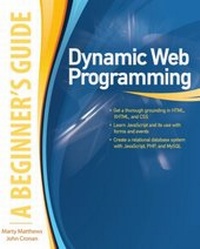
Dynamic Web Programming: A Beginner's Guide
A Beginner's Guide (ebook)
1. Auflage
Erschienen am 28. Oktober 2009
370 Seiten
978-0-07-163345-1 (ISBN)
Beschreibung

Move beyond basic Web design by learning to create dynamic Web content To create a dynamic page on which content changes in response to events requires programming and the potential use of databases. Dynamic Web Programming: A Beginner's Guide starts by covering HTML, XHTML, and CSS. You will then learn to use JavaScript to implement elements such as rollover events, popups, and calculations. The book explains how to use PHP to create guest books, blogs, and page transitions, as well as how to implement a database-driven Web site with MySQL.
Weitere Details
Weitere Ausgaben
Andere Ausgaben
Marty Matthews | John Cronan
Dynamic Web Programming: A Beginner's Guide
Buch
12/2009
Osborne/McGraw-Hill
41,50 €
Artikel z.Zt. nicht lieferbar
Inhalt
- Intro
- Contents
- ACKNOWLEDGMENTS
- INTRODUCTION
- PART I Getting Ready
- Setting Up Your Workstation
- Picking a Development Tool
- Choosing a Testing Server
- Testing Browsers
- 1 XHTML and HTML Refresher
- XHTML vs. HTML
- XHTML Rules
- Deprecated HTML Tags
- Reviewing HTML
- Using Basic Tags
- Setting Paragraph Styles
- Applying Character Styles
- Displaying Special Characters
- Working with Images and Image Maps
- Adding Hyperlinks and Bookmarks
- Defining Forms
- Creating Tables
- HTML Authoring Resources
- 2 Styling with CSS
- Creating CSS
- Attaching CSS
- CSS Rules
- Types of Selectors
- CSS Properties and Values
- CSS Concepts
- Text Properties
- Page Properties
- Layout Properties
- PART II Adding JavaScript Dynamic Elements
- Understanding Programming and JavaScript
- Delving into JavaScript
- Introducing JavaScript
- Tools Needed for JavaScript
- 3 Fundamentals of JavaScript
- JavaScript Introduction
- Using JavaScript with X/HTML Pages
- JavaScript Basics
- Writing and Testing JavaScript
- Parts of JavaScript
- Variables and Constants
- Operators
- Statements and Expressions
- Functions
- Objects
- Control Structures
- If/Else Statements
- While and Do-While Statements
- For Statement
- Switch Statements
- 4 Responding to Events
- Introducing Event Handlers
- Placing Event Handlers in Your Code
- Understanding Event Handler Syntax and Usage
- Working with the Window Event Handlers
- Displaying Messages When a Page Opens/Closes
- Placing and Removing Focus
- Resizing a Window
- Using the Mouse and Keyboard Event Handlers
- Working with onclick, ondblclick, and Arrays
- Moving the Mouse Pointer to Trigger Events
- Using the Keyboard Event Handlers
- 5 Working with and Validating Forms
- Reviewing Forms
- Understanding Forms
- Creating Forms Using X/HTML
- Using JavaScript in Forms
- Naming Forms on a Web Page
- Form Properties and Methods
- Working with Form Element Properties and Methods
- Validating a Form
- Understanding Validation
- Using Validation with Passwords
- Using Form Extras
- Creating a Menu Bar
- Introducing Regular Expressions
- PART III Exercising the Server with PHP
- About PHP
- Tools Needed for PHP
- Adding PHP to Aptana
- Setting Up PHP in Aptana
- 6 Fundamentals of PHP
- PHP Introduction
- Integrating PHP with X/HTML
- Writing and Testing PHP
- PHP Basics
- Parts of PHP
- Types of Information
- Variables and Constants
- Operators
- Statements and Expressions
- Functions
- Control Structures
- if/else Statements
- while and do-while Statements
- for and foreach Statements
- switch Statements
- 7 Using PHP by Itself
- PHP File and Directory Management
- Basic File Functions
- Additional File Functions
- Cookies and Session and Server Variables
- Session Variables
- Cookies
- Server Variables
- User Authentication
- The Index Script
- The Registration Scripts
- The Sign-In Scripts
- A Site Page
- PART IV Powering Databases with MySQL and PHP
- About MySQL
- Tools Needed for MySQL
- 8 Fundamentals of MySQL
- Relational Databases and SQL
- Understanding an RDBMS
- Understanding SQL
- Using MySQL
- Using phpMyAdmin
- Opening and Exploring phpMyAdmin
- Create and Use a Database in phpMyAdmin
- Exploring PHP MySQL Functions
- Database Manipulation
- Database Information
- Database Administration
- Combining PHP MySQL Functions
- 9 Putting It All Together
- Application Design
- Design Template and CSS
- Database Design
- Creating the Scripts
- Administrator Authentication
- Database Entry and Maintenance
- Class Registration
- Index
