

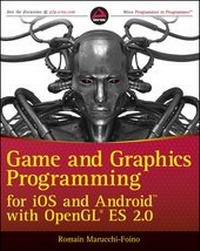
Game and Graphics Programming for iOS and Android with OpenGL ES 2.0
Erschienen am 10. Januar 2012
384 Seiten
978-1-119-97626-4 (ISBN)
Beschreibung

Develop graphically sophisticated apps and games today!
The smart phone app market is progressively growing, and thereis new market gap to fill that requires more graphicallysophisticated applications and games. Game and GraphicsProgramming for iOS and Android with OpenGL ES 2.0 quickly getsyou up to speed on understanding how powerful OpenGL ES 2.0technology is in creating apps and games for amusement andeffectiveness. Leading you through the development of a real-worldmobile app with live code, this text lets you work with all thebest features and tools that Open GL ES 2.0 has to offer.
* Provides a project template for iOS and Android platforms
* Delves into OpenGL features including drawing canvas, geometry,lighting effects, character animation, and more
* Offers explanation of full-function 2D and 3D graphics onembedded systems
* Addresses the principal technology for hardware-acceleratedgraphical rendering
Game and Graphics Programming for iOS and Android with OpenGLES 2.0 offers important, need-to-know information if you'reinterested in striking a perfect balance between aesthetics andfunctionality in apps.
Weitere Details
Weitere Ausgaben
Andere Ausgaben
Romain Marucchi-Foino
Game and Graphics Programming for iOS and Android with OpenGL ES 2.0
Buch
02/2012
Wrox Press
42,00 €
Versand in 15-20 Tagen
Person
Romain Marucchi-Foino is the original author and founder of the popular mobile game engine SIO2. Formerly a desktop game engine developer, Romain is currently the lead 3D engine programmer for sio2interactive.com, the official developer of the SIO2 Engine, which powers thousands of games and 3D applications throughout the App Store and the Android market.
Inhalt
- Intro
- Game and Graphics Programming for iOS and Android® with OpenGL® ES 2.0
- Contents
- Introduction
- Chapter 1: Getting Started
- Software Requirements
- For iOS Developers
- For Android Developers
- Downloading the Book's SDK
- Importing Projects
- For iOS Developers
- For Android Developers
- The Template
- Summary
- Chapter 2: Setting Up Your Graphic Projections
- The Three Basic Types of Projections
- Orthographic 2D Projection
- Program and Project Initialization
- Vertex and Fragment Shader
- Linking a Shader Program
- The Drawing Code
- Orthographic Projection
- Getting Orthographic
- Perspective Projection
- Summary
- Chapter 3: Dealing With Complex Geometry
- The Wavefront File Format
- Cube.obj
- Cube.mtl
- Preparing the OBJ Viewer Code
- Loading an OBJ
- Building the Shaders
- The Vertex Shader
- The Fragment Shader
- Vertex Buffer Object
- Storing the Vertex Data
- Building the Vertex Data Array VBO
- Building the Element Array VBO
- Building the VAO
- Rendering Momo
- Handling Touche
- Per-Vertex Lighting
- Vertex Shader Light Calculation
- Modifying the Fragment Shader
- More Uniforms
- Making Momo Furrier
- Loading the Texture
- Adjusting the Vertex Data
- Adding UV Support to the Vertex Shader
- Adding Texture Support to Your Fragment Shader
- Binding the Texture
- Summary
- Chapter 4: Building a Scene
- Handling Multiple Objects
- The Code Structure
- Loading and Drawing the Scene
- The Shaders Code
- The Different Object Types
- The Drawing Sequence
- Fixing the Scene
- Uber Shader
- Using Your Uber Shader
- Render Loop Objects Categorization
- Double-Sided
- Per-Pixel Lighting
- Making the Vertex Shader Even Fatter
- Getting the Fragment Shader More Uber
- Wrapping up the Implementation
- Summary
- Chapter 5: Optimization
- The Base App
- Triangles to Triangle Strips
- Building Triangle Strips
- Texture Optimization
- Adding 16-Bit Texture Conversion
- PVR Texture Compression
- Faking Details
- Bump Mapping Implementation
- Precision Qualifiers Optimization
- The Normal Map Lighting Calculation
- Adding Specularity
- Geometry and Shaders LOD
- Texture Atlas
- Managing States in Software
- Automatic Shader Optimization
- Summary
- Chapter 6: Real-Time Physics
- Types of Physical Objects
- Physics Shapes
- Using Bullet
- Hello Physics
- Collision Callbacks, Triggers, and Contacts
- Contact-Added Callback
- Near Callback
- Contact Points
- 2D Physics
- More Shapes!
- Building the Physical Objects
- Camera Tracking
- User Interactions
- The Game Logic
- 3D Physics
- The Bullet File Format
- 3D Pinball Game
- Summary
- Chapter 7: Camera
- Touch and Go!
- The Camera Frustum
- How to Build the Frustum
- Frustum Clipping Implementation
- More Clipping Functions
- Camera Fly Mode
- First-Person Camera with Collision Detection
- 3D Camera Tracking
- Third-Person Camera with Collision
- Summary
- Chapter 8: Pathfinding
- Recast and Detour
- Navigation
- Creating the Navigation Mesh
- 3D Physics Picking
- Player's Auto Drive
- Visualizing the Way Points
- Catch Me If You Can!
- Know Your Enemy
- Game State Logic
- Summary
- Chapter 9: Audio and Other Cool Game Programming Stuff
- OpenAL
- OGG Vorbis
- Hello World OpenAL Style
- Initializing OpenAL
- Static in-Memory Sound Playback
- Positional Sound Source
- Piano Game
- Loading a Static and Streamed Sound
- Color Picking
- Piano Game Logic
- Final Adjustments
- Rolling Ball Game
- GFX Shaders
- Linking the Positional Sound Sources
- Accelerometer-Driven Camera
- Cheap FX
- Game Logic and Tweaks
- Summary
- Chapter 10: Advanced Lighting
- Types of Lamps
- Let There Be Light
- Directional Lamp Shader
- Struct as Uniforms
- Point Light
- Point Light Shader Code
- Light Attenuation
- Point Light with Attenuation Code
- The Attenuation Uniforms
- Spherical Point Light
- Tweaking the Point Light Code
- Spot Light
- Spot Light Shader Code
- Multiple Lights
- Making the Shader Program Dynamic
- Summary
- Chapter 11: Advanced Fx
- Render to Texture
- Post-Processing Effects
- First Rendering Pass
- Second Pass
- Fullscreen Pass and Blur Shader
- Projected Texture
- Projector Shader
- Projected Real-Time Shadows
- Casting Shadows Using the Depth Texture
- A Few More Words about the Frame Buffer Object
- Particles
- Summary
- Chapter 12: Skeletal Animation
- Traditional vs. Modern Animation Systems
- The MD5 File Format
- Loading an MD5 Mesh
- Animating the Mesh
- LERP
- SLERP
- Blending Animation
- Additive Blending
- Summary
- Index
- Advertisement
