

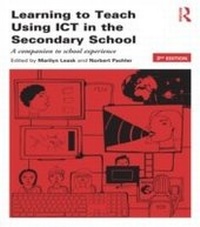
Learning to Teach Using ICT in the Secondary School
A companion to school experience
3. Auflage
Erschienen am 8. Oktober 2013
280 Seiten
978-1-136-34397-1 (ISBN)
Beschreibung

Learning to Teach Using ICT in the Secondary School offers teachers of all subjects a comprehensive, practical introduction to the extensive possibilities that ICT offers pupils, teachers and schools. Under-pinned by the latest theory and research, it provides practical advice and guidance, tried-and-tested examples, and covers a range of issues and topics essential for teachers using ICT to improve teaching and learning in their subject.
The third edition has been fully updated in light of rapid changes in the field of both ICT and education and includes six brand new chapters. Key topics covered include:
Theories of learning and ICT
Effective pedagogy for effective ICT
Using the interactive whiteboard to support whole class dialogue
Special needs and e-inclusion
Literacy and new literaciesNEW
Multi-play digital games and on-line virtual worldsNEW
Mobile learningNEW
e-Safety
Supporting international citizenship through ICTNEW
Linking home and school
ICT tools for administration and monitoring pupil progressNEW
Tools for professional development.
Including case studies and tasks to support your own learning, as well as ideas and activities to use with all your students, Learning to Teach Using ICT in the Secondary School is a vital source of support and inspiration for all training teachers as well those looking to improve their knowledge. If you need a guide to using ICT in the classroom or for professional support, start with this book.
The third edition has been fully updated in light of rapid changes in the field of both ICT and education and includes six brand new chapters. Key topics covered include:
Theories of learning and ICT
Effective pedagogy for effective ICT
Using the interactive whiteboard to support whole class dialogue
Special needs and e-inclusion
Literacy and new literaciesNEW
Multi-play digital games and on-line virtual worldsNEW
Mobile learningNEW
e-Safety
Supporting international citizenship through ICTNEW
Linking home and school
ICT tools for administration and monitoring pupil progressNEW
Tools for professional development.
Including case studies and tasks to support your own learning, as well as ideas and activities to use with all your students, Learning to Teach Using ICT in the Secondary School is a vital source of support and inspiration for all training teachers as well those looking to improve their knowledge. If you need a guide to using ICT in the classroom or for professional support, start with this book.
Weitere Details
Reihe
Auflage
3rd edition
Sprache
Englisch
Verlagsort
London
Großbritannien
Verlagsgruppe
Taylor & Francis Ltd
Zielgruppe
Für höhere Schule und Studium
Editions-Typ
Überarbeitete Ausgabe
Illustrationen
28 s/w Abbildungen, 16 s/w Tabellen, 28 s/w Zeichnungen
16 Tables, black and white; 28 Line drawings, black and white; 28 Illustrations, black and white
Dateigröße
4,77 MB
ISBN-13
978-1-136-34397-1 (9781136343971)
Copyright in bibliographic data and cover images is held by Nielsen Book Services Limited or by the publishers or by their respective licensors: all rights reserved.
Schweitzer Klassifikation
Weitere Ausgaben
Andere Ausgaben
Marilyn Leask | Norbert Pachler
Learning to Teach Using ICT in the Secondary School
A companion to school experience
Buch
09/2013
3. Auflage
Routledge
71,81 €
Versand in 15-20 Tagen
Marilyn Leask | Norbert Pachler
Learning to Teach Using ICT in the Secondary School
A companion to school experience
Buch
09/2013
3. Auflage
Routledge
207,41 €
Versand in 15-20 Tagen
Personen
Marilyn Leask is Professor of Educational Knowledge Management, University of Bedfordshire, UK.
Norbert Pachler is Professor of Education at the Institute of Education, University of London, UK.
Norbert Pachler is Professor of Education at the Institute of Education, University of London, UK.
Inhalt
1. Introduction Section 1 Understanding ICT for teaching and learning 2. Theories of learning and ICT 3. What the research has to say: The impact of technology on teaching and learning 4. Literacy and new literacies 5. ICT and pedagogy Section 2: Using ICT in the classroom 6. ICT tools for teaching and learning 7. Using the interactive whiteboard to support dialogue in the whole class context 8. Special needs and e-inclusion 9. Virtual worlds, online games and opportunities for learning 10. Digital Video 11. E-assessment and personalising learning 12. Supporting the global dimension and international citizenship 13. Mobile learning 14. Whole school approaches 15. Linking home- school use Section 3: ICT for professional support and development 16. Teaching and learning with ICT: Overcoming the challenges of being a 21st century teacher 17. ICT tools for administration and monitoring pupil progress 18. ICT tools for professional development
