

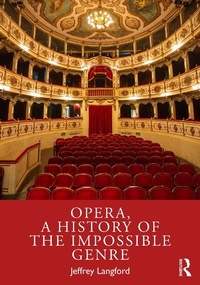
Opera, a History of the Impossible Genre
1. Auflage
Erschienen am 1. Oktober 2024
210 Seiten
978-1-040-12756-8 (ISBN)
Beschreibung

Opera, a History of the Impossible Genre offers an accessible and chronological survey of opera.
Beginning in the 16th century, each chapter hones its focus on a representative opera and composer, and provides discussion on historical and political context. With further reading lists, key term definitions, and composer biographies to support learning, this book covers the fundamental elements of the genre, including: subject matter, musical structure, aria and ensemble forms, singing styles, orchestra, and the structure of the libretto. The book will also help readers develop an appreciation of opera as a form of musical entertainment, which, despite seemingly insurmountable financial, philosophical, and artistic hurdles, has overcome the "impossible" to become one of the most popular and thrilling types of music heard on stage today.
Opera, a History of the Impossible Genre is an approachable undergraduate textbook for students of opera and survey courses.
Beginning in the 16th century, each chapter hones its focus on a representative opera and composer, and provides discussion on historical and political context. With further reading lists, key term definitions, and composer biographies to support learning, this book covers the fundamental elements of the genre, including: subject matter, musical structure, aria and ensemble forms, singing styles, orchestra, and the structure of the libretto. The book will also help readers develop an appreciation of opera as a form of musical entertainment, which, despite seemingly insurmountable financial, philosophical, and artistic hurdles, has overcome the "impossible" to become one of the most popular and thrilling types of music heard on stage today.
Opera, a History of the Impossible Genre is an approachable undergraduate textbook for students of opera and survey courses.
Weitere Details
Auflage
1. Auflage
Sprache
Englisch
Verlagsort
London
Großbritannien
Verlagsgruppe
Taylor & Francis Ltd
Zielgruppe
Für höhere Schule und Studium
Illustrationen
86 Line drawings, black and white; 86 Illustrations, black and white
ISBN-13
978-1-040-12756-8 (9781040127568)
Copyright in bibliographic data and cover images is held by Nielsen Book Services Limited or by the publishers or by their respective licensors: all rights reserved.
Schweitzer Klassifikation
Weitere Ausgaben
Andere Ausgaben
Jeffrey Langford
Opera, a History of the Impossible Genre
Buch
10/2024
1. Auflage
Routledge
61,70 €
Versand in 10-20 Tagen
Jeffrey Langford
Opera, a History of the Impossible Genre
Buch
10/2024
1. Auflage
Routledge
230,30 €
Versand in 10-20 Tagen

Jeffrey Langford
Opera, a History of the Impossible Genre
Buch
10/2024
Taylor & Francis
Preis leider unbekannt
Lieferbar (Termin auf Anfrage)
Person
Jeffrey Langford is Associate Dean for Doctoral Studies at the Manhattan School of Music in New York, NY. He is author of A History of the Symphony (Routledge, 2019) and Evenings at the Opera (Amadeus Press, 2011).
Inhalt
1 First steps toward a new genre ; 2 Claudio Monteverdi, the first genius; 3 The rise of Italian opera seria; 4 French opera of the 17th and 18th centuries; 5 The birth of comic opera; 6 Gioachino Rossini, a bridge to the 19th century; 7 Gaetano Donizetti, a master of Italian Romantic opera; 8 Giuseppe Verdi, Part I: Italian opera in revolution; 9 The rise of German Romantic opera; 10 Hector Berlioz and 19th-century French grand opera; 11 Charles Gounod and French opera lyrique; 12 Russian opera, Part I: Modest Mussorgsky and the nationalist style; 13 Russian opera, Part II: Pyotr (Peter) Ilyich Tchaikovsky andthe cosmopolitan style; 14 Giuseppe Verdi, Part II: The final years; 15 Bizet, Puccini, and the rise of verismo opera; 16 Richard Strauss and the changing styles of symphonic opera; 17 Claude Debussy and Impressionism in opera; 18 Alban Berg and the problem of atonal opera; 19 Bela Bartok, a 20th-century nationalist; 20 Benjamin Britten and 20th-century operatic conservatism; 21 Igor Stravinsky and neoclassical opera; 22 Minimalist opera; 23 Opera today: A sample
