

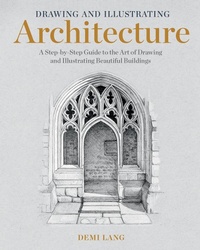
Drawing and Illustrating Architecture
Beschreibung

An insightful and comprehensive guide to mastering the art of drawing and illustrating architecture.
Inspiring architecture and beautiful buildings are all around us. Artists often gravitate toward building facades, doors, windows, and roofs that tell a story, convey history, and contain intricate detail. But learning to successfully capture these works on paper can be quite a challenge.
Artist and illustrator Demi Lang has been creating beautiful architectural drawings for years. Working in ink and colored pencils and using reference photos in her studio, Demi specializes in creating artwork that is highly realistic, representational, and incredibly detailed. In this book, she shares her knowledge and techniques so that you, too, can learn to create and illustrate your own architectural drawings.
With inspiring illustrations, clear writing, and an encouraging tone, Demi makes the process of learning to draw architecture both approachable and enjoyable. Writing for artists of all levels, Demi guides you step by step through her entire drawing process. You will learn:
• How best to set up your workspace, and the materials you'll need
• The importance of building a photo reference library and choosing good images to work from
• Three methods to use for transferring a reference photo to paper for the initial drawing (using a grid, drawing freehand, and a measuring method)
• Techniques for achieving realistic tone, value, texture, shadow, and light in your drawings
• How to add layer upon layer of color, lines, details, and highlights to create works that leap off the paper with exciting dimensionality and life
In the final chapter of the book, Demi works through several complete projects from start to finish so you can see her method in action. Better yet, by providing the reference photos for each project, you can follow along and put your skills to the test! These projects help you work and practice in different ways with varied subject matter: a freehand black and white sketch; an intricate architectural detail; a monochrome study; a full color drawing; and a drawing that features gold leaf gilding to really take your work to the next level!
Throughout the book, Demi emphasizes the importance of practice and patience, and encourages you to not put too much pressure on yourself to complete a perfect drawing every time. If you take your time and work methodically, you will succeed! Whether you are an artist, a professional illustrator, or simply someone who loves to draw, this book provides you with the skills, techniques, and knowledge to draw stunning illustrations of buildings and architecture.
TABLE OF CONTENTS
Introduction
Chapter 1: Art Materials and Getting Set Up
Chapter 2: Building a Photo Reference Library
Chapter 3: Art School Theory and Techniques
Chapter 4: Overview of Process and Techniques
Chapter 5: Five Projects from Start to Finish
Appendices
Weitere Details
Weitere Ausgaben
Andere Ausgaben
Inhalt
- Cover
- Title Page
- Copyright
- Dedication
- Contents
- Acknowledgments
- Introduction
- Part One: Materials and Techniques
- Chapter One. Art Materials and Workspace
- Drawing Pencils
- Pencil Grades
- Fineliner Pens
- Coloured Pencils
- Blenders
- Paper
- Toned paper
- White Paper
- White Highlighting Pens
- Erasers
- Ruler
- Set Square (Triangle)
- Pencil Sharpener
- Masking Tape or Washi Tape
- Setting Up
- Your Finished Work
- Colours Used In this Book
- Chapter Two. Sketching and Building a Photo Reference Library
- Sketching
- Materials for Sketching
- Building a Photo Reference Library
- Collecting Reference Photos
- Choosing High-Quality Reference Photos
- Large Subjects and Small Details
- Lighting
- Tips to Remember
- Chapter Three. Art Theory and Techniques
- Composition
- Perspective
- Tones and Values
- Tonal Value Scales
- Exploring Contrast
- Highlights and Shadows
- Light
- Shading
- Drawing Techniques
- Crosshatching and Hatching
- Ink On Top of Pencil
- Coloured Pencils and Shading
- Building Layers
- Blending
- Pop Point
- Example 1: Royal Pavilion Brighton
- Example 2: St Edmund Hall, Oxford
- Example 3: US Capitol Building
- Example 4: Clavell Tower
- Tips to Remember
- Exercise: Experiment with Highlights and Shadows
- Chapter Four. Step-by-Step Process
- Recommended Materials
- Step 1: Creating Your Pencil Drawing (Three Methods)
- Method 1: The Grid Method
- Method 2: Freehand Sketching
- Method 3: Working from a Printout or Digital Screen
- Step 2: Covering the Pencil Lines with Ink
- Step 3: Adding Depth and Shadows
- Step 4: Adding Colour
- Step 5: Building Layers of Rich Colour
- Step 6: Adding Details and Definition
- Step 7: Finishing Touches
- Part Two: Projects
- Chapter 5. Black-and-White Sketch
- Materials
- Step 1: Draw with Pencil
- Step 2: Ink Work
- Chapter 6. Focusing on Architectural Details
- Project 1: Drawing Bricks
- Materials
- Step 1: Draw with Pencil
- Step 2: Cover the Lines with Black Ink
- Step 3: Add Colour
- Step 4: Add Final Details
- Project 2: Drawing Stonework
- Materials
- Step 1: Draw with Pencil
- Step 2: Cover the Lines with Black Ink
- Step 3: Add Colour
- Step 4: Add Final Details
- Project 3: Roof Tiles
- Materials
- Step 1: Draw with Pencil
- Step 2: Cover the Lines with Black Ink
- Step 3: Add Colour
- Project 4: Chimney Pots
- Materials
- Step 1: Draw with Pencil
- Step 2: Cover the Lines with Black Ink
- Step 3: Add Colour
- Step 4: Add Final Details
- Project 5: Windows
- Materials
- Step 1: Draw with Pencil
- Step 2: Cover the Lines with Black Ink
- Step 3: Add Colour
- Step 4: Add Final Details
- Project 6: Doors
- Materials
- Step 1: Draw with Pencil
- Step 2: Cover the Lines with Black Ink
- Step 3: Add Colour
- Step 4: Add Final Details
- Project 7: Ornate Details
- Acanthus Leaf
- Materials
- Step 1: Draw with Pencil
- Step 2: Cover the Lines with Black Ink
- Step 3: Adding Colour
- Ionic Column
- Materials
- Step 1: Draw with Pencil
- Step 2: Cover the Lines with Black Ink
- Step 3: Add Colour
- Additional Sketching Examples
- Greek God Stone Carving
- Venetian Column
- Chapter 7. Monochrome
- Materials
- Step 1: Draw with Pencil
- Step 2: Cover the Lines with Black Ink and Add Shading
- Step 3: Add Light, Medium, and Dark Tones
- Step 4: Add Final Details
- Chapter 8. Full-Colour Drawing
- Materials
- Step 1: Draw with Pencil
- Step 2: Cover the Lines with Black Ink
- Step 3: Add Colour
- Step 4: Add Final Details
- Chapter 9. Full-Colour Drawing with Gold
- Materials
- Step 1: Draw with Pencil
- Step 2: Cover the Lines with Black Ink
- Step 3: Add Colour
- Big Ben
- Trees
- The Final Buildings and the Bridge
- River Water
- Sky
- Clock Face
- Step 4: Add Final Details
- Gilding
- Gilding Big Ben
- Materials
- Step 1: Paint with Acrylic Gold Size
- Step 2: Lay Down the Gold Leaf
- Step 3: Brush Away the Excess
- Step 4: Paint with Shellac Varnish
- Additional Resources
- Index
