

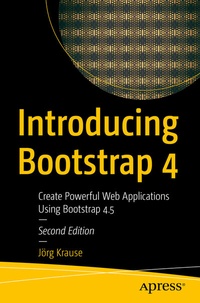
Introducing Bootstrap 4
Beschreibung

Get introduced to front-end CSS frameworks using the latest version of Bootstrap. Through easy-to-follow instructions and examples, this book will prepare you to create powerful web applications using Bootstrap 4.5.
This updated second edition of Introducing Bootstrap 4 builds your understanding of the basic rules of CSS, the SASS pre-compiler, Bootstrap, and how they work together. After learning to set up CSS on both Linux (Ubuntu) and Windows, you will discover how you can make use of templates and themes written for Bootstrap, and how to refine the user interface. You will also find out how you can utilize and activate components. Numerous screenshots and code snippets are provided to help explain and reinforce the concepts discussed in the book.
CSS frameworks give front-end developers the capability to create responsible and adaptive web designs that are able to accommodate the various variations of modern browsers. Start front-end development using Bootstrap 4.5 with this book.
What You Will Learn
- Explore the Bootstrap features required to create web applications
- Understand the basics of responsive web design using CSS 3
- Install the SASS framework and understand how to use it
- Master practical aspects of using Bootstrap in real-life scenarios
Who This Book Is For This book is intended for beginner-level web designers and developers interested in front-end development.
Weitere Details
Weitere Ausgaben
Andere Ausgaben
Vorauflage
Person
Inhalt
Chapter 1: Introduction to Bootstrap.- Chapter 2: It Begins with CSS.- Chapter 3: Structure of the Page.- Chapter 4: Typography.- Chapter 5: Forms.- Chapter 6: Images, Effects, and Icons.- Chapter 7: Components.- Chapter 8: Active Components.- Appendix.
