

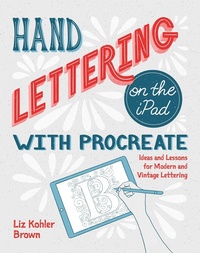
Hand Lettering on the iPad with Procreate
Ideas and Lessons for Modern and Vintage Lettering
Erschienen am 27. Mai 2020
184 Seiten
978-1-68198-583-1 (ISBN)
Beschreibung
Hand Lettering on the iPad with Procreate is the ultimate guide to every step of the digital hand lettering process. Using the versatile and intuitive iPad drawing and design app Procreate, author and noted lettering instructor Liz Brown composes a series of fun and easy lettering projects that will build confidence by giving all the necessary tools to create gorgeous compositions from the ground up. Each project comes with its own Procreate brush downloads so users can follow along to create their own unique hand lettered quotes, words, and phrases.This book features step-by-step lessons including:Finding inspiration with color palettes and letterforms for unique stylesUsing Procreate tools for creating and decorating lettersTips and tricks for adding textures, layers, shading, and depth to lettering projectsCreative ideas for jazzing up space around lettersAnd much, much more!Whether you're a beginner interested in learning a fun new skill, or an experienced letterer ready to start creating on your iPad, this book will give you everything you need to take the next step in your iPad hand lettering journey.
Weitere Details
Weitere Ausgaben
Inhalt
- Cover
- Contents
- CHAPTER 1 Introduction
- How to Use This Book
- Precision vs. Perfection
- Why Go Digital?
- Why iPads and Procreate?
- Materials
- Downloads and Resources
- Get Tech Support and Share Your Work
- Just Keep Lettering
- CHAPTER 2 Building Your Inspiration Library
- Color Inspiration and Palettes
- Choosing Your Lettering Content
- Lettering in the Real World: Letterforms are Everywhere!
- CHAPTER 3 Procreate Basics
- Creating a Canvas: Image Size and DPI
- Essential Tools: Brushes, Smudgers, and Erasers
- Finger Gestures
- Working in Layers
- Quickline and Symmetry
- Color Drop
- Freehand Selection Tool
- Move Tool
- Color
- Texture
- Master Documents
- Stacks: Keeping Your Work Organized
- Saving and Exporting Your Work
- Time-Lapses
- CHAPTER 4 Letterforms and Guides
- Common Beginner Mistakes
- Let's Start Lettering!
- Using the Practice Sheets
- Making Your Own Practice Sheet
- Working From an Incomplete Alphabet
- Think Outside the Grid
- One Letterform at a Time
- CHAPTER 5 Serif and Sans Serif Lettering
- Serifs
- Try It!
- Layouts
- Principles of Design for Letterers
- Thumbnails
- Adding Depth: Perspective, Shadows, and Layers
- Let's Decorate!
- Blend Modes
- Hue, Saturation, and Brightness
- Critique and Adjust
- Keep Going!
- CHAPTER 6 Script Lettering
- Script Guides
- Parent Shapes
- Connections
- Spacing
- Practice
- Alpha Lock
- Adding Weight
- Create a Composition with Script
- CHAPTER 7 Decorative Elements: Flourishes, Shapes, and Illustrations
- Abstract Shapes
- Make Your Own Stamp Brushes
- Shape Ideas
- Flourishes
- Leaves
- Flowers
- Banners
- Illustrations
- CHAPTER 8 Combining Letterform Styles
- Consider the Mood
- Establish a Hierarchy
- Create Contrast
- Design Intentional Guides and Slants
- Pair Opposites
- Don't Go Overboard
- Stay Open to Options
- Stay Organized
- The Principles in Practice
- CHAPTER 9 Sharing and Critiquing Your Work
- Places to Share
- Sharing Digital Images
- Sharing Time-Lapses
- Printing Your Work
- Sharing Printed or In-Progress Work
- Print-on-Demand
- Critiquing Your Work
- Critique vs. Criticism
- Improving Your Work
- Drawing Out Your Style
- References
- About the Author
- Acknowledgments
- Index
- A
- B
- C
- D
- E
- F
- G
- H
- I
- J
- L
- M
- N
- O
- P
- Q
- R
- S
- T
- U
- V
- W
- X
- Z
