

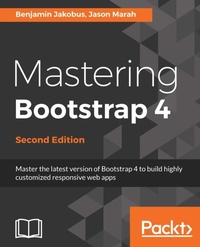
Mastering Bootstrap 4
Master the latest version of Bootstrap 4 to build highly customized responsive web apps
2. Auflage
Erschienen am 23. September 2024
354 Seiten
978-1-78883-821-4 (ISBN)
Beschreibung

Build responsive, dynamic, and mobile-first applications on the web with Bootstrap 4
Key Features
Master the art of creating highly intuitive and responsive web interfaces with Bootstrap 4
Combine the power of Bootstrap and popular front-end JavaScript frameworks such as Angular and React to build cutting-edge web apps
Infuse your web pages with life and movement using Bootstrap jQuery plugins
Book DescriptionBootstrap 4 is a free CSS and JavaScript framework that allows developers to rapidly build responsive web interfaces. This book will help you use and adapt Bootstrap to produce enticing websites that fit your needs. You will build a customized Bootstrap website from scratch, using various approaches to customize the framework with increasing levels of skill. You will get to grips with Bootstrap's key features and quickly discover various ways in which Bootstrap can help you develop web interfaces. Then take a walk through the fundamental features, such as its grid system, global styles, helper classes, and responsive utilities. When you have mastered these, you will discover how to structure page layouts, utilize Bootstrap's various navigation components, use forms, and style different types of content. Among other things, you will also tour the anatomy of a Bootstrap plugin, create your own custom components, and extend Bootstrap using jQuery. You will also understand what utility classes Bootstrap 4 has to offer, and how you can use them effectively to speed up the development of your website. Finally, you will discover how to optimize your website and integrate it with third-party frameworks. By the end of this book, you will have a thorough knowledge of the framework's ins and outs, and will be able to build highly customizable and optimized web interfaces. What you will learn
Create a professional Bootstrap-based website from scratch without using third-party templates
Leverage Bootstrap s powerful grid system
Style various types of content and learn how to build a page s layout from scratch by applying the power of Bootstrap 4
Take advantage of Bootstrap s form helper and contextual classes
Improve your website s overall user experience with headers and footers
Infuse your web pages using Bootstrap jQuery plugins and create your own Bootstrap plugins
Learn what utility classes Bootstrap 4 has to offer, how they are implemented, and the best way to use them.
Create more advanced web interfaces by leveraging the power of accordions, dropdowns, and list groups.
Incorporate Bootstrap into an AngularJS or React application and use Bootstrap components as AngularJS directives
Who this book is forThis book targets readers who wish to leverage Bootstrap 4 to create responsive web applications. Basic knowledge of web development concepts and web technologies such as HTML, CSS, and JavaScript is required.
Key Features
Master the art of creating highly intuitive and responsive web interfaces with Bootstrap 4
Combine the power of Bootstrap and popular front-end JavaScript frameworks such as Angular and React to build cutting-edge web apps
Infuse your web pages with life and movement using Bootstrap jQuery plugins
Book DescriptionBootstrap 4 is a free CSS and JavaScript framework that allows developers to rapidly build responsive web interfaces. This book will help you use and adapt Bootstrap to produce enticing websites that fit your needs. You will build a customized Bootstrap website from scratch, using various approaches to customize the framework with increasing levels of skill. You will get to grips with Bootstrap's key features and quickly discover various ways in which Bootstrap can help you develop web interfaces. Then take a walk through the fundamental features, such as its grid system, global styles, helper classes, and responsive utilities. When you have mastered these, you will discover how to structure page layouts, utilize Bootstrap's various navigation components, use forms, and style different types of content. Among other things, you will also tour the anatomy of a Bootstrap plugin, create your own custom components, and extend Bootstrap using jQuery. You will also understand what utility classes Bootstrap 4 has to offer, and how you can use them effectively to speed up the development of your website. Finally, you will discover how to optimize your website and integrate it with third-party frameworks. By the end of this book, you will have a thorough knowledge of the framework's ins and outs, and will be able to build highly customizable and optimized web interfaces. What you will learn
Create a professional Bootstrap-based website from scratch without using third-party templates
Leverage Bootstrap s powerful grid system
Style various types of content and learn how to build a page s layout from scratch by applying the power of Bootstrap 4
Take advantage of Bootstrap s form helper and contextual classes
Improve your website s overall user experience with headers and footers
Infuse your web pages using Bootstrap jQuery plugins and create your own Bootstrap plugins
Learn what utility classes Bootstrap 4 has to offer, how they are implemented, and the best way to use them.
Create more advanced web interfaces by leveraging the power of accordions, dropdowns, and list groups.
Incorporate Bootstrap into an AngularJS or React application and use Bootstrap components as AngularJS directives
Who this book is forThis book targets readers who wish to leverage Bootstrap 4 to create responsive web applications. Basic knowledge of web development concepts and web technologies such as HTML, CSS, and JavaScript is required.
Weitere Details
Auflage
2nd Revised edition
Sprache
Englisch
Verlagsort
Birmingham
Großbritannien
Zielgruppe
Für Beruf und Forschung
US School Grade: College Graduate Student
Editions-Typ
Überarbeitete Ausgabe
Dateigröße
49,87 MB
ISBN-13
978-1-78883-821-4 (9781788838214)
Copyright in bibliographic data and cover images is held by Nielsen Book Services Limited or by the publishers or by their respective licensors: all rights reserved.
Schweitzer Klassifikation
Weitere Ausgaben
Andere Ausgaben
Benjamin Jakobus | Jason Marah
Mastering Bootstrap 4 - Second Edition
Master the latest version of Bootstrap 4 to build highly customized responsive web apps
Buch
02/2018
Packt Publishing
56,40 €
Versand in 3-4 Wochen
Vorauflage
Benjamin Jakobus | Jason Marah
Mastering Bootstrap 4
Learn how to build beautiful and highly customizable web interfaces by leveraging the power of Bootstrap 4
E-Book
01/2025
Packt Publishing
36,99 €
Als Download verfügbar
Personen
Benjamin Jakobus graduated with a BSc in Computer Science from University College Cork and obtained an MSc in Advanced Computing from Imperial College London. As a software engineer, he has worked on various web-development projects across Europe and Brazil. Jason Marah is a software engineer who is currently developing AerLingus.com in Dublin, Ireland, as a lead UI developer. Jason is a University College Cork alumnus, graduating with a BSc in Computer Science. Jason has worked as a full-stack engineer specializing in JavaScript around Europe on various projects.
Inhalt
Table of Contents
Revving up Bootstrap
Making a Style Statement
Building the Layout
On Navigation, Footers, Alerts and Content
Speeding up development using jQuery plugins
Customizing your plugins
Integrating Bootstrap with third-party plugins
Utilities
Advanced components
Optimizing Your Website
Integration with Angular and React
Revving up Bootstrap
Making a Style Statement
Building the Layout
On Navigation, Footers, Alerts and Content
Speeding up development using jQuery plugins
Customizing your plugins
Integrating Bootstrap with third-party plugins
Utilities
Advanced components
Optimizing Your Website
Integration with Angular and React
