

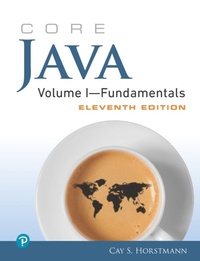
Core Java Volume I--Fundamentals
11. Auflage
Erschienen am 7. Juli 2021
912 Seiten
978-0-13-517032-8 (ISBN)
Beschreibung

The #1 Java Guide for Serious Programmers: Fully Updated for Java SE 9, 10 & 11
For serious programmers, Core Java, Volume I-Fundamentals, Eleventh Edition, is the definitive guide to writing robust, maintainable code. Whether you're using Java SE 9, 10, or 11, it will help you achieve a deep and practical understanding of the language and API, and its hundreds of realistic examples reveal the most powerful and effective ways to get the job done.
Cay Horstmann's updated examples reflect Java's long-awaited modularization, showing how to write code that's easier to manage and evolve. You'll learn how to use JShell's new Read-Eval-Print Loop (REPL) for more rapid and exploratory development, and apply key improvements to the Process API, contended locking, logging, and compilation.
In this first of two volumes, Horstmann offers in-depth coverage of fundamental Java and UI programming, including objects, generics, collections, lambda expressions, Swing design, concurrency, and functional programming. If you're an experienced programmer moving to Java SE 9, 10, or 11, there's no better source for expert insight, solutions, and code.
Master foundational techniques, idioms, and best practices for writing superior Java code
Leverage the power of interfaces, lambda expressions, and inner classes
Harden programs through effective exception handling and debugging
Write safer, more reusable code with generic programming
Improve performance and efficiency with Java's standard collections
Build cross-platform GUIs with the Swing toolkit
Fully utilize multicore processors with Java's improved concurrency
See Core Java, Volume II-Advanced Features, Eleventh Edition (ISBN-13: 978-0-13-516631-4, coming in 2019), for expert coverage of Java 9, 10, and 11 enterprise features, the module system, annotations, networking, security, and advanced UI programming.
Register your book for convenient access to downloads, updates, and/or corrections as they become available. See inside book for details.
For serious programmers, Core Java, Volume I-Fundamentals, Eleventh Edition, is the definitive guide to writing robust, maintainable code. Whether you're using Java SE 9, 10, or 11, it will help you achieve a deep and practical understanding of the language and API, and its hundreds of realistic examples reveal the most powerful and effective ways to get the job done.
Cay Horstmann's updated examples reflect Java's long-awaited modularization, showing how to write code that's easier to manage and evolve. You'll learn how to use JShell's new Read-Eval-Print Loop (REPL) for more rapid and exploratory development, and apply key improvements to the Process API, contended locking, logging, and compilation.
In this first of two volumes, Horstmann offers in-depth coverage of fundamental Java and UI programming, including objects, generics, collections, lambda expressions, Swing design, concurrency, and functional programming. If you're an experienced programmer moving to Java SE 9, 10, or 11, there's no better source for expert insight, solutions, and code.
Master foundational techniques, idioms, and best practices for writing superior Java code
Leverage the power of interfaces, lambda expressions, and inner classes
Harden programs through effective exception handling and debugging
Write safer, more reusable code with generic programming
Improve performance and efficiency with Java's standard collections
Build cross-platform GUIs with the Swing toolkit
Fully utilize multicore processors with Java's improved concurrency
See Core Java, Volume II-Advanced Features, Eleventh Edition (ISBN-13: 978-0-13-516631-4, coming in 2019), for expert coverage of Java 9, 10, and 11 enterprise features, the module system, annotations, networking, security, and advanced UI programming.
Register your book for convenient access to downloads, updates, and/or corrections as they become available. See inside book for details.
Alle Preise
Weitere Details
Auflage
11th edition
Sprache
Englisch
Verlagsort
USA
Verlagsgruppe
Pearson Education (US)
Zielgruppe
Für Beruf und Forschung
Dateigröße
20,14 MB
ISBN-13
978-0-13-517032-8 (9780135170328)
Copyright in bibliographic data and cover images is held by Nielsen Book Services Limited or by the publishers or by their respective licensors: all rights reserved.
Schweitzer Klassifikation
Weitere Ausgaben
Person
Cay S. Horstmann is a professor of computer science at San Jose State University and a Java Champion. He is also the author of Core Java (R), Volumes I and II , Eleventh Edition (forthcoming from Pearson in 2018), Core Java SE 9 for the Impatient, Second Edition (Addison-Wesley, 2018), and Scala for the Impatient, Second Edition (Addison-Wesley, 2017). He has written more than a dozen other books for professional programmers and computer science students.
Inhalt
Preface xix
Acknowledgments xxv
Chapter 1: An Introduction to Java 1
1.1 Java as a Programming Platform 1
1.2 The Java "White Paper" Buzzwords 2
1.3 Java Applets and the Internet 9
1.4 A Short History of Java 10
1.5 Common Misconceptions about Java 13
Chapter 2: The Java Programming Environment 17
2.1 Installing the Java Development Kit 18
2.2 Using the Command-Line Tools 23
2.3 Using an Integrated Development Environment 29
2.4 JShell 32
Chapter 3: Fundamental Programming Structures in Java 37
3.1 A Simple Java Program 38
3.2 Comments 41
3.3 Data Types 42
3.4 Variables and Constants 48
3.5 Operators 52
3.6 Strings 62
3.7 Input and Output 75
3.8 Control Flow 86
3.9 Big Numbers 105
3.10 Arrays 108
Chapter 4: Objects and Classes 125
4.1 Introduction to Object-Oriented Programming 126
4.2 Using Predefined Classes 131
4.3 Defining Your Own Classes 141
4.4 Static Fields and Methods 156
4.5 Method Parameters 163
4.6 Object Construction 170
4.7 Packages 180
4.8 JAR Files 192
4.9 Documentation Comments 198
4.10 Class Design Hints 204
Chapter 5: Inheritance 207
5.1 Classes, Superclasses, and Subclasses 208
5.2 Object: The Cosmic Superclass 232
5.3 Generic Array Lists 248
5.4 Object Wrappers and Autoboxing 256
5.5 Methods with a Variable Number of Parameters 260
5.6 Enumeration Classes 261
5.7 Reflection 264
5.8 Design Hints for Inheritance 290
Chapter 6: Interfaces, Lambda Expressions, and Inner Classes 295
6.1 Interfaces 296
6.2 Lambda Expressions 322
6.3 Inner Classes 340
6.4 Service Loaders 360
6.5 Proxies 362
Chapter 7: Exceptions, Assertions, and Logging 371
7.1 Dealing with Errors 372
7.2 Catching Exceptions 381
7.3 Tips for Using Exceptions 396
7.4 Using Assertions 399
7.5 Logging 403
7.6 Debugging Tips 425
Chapter 8: Generic Programming 431
8.1 Why Generic Programming? 432
8.2 Defining a Simple Generic Class 434
8.3 Generic Methods 437
8.4 Bounds for Type Variables 438
8.5 Generic Code and the Virtual Machine 441
8.6 Restrictions and Limitations 447
8.7 Inheritance Rules for Generic Types 457
8.8 Wildcard Types 459
8.9 Reflection and Generics 467
Chapter 9: Collections 481
9.1 The Java Collections Framework 482
9.2 Interfaces in the Collections Framework 492
9.3 Concrete Collections 494
9.4 Maps 519
9.5 Views and Wrappers 532
9.6 Algorithms 541
9.7 Legacy Collections 552
Chapter 10: Graphical User Interface Programming 565
10.1 A History of Java User Interface Toolkits 565
10.2 Displaying Frames 567
10.3 Displaying Information in a Component 574
10.4 Event Handling 598
10.5 The Preferences API 624
Chapter 11: User Interface Components with Swing 631
11.1 Swing and the Model-View-Controller Design Pattern 632
11.2 Introduction to Layout Management 636
11.3 Text Input 643
11.4 Choice Components 651
11.5 Menus 671
11.6 Sophisticated Layout Management 690
11.7 Dialog Boxes 706
Chapter 12: Concurrency 733
12.1 What Are Threads? 734
12.2 Thread States 739
12.3 Thread Properties 743
12.4 Synchronization 750
12.5 Thread-Safe Collections 781
12.6 Tasks and Thread Pools 800
12.7 Asynchronous Computations 814
12.8 Processes 831
Appendix: Java Keywords 839
Index 843
Acknowledgments xxv
Chapter 1: An Introduction to Java 1
1.1 Java as a Programming Platform 1
1.2 The Java "White Paper" Buzzwords 2
1.3 Java Applets and the Internet 9
1.4 A Short History of Java 10
1.5 Common Misconceptions about Java 13
Chapter 2: The Java Programming Environment 17
2.1 Installing the Java Development Kit 18
2.2 Using the Command-Line Tools 23
2.3 Using an Integrated Development Environment 29
2.4 JShell 32
Chapter 3: Fundamental Programming Structures in Java 37
3.1 A Simple Java Program 38
3.2 Comments 41
3.3 Data Types 42
3.4 Variables and Constants 48
3.5 Operators 52
3.6 Strings 62
3.7 Input and Output 75
3.8 Control Flow 86
3.9 Big Numbers 105
3.10 Arrays 108
Chapter 4: Objects and Classes 125
4.1 Introduction to Object-Oriented Programming 126
4.2 Using Predefined Classes 131
4.3 Defining Your Own Classes 141
4.4 Static Fields and Methods 156
4.5 Method Parameters 163
4.6 Object Construction 170
4.7 Packages 180
4.8 JAR Files 192
4.9 Documentation Comments 198
4.10 Class Design Hints 204
Chapter 5: Inheritance 207
5.1 Classes, Superclasses, and Subclasses 208
5.2 Object: The Cosmic Superclass 232
5.3 Generic Array Lists 248
5.4 Object Wrappers and Autoboxing 256
5.5 Methods with a Variable Number of Parameters 260
5.6 Enumeration Classes 261
5.7 Reflection 264
5.8 Design Hints for Inheritance 290
Chapter 6: Interfaces, Lambda Expressions, and Inner Classes 295
6.1 Interfaces 296
6.2 Lambda Expressions 322
6.3 Inner Classes 340
6.4 Service Loaders 360
6.5 Proxies 362
Chapter 7: Exceptions, Assertions, and Logging 371
7.1 Dealing with Errors 372
7.2 Catching Exceptions 381
7.3 Tips for Using Exceptions 396
7.4 Using Assertions 399
7.5 Logging 403
7.6 Debugging Tips 425
Chapter 8: Generic Programming 431
8.1 Why Generic Programming? 432
8.2 Defining a Simple Generic Class 434
8.3 Generic Methods 437
8.4 Bounds for Type Variables 438
8.5 Generic Code and the Virtual Machine 441
8.6 Restrictions and Limitations 447
8.7 Inheritance Rules for Generic Types 457
8.8 Wildcard Types 459
8.9 Reflection and Generics 467
Chapter 9: Collections 481
9.1 The Java Collections Framework 482
9.2 Interfaces in the Collections Framework 492
9.3 Concrete Collections 494
9.4 Maps 519
9.5 Views and Wrappers 532
9.6 Algorithms 541
9.7 Legacy Collections 552
Chapter 10: Graphical User Interface Programming 565
10.1 A History of Java User Interface Toolkits 565
10.2 Displaying Frames 567
10.3 Displaying Information in a Component 574
10.4 Event Handling 598
10.5 The Preferences API 624
Chapter 11: User Interface Components with Swing 631
11.1 Swing and the Model-View-Controller Design Pattern 632
11.2 Introduction to Layout Management 636
11.3 Text Input 643
11.4 Choice Components 651
11.5 Menus 671
11.6 Sophisticated Layout Management 690
11.7 Dialog Boxes 706
Chapter 12: Concurrency 733
12.1 What Are Threads? 734
12.2 Thread States 739
12.3 Thread Properties 743
12.4 Synchronization 750
12.5 Thread-Safe Collections 781
12.6 Tasks and Thread Pools 800
12.7 Asynchronous Computations 814
12.8 Processes 831
Appendix: Java Keywords 839
Index 843
