

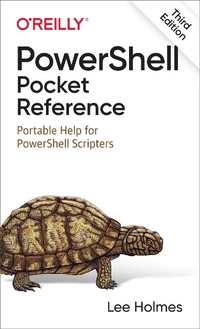
PowerShell Pocket Reference
Erschienen am 22. April 2021
228 Seiten
978-1-0981-0164-0 (ISBN)
Beschreibung

This portable reference to PowerShell summarizes the command shell and scripting language and provides a concise guide to the many tasks that make PowerShell so useful. If you''re a busy administrator and don''t have time to plow through huge books or in-depth online searches, this is the ideal on-the-job tool.
Written by PowerShell team member Lee Holmes and excerpted from his PowerShell Cookbook, this edition offers up-to-date coverage of Windows PowerShell 5.1 and open source PowerShell Core up to 7 and beyond.
Beginning with a guided tour of PowerShell, this handy guide covers:
- PowerShell language and environment
- Regular expression reference
- XPath quick reference
- .NET string formatting
- .NET DateTime formatting
- Selected .NET classes and their uses
- WMI reference
- Selected COM objects and their uses
- Standard PowerShell verbs
Weitere Details
Weitere Ausgaben
Andere Ausgaben
Buch
05/2021
3. Auflage
O'Reilly
30,00 €
Versand in 15-20 Tagen
Inhalt
- Cover
- Copyright
- Table of Contents
- A Guided Tour of PowerShell
- Introduction
- An Interactive Shell
- Structured Commands (Cmdlets)
- Deep Integration of Objects
- Administrators as First-Class Users
- Composable Commands
- Techniques to Protect You from Yourself
- Common Discovery Commands
- Ubiquitous Scripting
- Ad Hoc Development
- Bridging Technologies
- Namespace Navigation Through Providers
- Much, Much More
- Conventions Used in This Book
- Using Code Examples
- O'Reilly Online Learning
- How to Contact Us
- Chapter 1. PowerShell Language and Environment
- Commands and Expressions
- Comments
- Help Comments
- Variables
- Booleans
- Strings
- Literal and Expanding Strings
- Here Strings
- Escape Sequences
- Numbers
- Simple Assignment
- Administrative Numeric Constants
- Hexadecimal and Other Number Bases
- Large Numbers
- Imaginary and Complex Numbers
- Arrays and Lists
- Array Definitions
- Array Access
- Array Slicing
- Hashtables (Associative Arrays)
- Hashtable Definitions
- Hashtable Access
- XML
- Simple Operators
- Arithmetic Operators
- Logical Operators
- Binary Operators
- Other Operators
- Comparison Operators
- Conditional Statements
- if, elseif, and else Statements
- Ternary Operators
- Null Coalescing and Assignment Operators
- switch Statements
- Looping Statements
- for Statement
- foreach Statement
- while Statement
- do . while Statement/do . until Statement
- Flow Control Statements
- Classes
- Custom Enumerations
- Workflow-Specific Statements
- Working with the .NET Framework
- Static Methods
- Instance Methods
- Explicitly Implemented Interface Methods
- Static Properties
- Instance Properties
- Learning About Types
- Type Shortcuts
- Creating Instances of Types
- Interacting with COM Objects
- Extending Types
- Writing Scripts, Reusing Functionality
- Writing Commands
- Running Commands
- Providing Input to Commands
- Retrieving Output from Commands
- Managing Errors
- Nonterminating Errors
- Terminating Errors
- Formatting Output
- Custom Formatting Files
- Capturing Output
- Common Customization Points
- Console Settings
- Profiles
- Prompts
- Tab Completion
- User Input
- Command Resolution
- Chapter 2. Regular Expression Reference
- Chapter 3. XPath Quick Reference
- Chapter 4. .NET String Formatting
- String Formatting Syntax
- Standard Numeric Format Strings
- Custom Numeric Format Strings
- Chapter 5. .NET DateTime Formatting
- Custom DateTime Format Strings
- Chapter 6. Selected .NET Classes and Their Uses
- Chapter 7. WMI Reference
- Chapter 8. Selected COM Objects and Their Uses
- Chapter 9. Selected Events and Their Uses
- Generic WMI Events
- Chapter 10. Standard PowerShell Verbs
- Index
- About the Author
