
- Start
- Produkt

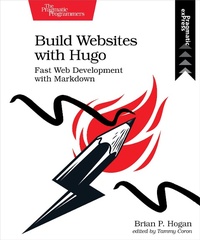
Build Websites with Hugo
Beschreibung
Database-driven sites bring complexity you might not need, but building a site by hand is too much work. Hugo is a static site generator and web development framework that creates content sites quickly without the overhead or dependencies of a dyanmic web framework. With Hugo, you use HTML templates and Markdown to build static sites you can host anywhere, letting you use the skills you already have.
Develop your own theme using standard HTML and CSS, using Hugo's powerful templating features to organize your site's components. Create your site's content with HTML or Markdown and use Hugo's content templating features to build new content quickly. Build a fully-featured blog with archive pages, tagging, and pagination, and integrate an external commenting system to provide interactivity. Use data from front-matter, site-wide configuration, and external JSON sources to add content, and generate JSON others can use. Integrate JavaScript with your site to create a search engine. Get Hugo working with Webpack so you can leverage the wider web development ecosystem, and explore ways to publish your site to various services. Finally, learn how you can move your existing content site to Hugo.
Dive in and build your next site with Hugo!

Weitere Details
Weitere Ausgaben
Systemvoraussetzungen
Dateiformat: PDF
Kopierschutz: Adobe-DRM (Digital Rights Management)
Systemvoraussetzungen:
- Computer (Windows; MacOS X; Linux): Installieren Sie bereits vor dem Download die kostenlose Software Adobe Digital Editions (siehe E-Book Hilfe).
- Tablet/Smartphone (Android; iOS): Installieren Sie bereits vor dem Download die kostenlose App Adobe Digital Editions oder die App PocketBook (siehe E-Book Hilfe).
- E-Book-Reader: Bookeen, Kobo, Pocketbook, Sony, Tolino u.v.a.m. (nicht Kindle)
Das Dateiformat PDF zeigt auf jeder Hardware eine Buchseite stets identisch an. Daher ist eine PDF auch für ein komplexes Layout geeignet, wie es bei Lehr- und Fachbüchern verwendet wird (Bilder, Tabellen, Spalten, Fußnoten). Bei kleinen Displays von E-Readern oder Smartphones sind PDF leider eher nervig, weil zu viel Scrollen notwendig ist.
Mit Adobe-DRM wird hier ein „harter” Kopierschutz verwendet. Wenn die notwendigen Voraussetzungen nicht vorliegen, können Sie das E-Book leider nicht öffnen. Daher müssen Sie bereits vor dem Download Ihre Lese-Hardware vorbereiten.
Bitte beachten Sie: Wir empfehlen Ihnen unbedingt nach Installation der Lese-Software diese mit Ihrer persönlichen Adobe-ID zu autorisieren!
Weitere Informationen finden Sie in unserer E-Book Hilfe.