
- Start
- Produkt

Web Application Security
Beschreibung
Alles über E-Books | Antworten auf Fragen rund um E-Books, Kopierschutz und Dateiformate finden Sie in unserem Info- & Hilfebereich.
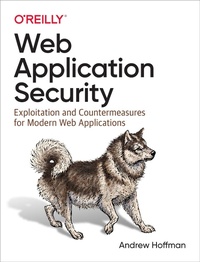
While many resources for network and IT security are available, detailed knowledge regarding modern web application security has been lacking?until now. This practical guide provides both offensive and defensive security concepts that software engineers can easily learn and apply.
Andrew Hoffman, a senior security engineer at Salesforce, introduces three pillars of web application security: recon, offense, and defense. You'll learn methods for effectively researching and analyzing modern web applications?including those you don't have direct access to. You'll also learn how to break into web applications using the latest hacking techniques. Finally, you'll learn how to develop mitigations for use in your own web applications to protect against hackers.
- Explore common vulnerabilities plaguing today''s web applications
- Learn essential hacking techniques attackers use to exploit applications
- Map and document web applications for which you don't have direct access
- Develop and deploy customized exploits that can bypass common defenses
- Develop and deploy mitigations to protect your applications against hackers
- Integrate secure coding best practices into your development lifecycle
- Get practical tips to help you improve the overall security of your web applications
Weitere Details
Weitere Ausgaben
Andere Ausgaben

Systemvoraussetzungen
Dateiformat: PDF
Kopierschutz: Adobe-DRM (Digital Rights Management)
Systemvoraussetzungen:
- Computer (Windows; MacOS X; Linux): Installieren Sie bereits vor dem Download die kostenlose Software Adobe Digital Editions (siehe E-Book Hilfe).
- Tablet/Smartphone (Android; iOS): Installieren Sie bereits vor dem Download die kostenlose App Adobe Digital Editions oder die App PocketBook (siehe E-Book Hilfe).
- E-Book-Reader: Bookeen, Kobo, Pocketbook, Sony, Tolino u.v.a.m. (nicht Kindle)
Das Dateiformat PDF zeigt auf jeder Hardware eine Buchseite stets identisch an. Daher ist eine PDF auch für ein komplexes Layout geeignet, wie es bei Lehr- und Fachbüchern verwendet wird (Bilder, Tabellen, Spalten, Fußnoten). Bei kleinen Displays von E-Readern oder Smartphones sind PDF leider eher nervig, weil zu viel Scrollen notwendig ist.
Mit Adobe-DRM wird hier ein „harter” Kopierschutz verwendet. Wenn die notwendigen Voraussetzungen nicht vorliegen, können Sie das E-Book leider nicht öffnen. Daher müssen Sie bereits vor dem Download Ihre Lese-Hardware vorbereiten.
Bitte beachten Sie: Wir empfehlen Ihnen unbedingt nach Installation der Lese-Software diese mit Ihrer persönlichen Adobe-ID zu autorisieren!
Weitere Informationen finden Sie in unserer E-Book Hilfe.