

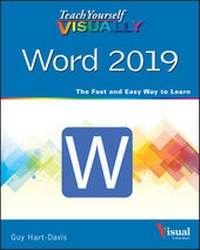
Teach Yourself VISUALLY Word 2019
1. Auflage
Erschienen am 15. Juli 2020
352 Seiten
978-1-119-72454-4 (ISBN)
Beschreibung

Master one of the most popular word processors ever with this essential, visual reference
Teach Yourself VISUALLY: Word 2019 provides readers with a thorough and visual exploration of the 2019 edition of Microsoft Word. Written by the celebrated author of over 100 books on computing, Guy Hart-Davis, Teach Yourself VISUALLY: Word 2019 allows you to quickly get up to speed with one of the most popular word processors on the planet.
The book covers all the topics you'll need to comprehensively master Word 2019, and includes:
* Full-color, step-by-step instructions showing you how to perform all the essential tasks of Microsoft Word 2019
* How to set up and format documents, edit them, and add images and charts
* How to post documents online for sharing and reviewing and take advantage of all the newest features of Word
Newly updated to include the latest features of Microsoft Word, like how to collaborate on documents in real time, draw and write with the digital pen, new accessibility options and the new Resume Assistant, Teach Yourself VISUALLY: Word 2019 belongs on the shelf of anyone who wants to improve their effectiveness with this essential word processor.
Teach Yourself VISUALLY: Word 2019 provides readers with a thorough and visual exploration of the 2019 edition of Microsoft Word. Written by the celebrated author of over 100 books on computing, Guy Hart-Davis, Teach Yourself VISUALLY: Word 2019 allows you to quickly get up to speed with one of the most popular word processors on the planet.
The book covers all the topics you'll need to comprehensively master Word 2019, and includes:
* Full-color, step-by-step instructions showing you how to perform all the essential tasks of Microsoft Word 2019
* How to set up and format documents, edit them, and add images and charts
* How to post documents online for sharing and reviewing and take advantage of all the newest features of Word
Newly updated to include the latest features of Microsoft Word, like how to collaborate on documents in real time, draw and write with the digital pen, new accessibility options and the new Resume Assistant, Teach Yourself VISUALLY: Word 2019 belongs on the shelf of anyone who wants to improve their effectiveness with this essential word processor.
Weitere Details
Weitere Ausgaben
Andere Ausgaben
Guy Hart-Davis
Teach Yourself Visually Word 2019
Buch
07/2020
1. Auflage
Wiley
29,00 €
Versand in 15-20 Tagen
Person
Guy Hart-Davis (Barnard Castle, UK) is the author of more than 100 computing books, including Teach Yourself VISUALLY iPhone 11, Teach Yourself VISUALLY MacBook, 4th Edition, and Teach Yourself VISUALLY Android, 2nd Edition. He also writes about PCs, Windows, Linux, and VBA.
