

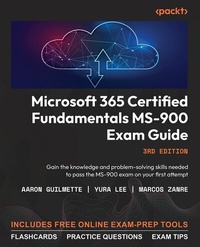
Microsoft 365 Certified Fundamentals MS-900 Exam Guide
Gain the knowledge and problem-solving skills needed to pass the MS-900 exam on your first attempt
3. Auflage
Erschienen am 24. November 2023
376 Seiten
978-1-83763-265-7 (ISBN)
Beschreibung

Get a clear understanding of the Microsoft 365 platform from concept through to execution to confidently prepare for exam, and benefit from having a handy, on-the-job desktop reference guideKey Features - Practice with exam-style questions based on the latest certification exam syllabus
- Review the security considerations and benefits of adopting different types of cloud services
- Verify your knowledge of key concepts through chapter assessments, insider tips, and practice questions
- Purchase of this book unlocks access to web-based exam prep resources including practice questions, flashcards, and exam tips
Book DescriptionThe MS-900 exam tests your understanding of Microsoft 365 services and components, along with their implementation, security, licensing, and general cloud concepts. This revised third edition helps you gain detailed actionable insights into the topics included in the latest syllabus, covering each topic according to its weight in the exam. You'll begin by reviewing key cloud concepts, including cloud computing, services, and development models, and then explore different cloud architectures and learn what Microsoft offers as a service in the form of SaaS, IaaS, and PaaS. As you advance, you'll get to grips with core Microsoft 365 components as well as the processes and tools used for managing Windows 10, Windows 11, and Microsoft 365 apps. This edition also includes expanded information on the Microsoft Viva Suite, formerly Workplace Analytics. The chapters shed light on security, compliance, privacy, and trust in Microsoft 365, and provide additional guidance regarding the pricing and support offered by Microsoft for different services and apps. By the end of this MS-900 book, you'll have gained all the knowledge and skills needed to confidently appear for the exam.What you will learn - Gain insight into the exam objectives and knowledge needed to take the MS-900 exam
- Discover and implement best practices for licensing options available in Microsoft 365
- Understand the different Microsoft 365 Defender services
- Prepare to address the most common types of threats against an environment
- Identify and unblock the most common cloud adoption challenges
- Articulate key productivity, collaboration, security, and compliance selling points of M365
- Explore licensing and payment models available for M365
Who this book is forThis book is for entry as well as mid-level experienced administrators and individuals aspiring to pass the latest MS-900 exam and achieve Microsoft 365 certification. Basic knowledge of Microsoft services and cloud concepts is necessary to get the most out of this book.
- Review the security considerations and benefits of adopting different types of cloud services
- Verify your knowledge of key concepts through chapter assessments, insider tips, and practice questions
- Purchase of this book unlocks access to web-based exam prep resources including practice questions, flashcards, and exam tips
Book DescriptionThe MS-900 exam tests your understanding of Microsoft 365 services and components, along with their implementation, security, licensing, and general cloud concepts. This revised third edition helps you gain detailed actionable insights into the topics included in the latest syllabus, covering each topic according to its weight in the exam. You'll begin by reviewing key cloud concepts, including cloud computing, services, and development models, and then explore different cloud architectures and learn what Microsoft offers as a service in the form of SaaS, IaaS, and PaaS. As you advance, you'll get to grips with core Microsoft 365 components as well as the processes and tools used for managing Windows 10, Windows 11, and Microsoft 365 apps. This edition also includes expanded information on the Microsoft Viva Suite, formerly Workplace Analytics. The chapters shed light on security, compliance, privacy, and trust in Microsoft 365, and provide additional guidance regarding the pricing and support offered by Microsoft for different services and apps. By the end of this MS-900 book, you'll have gained all the knowledge and skills needed to confidently appear for the exam.What you will learn - Gain insight into the exam objectives and knowledge needed to take the MS-900 exam
- Discover and implement best practices for licensing options available in Microsoft 365
- Understand the different Microsoft 365 Defender services
- Prepare to address the most common types of threats against an environment
- Identify and unblock the most common cloud adoption challenges
- Articulate key productivity, collaboration, security, and compliance selling points of M365
- Explore licensing and payment models available for M365
Who this book is forThis book is for entry as well as mid-level experienced administrators and individuals aspiring to pass the latest MS-900 exam and achieve Microsoft 365 certification. Basic knowledge of Microsoft services and cloud concepts is necessary to get the most out of this book.
Alle Preise
Weitere Details
Weitere Ausgaben
Andere Ausgaben
Aaron Guilmette | Yura Lee | Marcos Zanre
Microsoft 365 Certified Fundamentals MS-900 Exam Guide
Gain the knowledge and problem-solving skills needed to pass the MS-900 exam on your first attempt
Buch
11/2023
3. Auflage
Packt Publishing
52,60 €
Versand in 3-4 Wochen
Vorauflage
Aaron Guilmette | Yura Lee | Marcos Zanre
Microsoft 365 Certified Fundamentals MS-900 Exam Guide
Understand the Microsoft 365 platform from concept to execution and pass the MS-900 exam with confidence
E-Book
06/2024
2. Auflage
Packt Publishing Limited
ab
64,79 €
Als Download verfügbar
Inhalt
- Cover
- FM
- Copyright
- Contributors
- Table of Contents
- Preface
- Chapter 1: Describe the Different Types of Cloud Services Available
- Making the Most out of This Book - Your Certification And Beyond
- What is Cloud Computing?
- Describe Microsoft SaaS, IaaS, and PaaS Concepts
- Infrastructure as a Service
- Platform as a Service
- Software as a Service
- Serverless Computing
- Describe the Differences between Office 365 and Microsoft 365
- Summary
- Exam Readiness Drill - Chapter Review Questions
- Chapter 2: Describe the Benefits and Considerations for Using Cloud, Hybrid, or On-Premises Services
- Describe the Cloud Models
- Public Cloud
- Private Cloud
- Hybrid Cloud
- Compare the Costs and Advantages of Cloud, Hybrid, and On-Premises
- Cloud Deployments
- Cost-Effective
- Scalable
- Quick
- Reliable
- Secure
- Up to Date
- Hybrid Deployments
- On-Premises Deployments
- Choosing the Right Model
- Describe the Concepts of Hybrid and Flexible Work
- Summary
- Exam Readiness Drill - Chapter Review Questions
- Chapter 3: Describe the Productivity Solutions of Microsoft 365
- Describe the Core Productivity Capabilities and Benefits of Microsoft 365
- Outlook and Exchange
- Microsoft 365 Apps
- OneDrive for Business
- Microsoft Viva Suite
- Describe the Core Microsoft 365 Apps
- Word
- Excel
- PowerPoint
- Outlook
- OneNote
- Teams
- Access
- Publisher
- Describe the Work Management Capabilities of Microsoft 365
- Project
- Planner
- Bookings
- Forms
- Lists
- To Do
- Summary
- Exam Readiness Drill - Chapter Review Questions
- Chapter 4: Describe the Collaborative Solutions of Microsoft 365
- Describe the Collaboration Benefits and Capabilities of Microsoft 365
- Stream
- Viva Engage
- Describe the Collaboration Benefits and Capabilities of Microsoft Teams and Teams Phone
- Teams as a Collaboration Platform
- Chat
- Files
- Live Events and Webinars
- Multi-platform Access
- Teams as a Telephony Platform
- Describe the Microsoft Viva apps
- Viva Connections
- Viva Insights
- Personal Insights
- Team Insights
- Organization Insights
- Advanced Insights
- Viva Topics
- Viva Learning
- Viva Engage
- Viva Sales
- Viva Goals
- Describe the Ways You Can Extend Microsoft Teams by Using Collaborative Apps
- Summary
- Exam Readiness Drill - Chapter Review Questions
- Chapter 5: Describe Endpoint Modernization, Management Concepts, and Deployment Options in Microsoft 365
- Describe the Endpoint Management Capabilities of Microsoft 365
- Microsoft Intune
- Windows Autopilot
- Co-management with Configuration Manager
- Endpoint Manager Admin Center
- Tenant Attach
- Compare Windows 365 and Azure Virtual Desktop
- Azure Virtual Desktop
- Windows 365
- Which Solution Should You Choose?
- Describe the Deployment and Release Models for Windows as a Service
- Servicing Channels
- Deployment Rings
- Types of Updates
- Servicing Tools
- Identify Deployment and Update Channels for Microsoft 365 Apps
- Servicing and Update Channels
- Deployment Methods
- Self-Installing from the Cloud
- Deploying from the Cloud with the ODT
- Deploying from a Local Source with the ODT
- Deploying from a Local Source with Configuration Manager
- Summary
- Exam Readiness Drill - Chapter Review Questions
- Chapter 6: Describe the Analytics Capabilities of Microsoft 365
- Describe the Capabilities of Viva Insights
- Personal Insights
- Team Insights
- Organization Insights
- Advanced Insights
- Describe the Capabilities of the Microsoft 365 Admin Center and Microsoft 365 User Portal
- Microsoft 365 Admin Center
- Microsoft 365 User Portal
- Describe the Reports Available in the Admin Centers
- Adoption Score
- Overview
- Actions
- Usage Reports
- Microsoft 365 Admin Center
- Teams Admin Center
- Summary
- Exam Readiness Drill - Chapter Review Questions
- Chapter 7: Describe Zero Trust Principles for Microsoft 365
- Describe the Zero-Trust Model
- Zero Trust Principles
- Explicit Verification
- Least-Privilege Access
- Assume Breach
- Zero Trust Pillars
- Identity
- Endpoints
- Apps
- Data
- Infrastructure
- Network
- Describe Microsoft Granular Delegated Admin Privileges (GDAP) Principles
- Summary
- Exam Readiness Drill - Chapter Review Questions
- Chapter 8: Understand Identity and Access Management Solutions
- Describe the Identity and Access Management Capabilities of Microsoft 365
- Describe Identity Concepts
- On-Premises Identity
- Cloud Identity
- Hybrid Identity
- Synchronized Identity with Cloud Authentication
- Synchronized Identity with Pass-Through Authentication
- Federated Identity
- Describe the Purpose and Value of Implementing Entra ID Features
- Multi-Factor Authentication (MFA)
- Self-Service Password Reset
- Access Reviews
- Describe the Purpose and Value of Conditional Access
- Summary
- Exam Readiness Drill - Chapter Review Questions
- Chapter 9: Describe the Threat Protection Solutions of Microsoft 365
- Instructions to Unlock the Free Practice Resources
- Describe the Microsoft 365 Defender Suite
- Microsoft Defender for Endpoint
- Microsoft Defender for Office 365
- Microsoft Defender for Identity
- Microsoft Defender for Cloud Apps
- Describe the Microsoft Secure Score Benefits and Capabilities
- Describe the Most Common Types of Threats
- Phishing
- Malware
- Lateral Movement
- Describe How Microsoft 365 Addresses the Most Common Threats
- Describe the Capabilities and Benefits of Microsoft Management and Automation Products
- Microsoft Sentinel
- Microsoft 365 Lighthouse
- Summary
- Exam Readiness Drill - Chapter Review Questions
- Chapter 10: Describe the Trust, Privacy, Risk, and Compliance Solutions of Microsoft 365
- Describe compliance features in Microsoft 365
- Microsoft Purview risk and compliance solutions
- Compliance features in Microsoft 365
- Compliance Manager
- Compliance scoring
- Describe how Microsoft supports data residency to ensure regulatory compliance
- Service Trust Portal
- Certifications, Regulations, and Standards
- Reports, Whitepapers, and Artifacts
- Business Continuity and Disaster Recovery
- Pen Test and Security
- Privacy & Data Protection
- FAQ and Whitepapers
- Describe information protection features
- Data classification
- Data protection
- Data lifecycle management
- Describe the capabilities and benefits of Microsoft Priva
- Priva Privacy Risk Management
- Overexposed data
- Data transfer
- Data minimization
- Priva Subject Rights Request
- Describe insider risk management solutions to protect against internal threats
- Describe auditing and eDiscovery solutions
- Audit
- eDiscovery
- Standard eDiscovery
- Premium eDiscovery
- Summary
- Exam Readiness Drill - Chapter Review Questions
- Chapter 11: Identify Microsoft 365 Pricing and Billing Management Options
- Describe the Pricing Model for Microsoft Cloud Services
- Enterprise Agreements
- Cloud Solution Providers
- Direct Billing
- Describe the Available Billing and Bill Management Options
- Summary
- Exam Readiness Drill - Chapter Review Questions
- Chapter 12: Identify Licensing Options Available in Microsoft 365
- Describe License Management
- License Purchase
- License Assignment
- Self-Service Approval
- Other Ways to Assign Licenses
- License Reporting
- Describe the Differences between Licensing Levels
- Base Licenses
- Add-On Licenses
- Suite Licensing
- Sovereign Clouds
- Organization Size and Market
- Summary
- Exam Readiness Drill - Chapter Review Questions
- Chapter 13: Identify Support Options for Microsoft 365 Services
- Describe How to Create a Support Request
- Describe Support Options for Microsoft 365 Services
- Describe Service Level Agreements
- Service-Level Agreement Features
- Service-Level Agreement Coverage
- Private Preview
- Public Preview
- General Availability
- Support Policies
- Determine Service Health Status
- Health Dashboard
- Service Health Dashboard
- Windows Release Health Page
- Directory Sync Status Page
- Service Health Status Page
- Microsoft 365 Status X Feed
- Summary
- Exam Readiness Drill - Chapter Review Questions
- Index
- Other Books You May Enjoy
