

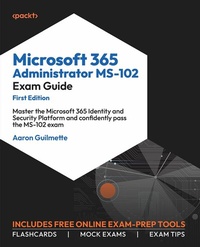
Microsoft 365 Administrator MS-102 Exam Guide
Beschreibung

The MS-102: Microsoft 365 Administrator Exam Guide is meticulously crafted to empower readers with practical insights, starting with the essentials of provisioning a Microsoft 365 tenant, configuring identity synchronization and secure access, and deploying key Microsoft 365 Defender components.
The book's purpose is clear-to guide professionals through the complexities of the MS-102 exam, ensuring not just exam success but mastery of the subject matter. This comprehensive exam guide comes with lifetime access to supplementary resources on an online platform, including flashcards, mock exams, and exam tips from experts. With unlimited access to the website, you'll have the flexibility to practice as many times as you desire, maximizing your exam readiness.
As you progress through each chapter, the book unveils the layers of Microsoft 365 workloads, equipping you with the skills to manage role-based administration, deploy identity synchronization using Entra ID Connect, implement modern authentication methods, manage secure access through Conditional Access policies, and analyze security threats using Microsoft 365 Defender.
By the end of this book, you'll have the proficiency to implement data loss prevention, configure information and data protection features, and approach the MS-102 exam with confidence.
Alle Preise
Weitere Details
Weitere Ausgaben
Andere Ausgaben
Inhalt
- Cover
- FM
- Copyright
- Contributors
- Table of Contents
- Preface
- Chapter 1: Implementing and Managing a Microsoft 365 Tenant
- Making the Most out of This Book - Your Certification And Beyond
- Microsoft 365 Tenant
- Creating a Tenant
- Planning a Tenant
- Selecting a Tenant Type
- Selecting a Managed Domain
- Provisioning a Tenant
- Implementing and Managing Domains
- Acquiring a Domain Name
- Third-party Registrar
- Microsoft
- Configuring a Domain Name
- Managing DNS Records Manually
- Configuring a Default Domain
- Configuring Organizational Settings
- Services
- Security & Privacy
- Organization Profile
- Identifying and Responding to Service Health Issues
- Configuring Notifications for Service Health
- Monitoring Adoption and Usage
- Microsoft 365 Usage Reports
- Viva Insights
- Personal Insights
- Teamwork Habits
- Organization Trends
- Advanced Insights
- Adoption Score
- People Experiences
- Technology Experiences
- Special Reports
- Summary
- Exam Readiness Drill - Chapter Review Questions
- Chapter 2: Managing Users and Groups
- Creating and Managing Users
- Creating and Managing Cloud Users
- Creating and Managing Synchronized Users
- Creating and Managing Guest Users
- Creating and Managing Contacts
- Microsoft 365 Admin Center
- Exchange Admin Center
- Creating and Managing Groups
- Microsoft 365 Admin Center
- Azure AD Portal
- Managing and Monitoring Microsoft 365 License Allocations
- Performing Bulk User Management
- Microsoft 365 Admin Center
- Azure AD Portal
- PowerShell
- Installing Modules
- Connecting to Azure AD
- Working with PowerShell
- Retrieving User Data
- Updating Users
- Updating Licenses
- Creating Users
- Summary
- Exam Readiness Drill - Chapter Review Questions
- Chapter 3: Managing Roles in Microsoft 365
- Managing Roles in Microsoft 365 and Azure AD
- Planning for Role Assignments
- Managing Roles in the Microsoft 365 Admin Center
- Managing Role Groups for Microsoft Defender, Microsoft Purview, and Microsoft 365 Workloads
- Microsoft Defender
- Microsoft Purview
- Microsoft 365 Workloads
- Managing Administrative Units
- Creating Administrative Units
- Viewing and Updating Administrative Units
- Planning and Implementing Privileged Identity Management
- Creating a Role Assignment
- Reviewing Role Assignments
- Alerting
- Summary
- Exam Readiness Drill - Chapter Review Questions
- Chapter 4: Implementing and Managing Identity Synchronization with Azure AD
- Preparing for Identity Synchronization by Using IdFix
- Configuring and Managing Directory Synchronization by Using Azure AD Connect
- Planning and Sizing
- Installing the Synchronization Service
- Configuring Azure AD Connect Filters
- Domain and Organizational Unit-Based Filtering
- Group-Based Filtering
- Attribute-Based Filtering
- Monitoring Synchronization by Using Azure AD Connect Health
- Azure AD Connect Health
- Azure AD Connect Health for Sync
- Azure AD Connect Health for Directory Services
- Azure AD Connect Health for Active Directory Federation Services
- Troubleshooting Azure AD Connect Synchronization
- Configuring and Managing Directory Synchronization by Using Azure AD Connect Cloud Sync
- Installing the Provisioning Agent
- Configuring the Provisioning Service
- Customizing the Provisioning Service
- Scoping Filters
- Attribute Mapping
- Troubleshooting Azure AD Connect Cloud Sync Synchronization
- Summary
- Exam Readiness Drill - Chapter Review Questions
- Chapter 5: Implementing and Managing Authentication
- Implementing and Managing Authentication Methods
- Choosing an Authentication Mechanism
- Windows Hello for Business
- Microsoft Authenticator App
- FIDO2 Security Keys
- Comparison
- Configuring Windows Hello
- Configuring Microsoft Authenticator
- Configuring the Authentication Policy
- Registering Devices
- Configuring FIDO2
- Configuring the Authentication Policy
- Registering Devices
- Implementing and Managing Self-Service Password Reset
- Configuring SSPR
- Managing SSPR
- Authentication Methods
- Registration
- Notifications
- Customization
- On-premises integration
- Implementing and Managing Azure AD Password Protection
- Custom smart lockout
- Custom banned passwords
- Password protection for Windows Server Active Directory
- Configuring and Managing Multifactor Authentication
- Per-User Multifactor Authentication
- Security Defaults
- Conditional Access
- Additional Multifactor Authentication Behavior Settings
- Investigating and Resolving Authentication Issues
- Summary
- Exam Readiness Drill - Chapter Review Questions
- Chapter 6: Implementing and Managing Secure Access
- Planning for Identity Protection
- Investigating Risks
- Remediating risks
- Implementing and Managing Azure Identity Protection
- Planning Conditional Access Policies
- Assignments
- Conditions
- Access Controls
- Implementing and Managing Conditional Access Policies
- Creating Conditional Access Policies
- Reporting on Conditional Access Policies
- Configuring a Log Analytics Workspace
- Integrating Azure AD or Entra ID Logs
- Reviewing the Workbook
- Summary
- Exam Readiness Drill - Chapter Review Questions
- Chapter 7: Managing Security Reports and Alerts by Using the Microsoft 365 Defender Portal
- Instructions to Unlock the Free Practice Resources
- Reviewing and Taking Action to Improve the Microsoft Secure Score in the Microsoft 365 Defender Portal
- Reviewing and Responding to Security Incidents and Alerts in Microsoft 365 Defender
- Reviewing alerts and incidents
- Attack story
- Alerts
- Assets
- Investigations
- Evidence and Response
- Responding to Alerts and Incidents
- Reviewing and Responding to Issues Identified in Security and Compliance Reports in Microsoft 365 Defender
- General
- Endpoints
- Email and Collaboration
- Cloud Apps
- Reviewing and Responding to Threats Identified in Threat Analytics
- Overview
- Analyst Report
- Related Incidents
- Impacted Assets
- Endpoints Exposure
- Recommended Actions
- Summary
- Exam Readiness Drill - Chapter Review Questions
- Chapter 8: Implementing and Managing Email and Collaboration Protection Using Microsoft Defender for Office 365
- Implementing Policies and Rules in Defender for Office 365
- Deploying the Preset Security Policies
- Configuring Standalone Policies
- Anti-Phishing
- Anti-Spam
- Anti-Malware
- Safe Attachments
- Safe Links
- Configuring Rules
- Tenant Allow/Block Lists
- Email Authentication Settings
- Advanced Delivery
- Enhanced Filtering
- Quarantine Policies
- Using the Configuration Analyzer
- Reviewing and Responding to Threats Identified in Defender for Office 365
- Email & Collaboration Alerts
- Investigations
- Explorer and Real-Time Detections
- All Email
- Malware
- Phish
- Campaigns
- Content Malware
- URL Clicks
- Creating and Running Campaigns
- Creating a Phishing Campaign
- Creating a Training Simulation
- Reviewing Reports
- Unblocking Users
- Configuring Alerts
- Removing Restrictions
- Summary
- Exam Readiness Drill - Chapter Review Questions
- Chapter 9: Implementing and Managing Endpoint Protection by Using Microsoft Defender for Endpoint
- Overview of Microsoft Defender for Endpoint
- Features
- Requirements
- Deployment Architectures
- Configuring Defender for Endpoint Settings
- Configuring Defender for Endpoint Options
- Integrating Defender for Endpoint with Intune
- Establishing a Service-to-Service Connection
- Enabling Compliance Policy Evaluation
- Enabling App Protection Policy Evaluation
- Configuring a Compliance Policy
- Configuring a Conditional Access Policy
- Onboarding Devices to Defender for Endpoint
- Onboarding Windows Devices
- Onboarding with Intune
- Endpoint Detection and Response (EDR) Policy
- Other Onboarding Alternatives
- Onboarding macOS Devices
- Onboarding a Configuration Profile
- Extensions Configuration Profile
- Full Disk Access Configuration Profile
- Network Filter Configuration Profile
- Notifications Configuration Profile
- Background Services Configuration Profile
- Onboarding iOS Devices
- All Devices
- Supervised Devices
- Unsupervised Devices
- Onboarding Android Devices
- Bring Your Own Device
- Enterprise Enrolled Devices
- Reviewing and Responding to Endpoint Vulnerabilities
- Recommendations
- Remediation
- Inventories
- Weaknesses
- Event Timeline
- Baseline Assessment
- Creating a Security Profile
- Reviewing Assessment Results
- Creating and Managing Exceptions
- Reviewing and Responding to Risks
- Investigate
- Attack Story
- Alerts
- Assets
- Investigations
- Evidence and Response
- Respond
- Taking Actions
- Resolve
- Tuning
- Automate
- Summary
- Exam Readiness Drill - Chapter Review Questions
- Chapter 10: Implementing Microsoft Purview Information Protection and Data Lifecycle Management
- Implementing and managing sensitive info types using keywords, keyword lists, or regular expressions
- Managing sensitive information types
- Using keywords
- Using regular expressions
- Using built-in functions
- Using document fingerprinting
- Using Exact Data Match
- Testing and editing sensitive information types
- Implementing retention labels, retention label policies, and retention policies
- Implementing retention policies
- Implementing retention labels
- Implementing retention label policies
- Publishing a label
- Auto-applying a label
- Implementing sensitivity labels and sensitivity label policies
- Implementing sensitivity labels
- Enabling sensitivity labels for Teams, M365 groups, and SharePoint sites
- Enabling co-authoring for files protected with sensitivity labels
- Creating a label
- Creating a sublabel
- Implementing sensitivity label policies
- Label policies
- Auto-labeling policies
- Summary
- Exam Readiness Drill - Chapter Review Questions
- Chapter 11: Implementing Microsoft Purview Data Loss Prevention
- Implementing DLP for Workloads
- Prerequisites
- Configuring Workload Protection
- Exchange Online, SharePoint Online, OneDrive for Business, and Teams
- Power BI
- On-Premises File Servers
- Implementing Endpoint DLP
- Reviewing and Responding to DLP Alerts
- Microsoft Purview Compliance Portal Alerts Dashboard
- Microsoft Purview Compliance Portal Activity Explorer
- Microsoft 365 Defender Alerts Dashboard
- Microsoft 365 Defender Incidents Dashboard
- Summary
- Exam Readiness Drill - Chapter Review Questions
- Index
- Other Books You May Enjoy
