

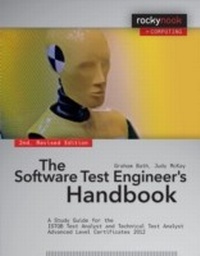
Software Test Engineer's Handbook
A Study Guide for the ISTQB Test Analyst and Technical Test Analyst Advanced Level Certificates 2012
1. Auflage
Erschienen am 12. Juni 2014
562 Seiten
978-1-4920-1474-4 (ISBN)
Beschreibung

Many books cover functional testing techniques, but relatively few also cover technical testing. The Software Test Engineer's Handbook-2nd Edition fills that gap. Authors Graham Bath and Judy McKay are core members of the ISTQB Working Party that created the new Advanced Level Syllabus-Test Analyst and Advanced Level Syllabus-Technical Test Analyst. These syllabi were released in 2012. This book presents functional and technical aspects of testing as a coherent whole, which benefits test analyst/engineers and test managers. It provides a solid preparation base for passing the exams for Advanced Test Analyst and Advanced Technical Test Analyst, with enough real-world examples to keep you intellectually invested. This book includes information that will help you become a highly skilled Advanced Test Analyst and Advanced Technical Test Analyst. You will be able to apply this information in the real world of tight schedules, restricted resources, and projects that do not proceed as planned.
Weitere Details
Weitere Ausgaben
Andere Ausgaben
Graham Bath | Judy McKay
The Software Test Engineer's Handbook
A Study Guide for the ISTQB Test Analyst and Technical Test Analyst Advanced Level Certificates 2012
Buch
06/2014
2. Auflage
Rocky Nook
40,00 €
Artikel ist vergriffen; siehe andere Ausgabe
Graham Bath | Judy McKay
The Software Test Engineer's Handbook, 2nd Edition
A Study Guide for the ISTQB Test Analyst and Technical Test Analyst Advanced Level Certificates 2012
E-Book
06/2014
2. Auflage
Rocky Nook
ab
39,99 €
Als Download verfügbar
Inhalt
- The Software Test Engineer's Handbook
- Preface
- Acknowledgements
- Contents
- 1 Introduction
- 1.1 Structure of the Book
- 1.2 Requirements for This Book
- 1.3 What Does "Advanced" Mean?
- 1.4 What Is a Test Analyst?
- 2 Example Application, Marathon
- 2.1 Overview of Marathon
- 2.2 General Requirements
- 2.3 Use of the Marathon System
- 2.4 Availability of the Marathon System
- 2.5 Caveats about Marathon
- 3 Types of Systems
- 3.1 Introduction
- 4 Test Management Responsibilities for the Test Analyst
- 4.1 Introduction
- 4.2 Monitoring and Controlling a Project
- 4.3 Talking with Other Testers Wherever They Are
- 4.4 Let's Be Practical
- 4.5 Exercises
- 5 The Test Process
- 5.1 Introduction to the Test Process
- 5.2 Fitting the Process to the Life Cycle
- 5.3 The Steps of the Test Process
- 5.4 Exercises
- 6 Specification-Based TestingTechniques
- 6.1 Introduction
- 6.2 Individual Specification-Based Techniques
- 6.3 Selecting a Specification-Based Technique
- 6.4 Let's Be Practical
- 6.5 Exercises
- 7 Defect-Based Testing Techniques
- 7.1 Introduction
- 7.2 Taxonomies
- 7.3 Applying the Technique
- 7.4 Let's Be Practical
- 7.5 Exercises
- 8 Experience-Based TestingTechniques
- 8.1 Introduction
- 8.2 Error Guessing
- 8.3 Checklist-Based Testing
- 8.4 Exploratory Testing
- 8.5 Strengths and Weaknesses
- 8.6 Let's Be Practical
- 8.7 Exercises
- 9 Functional Testing
- 9.1 Introduction
- 9.2 Accuracy Testing
- 9.3 Suitability Testing
- 9.4 Interoperability Testing
- 9.5 Let's Be Practical
- 9.6 Exercises
- 10 Usability and Accessibility Testing
- 10.1 Usability Testing
- 10.2 Accessibility Testing
- 10.3 Test Process for Usability and Accessibility Testing
- 10.4 Let's Be Practical
- 10.5 Exercises
- 11 Reviews for the Test Analyst
- 11.1 Introduction
- 11.2 What Types of Work Products Can the Test Analyst Review?
- 11.3 When Should the Test Analyst Do the Reviews?
- 11.4 Issues
- 11.5 Using Checklists for Reviews
- 11.6 Checklist for Requirements Reviews
- 11.7 Checklist for Use Case Reviews
- 11.8 Checklist for Usability Reviews
- 11.9 Checklist for User Story Reviews
- 11.10 Checklist for Success
- 11.11 Let's Be Practical
- 11.12 Exercises
- 12 Defect Management
- 12.1 Introduction
- 12.2 What Is a Defect?
- 12.3 When Can We Find Defects?
- 12.4 Defect Fields
- 12.5 Defect Life Cycles
- 12.6 Metrics and Reporting
- 12.7 Process Improvement Opportunities
- 12.8 Let's Be Practical
- 12.9 Exercises
- 13 Tools Concepts
- 13.1 What Is a Test Tool?
- 13.2 Why Would We Use a Tool?
- 13.3 Types of Tools
- 13.4 Should We Automate All Our Testing?
- 13.5 Let's Be Practical
- 13.6 Exercises
- 14 Test Management Responsibilities for the Technical Test Analyst
- 14.1 Introduction
- 14.2 Let's Be Practical
- 14.3 Exercises
- 15 Analysis Techniques
- 15.1 Static Analysis
- 15.2 Dynamic Analysis
- 15.3 Let's Be Practical
- 15.4 Exercises
- 16 Structure-Based Testing Techniques
- 16.1 Benefits
- 16.2 Drawbacks
- 16.3 Application of Structure-Based Techniques
- 16.4 Individual Structural Techniques
- 16.5 Selecting a Structure-Based Technique
- 16.6 Exercises
- 17 Efficiency Testing
- 17.1 Overview
- 17.2 Performance Testing
- 17.3 Load Testing
- 17.4 Stress Testing
- 17.5 Scalability Testing
- 17.6 Resource Utilization Testing
- 17.7 Measuring Efficiency
- 17.8 Planning of Efficiency Tests
- 17.9 Specifying Efficiency Tests
- 17.10 Executing Efficiency Tests
- 17.11 Reporting Results of Efficiency Tests
- 17.12 Tools for Performance Testing
- 17.13 Let's Be Practical
- 17.14 Exercises
- 18 Security Testing
- 18.1 Overview of Security Testing
- 18.2 Defining Security
- 18.3 Typical Security Threats
- 18.4 Approach to Security Testing
- 18.5 Organizational Issues
- 18.6 Life Cycle Issues
- 18.7 Planning Security Tests
- 18.8 Security Test Analysis and Design
- 18.9 Execution of Security Tests
- 18.10 Reporting Security Tests
- 18.11 Tools for Security Testing
- 18.12 Let's Be Practical
- 18.13 Exercises
- 19 Reliability Testing
- 19.1 Overview
- 19.2 Reliability Test Planning
- 19.3 Reliability Test Specification
- 19.4 Reliability Test Execution
- 19.5 Reporting Reliability Tests
- 19.6 Tools for Reliability Testing
- 19.7 Let's Be Practical
- 19.8 Exercises
- 20 Maintainability Testing
- 20.1 Overview
- 20.2 Testing for Maintainability
- 20.3 Maintainability Test Planning
- 20.4 Maintainability Test Specification
- 20.5 Performing Maintainability Tests and Analysis
- 20.6 Maintenance Testing
- 20.7 Tasks of the Technical Test Analyst
- 20.8 Let's Be Practical
- 20.9 Exercises
- 21 Portability Testing
- 21.1 Adaptability
- 21.2 Replaceability
- 21.3 Installability
- 21.4 Co-existence/compatibility
- 21.5 Let's Be Practical
- 21.6 Exercises
- 22 Reviews for the Technical Test Analyst
- 22.1 Introduction
- 22.2 Checklists for Reviews
- 22.3 Checklist for Code Reviews
- 22.4 Checklist for Architectural Reviews
- 22.5 Exercises
- 23 Tools for the Technical Test Analyst
- 23.1 Introduction
- 23.2 Tasks and Skills of the Technical Test Analyst in Test Automation
- 23.3 Integration and Information Interchange between Tools
- 23.4 Defining the Test Automation Project
- 23.5 Should We Automate All Our Testing?
- 23.6 Types of Tools
- 23.7 Exercises
- A Glossary
- B Literature
- Index
