

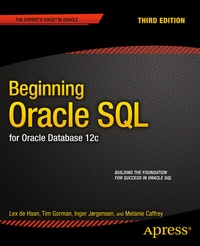
Beginning Oracle SQL
For Oracle Database 12c
3. Auflage
Erschienen am 18. März 2014
XXII, 440 Seiten
978-1-4302-6557-3 (ISBN)
Beschreibung

Beginning Oracle SQL is your introduction to the interactive query tools and specific dialect of SQL used with Oracle Database. These tools include SQL*Plus and SQL Developer. SQL*Plus is the one tool any Oracle developer or database administrator can always count on, and it is widely used in creating scripts to automate routine tasks. SQL Developer is a powerful, graphical environment for developing and debugging queries.
Oracle's is possibly the most valuable dialect of SQL from a career standpoint. Oracle's database engine is widely used in corporate environments worldwide. It is also found in many government applications. Oracle SQL implements many features not found in competing products. No developer or DBA working with Oracle can afford to be without knowledge of these features and how they work, because of the performance and expressiveness they bring to the table.
Written in an easygoing and example-based style, Beginning Oracle SQL is the book that will get you started down the path to successfully writing SQL statements and getting results from Oracle Database.
Takes an example-based approach, with clear and authoritative explanations
Introduces both SQL and the query tools used to execute SQL statements
Shows how to create tables, populate them with data, and then query that data to generate business results
Weitere Details
Weitere Ausgaben
Andere Ausgaben
Buch
03/2014
3. Auflage
APress
80,24 €
Versand in 15-20 Tagen
Vorauflage
Lex deHaan | Karen Morton | Tim Gorman
Beginning Oracle SQL
E-Book
01/2011
APress
39,58 €
Als Download verfügbar
Personen
Tim Gorman began his information technology career in 1984 as a C programmer on UNIX and VMS systems, working on medical and financial systems as an application developer, systems programmer, and systems administrator. He joined Oracle Corporation in 1990 as a consultant, then became an independent consultant in 1998, and has worked for SageLogix since 2000. Gorman is the coauthor of Essential Oracle8i Data Warehousing and Oracle8 Data Warehousing. He specializes in performance tuning applications, databases, and systems, as well as data warehouse design and implementation, backup and recovery, architecture and infrastructure, and database administration. Gorman still considers himself a pretty good coder, although the market for C programs has dried up somewhat lately.
Inhalt
- Intro
- Contents at a Glance
- Contents
- About the Authors
- About the Technical Reviewer
- Acknowledgments
- Introduction
- Chapter 1: Relational Database Systems and Oracle
- 1.1 Information Needs and Information Systems
- 1.2 Database Design
- Entities and Attributes
- Generic vs. Specific
- Redundancy
- Consistency, Integrity, and Integrity Constraints
- Data Modeling Approach, Methods, and Techniques
- Semantics
- Information Systems Terms Review
- 1.3 Database Management Systems
- DBMS Components
- Kernel
- Data Dictionary
- Query Languages
- DBMS Tools
- Database Applications
- DBMS Terms Review
- 1.4 Relational Database Management Systems
- 1.5 Relational Data Structures
- Tables, Columns, and Rows
- The Information Principle
- Datatypes
- Keys
- Missing Information and Null Values
- Constraint Checking
- Predicates and Propositions
- Relational Data Structure Terms Review
- 1.6 Relational Operators
- 1.7 How Relational Is My DBMS?
- 1.8 The Oracle Software Environment
- 1.9 Case Tables
- The ERM Diagram of the Case
- Table Descriptions
- Chapter 2: Introduction to SQL and SQL Developer
- 2.1 Overview of SQL
- Data Definition
- Data Manipulation and Transactions
- Retrieval
- Security
- Privileges and Roles
- GRANT and REVOKE
- 2.2 Basic SQL Concepts and Terminology
- Constants (Literals)
- Variables
- Operators, Operands, Conditions, and Expressions
- Arithmetic Operators
- The Alphanumeric Operator: Concatenation
- Comparison Operators
- Logical Operators
- Expressions
- Functions
- Database Object Naming
- Comments
- Reserved Words
- 2.3 Introduction to SQL Developer
- Installing and Configuring SQL Developer
- Connecting to a Database
- Exploring Objects
- Schema Browser
- Entering Commands
- Browsing table data
- Run Statement
- Run Script
- Saving Commands to a Script
- Running a Script
- Exporting Your Data
- User-Defined Reports
- Tuning Your SQL
- Writing PL/SQL
- Running PL/SQL Code for Testing
- Debugging Code to Find Errors
- Data Modeller
- Chapter 3: Data Definition, Part I
- 3.1 Schemas and Users
- 3.2 Table Creation
- 3.3 Datatypes
- Number Datatype
- Character Datatype
- Date Datatype
- 3.4 Commands for Creating the Case Tables
- 3.5 The Data Dictionary
- Chapter 4: Retrieval: The Basics
- 4.1 Overview of the SELECT Command
- 4.2 The SELECT Clause
- Column Aliases
- The DISTINCT Keyword
- Column Expressions
- The DUAL Table
- Null Values in Expressions
- 4.3 The WHERE Clause
- 4.4 The ORDER BY Clause
- 4.5 AND, OR, and NOT
- The OR Operator
- The AND Operator and Operator Precedence Issues
- The NOT Operator
- 4.6 BETWEEN, IN, and LIKE
- The BETWEEN Operator
- The IN Operator
- The LIKE Operator
- 4.7 CASE Expressions
- 4.8 Subqueries
- The Joining Condition
- When a Subquery Returns Too Many Values
- Comparison Operators in the Joining Condition
- When a Single-Row Subquery Returns More Than One Row
- 4.9 Null Values
- Null Value Display
- The Nature of Null Values
- The IS NULL Operator
- Null Values and the Equality Operator
- Null Value Pitfalls
- 4.10 Truth Tables
- 4.11 Exercises
- Chapter 5: Retrieval: Functions
- 5.1 Overview of Functions
- 5.2 Arithmetic Functions
- 5.3 Text Functions
- 5.4 Regular Expressions
- Regular Expression Operators and Metasymbols
- Regular Expression Function Syntax
- Influencing Matching Behavior
- REGEXP_INSTR Return Value
- REGEXP_LIKE
- REGEXP_INSTR
- REGEXP_SUBSTR
- REGEXP_REPLACE
- 5.5 Date Functions
- EXTRACT
- ROUND and TRUNC
- MONTHS_BETWEEN and ADD_MONTHS
- NEXT_DAY and LAST_DAY
- 5.6 General Functions
- GREATEST and LEAST
- NVL
- DECODE
- SAMPLE Function
- 5.7 Conversion Functions
- TO_NUMBER and TO_CHAR
- Conversion Function Formats
- Datatype Conversion
- CAST
- 5.8 Stored Functions
- Function in WITH Clause of Query
- 5.9 Exercises
- Chapter 6: Data Manipulation
- 6.1 The INSERT Command
- Standard INSERT Commands
- INSERT Using Subqueries
- 6.2 The UPDATE Command
- 6.3 The DELETE Command
- 6.4 The MERGE Command
- 6.5 Transaction Processing
- 6.6 Locking and Read Consistency
- Locking
- Read Consistency
- Chapter 7: Data Definition, Part II
- 7.1 The CREATE TABLE Command
- 7.2 More on Datatypes
- Character Datatypes
- Comparison Semantics
- Column Data Interpretation
- Numbers Revisited
- 7.3 The ALTER TABLE and RENAME Commands
- 7.4 Constraints
- Out-of-Line Constraints
- Inline Constraints
- Constraint Definitions in the Data Dictionary
- Case Table Definitions with Constraints
- A Solution for Foreign Key References: CREATE SCHEMA
- Deferrable Constraints
- 7.5 Indexes
- Index Creation
- Unique Indexes
- Bitmap Indexes
- Function-Based Indexes
- Index Management
- 7.6 Performance Monitoring with SQL Developer AUTOTRACE
- 7.7 Sequences
- 7.8 Synonyms
- 7.9 The CURRENT_SCHEMA Setting
- 7.10 The DROP TABLE Command
- 7.11 The TRUNCATE Command
- 7.12 The COMMENT Command
- 7.13 Exercises
- Chapter 8: Retrieval: Multiple Tables and Aggregation
- 8.1 Tuple Variables
- 8.2 Joins
- Cartesian Products
- Equijoins
- Non-equijoins
- Joins of Three or More Tables
- Self-Joins
- 8.3 The JOIN Clause
- Natural Joins
- Equijoins on Columns with the Same Name
- 8.4 Outer Joins
- Old Oracle-Specific Outer Join Syntax
- New Outer Join Syntax
- Outer Joins and Performance
- 8.5 The GROUP BY Component
- Multiple-Column Grouping
- GROUP BY and Null Values
- 8.6 Group Functions
- Group Functions and Duplicate Values
- Group Functions and Null Values
- Grouping the Results of a Join
- The COUNT(*) Function
- Valid SELECT and GROUP BY Clause Combinations
- 8.7 The HAVING Clause
- The Difference Between WHERE and HAVING
- HAVING Clauses Without Group Functions
- A Classic SQL Mistake
- Grouping on Additional Columns
- 8.8 Advanced GROUP BY Features
- GROUP BY ROLLUP
- GROUP BY CUBE
- CUBE, ROLLUP, and Null Values
- The GROUPING Function
- The GROUPING_ID Function
- 8.9 Partitioned Outer Joins
- 8.10 Set Operators
- 8.11 Exercises
- Chapter 9: Retrieval: Some Advanced Features
- 9.1 Subqueries Continued
- The ANY and ALL Operators
- Defining ANY and ALL
- Rewriting SQL Statements Containing ANY and ALL
- Correlated Subqueries
- The EXISTS Operator
- Subqueries Following an EXISTS Operator
- EXISTS, IN, or JOIN?
- NULLS with NOT EXISTS and NOT IN
- 9.2 Subqueries in the SELECT Clause
- 9.3 Subqueries in the FROM Clause
- 9.4 The WITH Clause
- 9.5 Hierarchical Queries
- START WITH and CONNECT BY
- LEVEL, CONNECT_BY_ISCYCLE, and CONNECT_BY_ISLEAF
- CONNECT_BY_ROOT and SYS_CONNECT_BY_PATH
- Hierarchical Query Result Sorting
- 9.6 Analytic Functions
- Partitions
- Function Processing
- 9.7 Row Limiting
- 9.8 Flashback Features
- AS OF
- VERSIONS BETWEEN
- FLASHBACK TABLE
- 9.9 Exercises
- Chapter 10: Views
- 10.1 What Are Views?
- 10.2 View Creation
- Creating a View from a Query
- Getting Information about Views from the Data Dictionary
- Replacing and Dropping Views
- 10.3 What Can You Do with Views?
- Simplifying Data Retrieval
- Maintaining Logical Data Independence
- Implementing Data Security
- 10.4 Data Manipulation via Views
- Updatable Join Views
- Nonupdatable Views
- The WITH CHECK OPTION Clause
- Disappearing Updated Rows
- Inserting Invisible Rows
- Preventing These Two Scenarios
- Constraint Checking
- 10.5 Data Manipulation via Inline Views
- 10.6 Views and Performance
- 10.7 Materialized Views
- Properties of Materialized Views
- Query Rewrite
- 10.8 Global Temporary Table
- 10.9 Invisible Columns
- 10.10 Exercises
- Chapter 11: SQL*Plus Basics and Scripting
- 11.1 Introduction to SQL*Plus
- Entering Commands
- Using the SQL Buffer
- Using an External Editor
- Using the SQL*Plus Editor
- Using SQL Buffer Line Numbers
- Using the Ellipsis
- SQL*Plus Editor Command Review
- Saving Commands
- Running SQL*Plus Scripts
- Specifying Directory Path Specifications
- Adjusting SQL*Plus Settings
- Spooling a SQL*Plus Session
- Describing Database Objects
- Executing Commands from the Operating System
- Clearing the Buffer and the Screen
- SQL*Plus Command Review
- 11.2 SQL*Plus Variables
- SQL*Plus Substitution Variables
- SQL*Plus User-Defined Variables
- Implicit SQL*Plus User-Defined Variables
- User-Friendly Prompting
- SQL*Plus System Variables
- 11.3 Bind Variables
- Bind Variable Declaration
- Bind Variables in SQL Statements
- 11.4 SQL*Plus Scripts
- Script Execution
- Script Parameters
- SQL*Plus Commands in Scripts
- The login.sql Script
- 11.5 Report Generation with SQL*Plus
- The SQL*Plus COLUMN Command
- The SQL*Plus TTITLE and BTITLE Commands
- The SQL*Plus BREAK Command
- The SQL*Plus COMPUTE Command
- The Finishing Touch: SPOOL
- 11.6 HTML in SQL*Plus
- HTML in SQL*Plus
- 11.7 Building SQL*Plus Scripts for Automation
- What Is a SQL*Plus Script?
- Capturing and Using Input Parameter Values
- Passing Data Values from One SQL Statement to Another
- Mechanism 1: The NEW_VALUE Clause
- Mechanism 2: Bind Variables
- Handling Error Conditions
- SQL*Plus Error Logging
- 11.8 Exercises
- Chapter 12: Object-Relational Features
- 12.1 More Datatypes
- Collection Datatypes
- Methods
- 12.2 Varrays
- Creating the Array
- Populating the Array with Values
- Querying Array Columns
- 12.3 Nested Tables
- Creating Table Types
- Creating the Nested Table
- Populating the Nested Table
- Querying the Nested Table
- 12.4 User-Defined Types
- Creating User-Defined Types
- Showing More Information with DESCRIBE
- 12.5 Multiset Operators
- Which SQL Multiset Operators Are Available?
- Preparing for the Examples
- Using IS NOT EMPTY and CARDINALITY
- Using POWERMULTISET
- Using MULTISET UNION
- Converting Arrays into Nested Tables
- 12.6 Exercises
- Chapter 13: The Seven Case Tables
- ERM Diagram
- Table Structure Descriptions
- Columns and Foreign Key Constraints
- Contents of the Seven Tables
- Hierarchical Employees Overview
- Course Offerings Overview
- Chapter 14: Answers to the Exercises
- Chapter 1, 2 and 3: No exercises
- Chapter 4 Exercises
- Chapter 5 Exercises
- Chapter 6: No exercises.
- Chapter 7 Exercises
- Chapter 8 Exercises
- Chapter 9 Exercises
- Chapter 10 Exercises
- Chapter 11 Exercises
- Chapter 12 Exercises
- Index
