

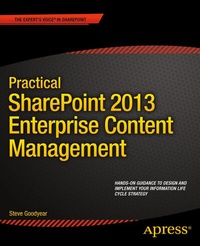
Practical SharePoint 2013 Enterprise Content Management
Erschienen am 21. Januar 2014
XVII, 320 Seiten
978-1-4302-6170-4 (ISBN)
Beschreibung

Practical SharePoint 2013 Enterprise Content Management is the first book to guide you through planning and designing each phase of your information life cycle with SharePoint 2013. Author and SharePoint expert Steve Goodyear walks you through how to analyze and plan enterprise content management (ECM) solutions for an effective and end-to-end information design based on your organization's needs and business requirements. Inside, you will develop a full understanding of how SharePoint 2013 manages content including identifying and understanding your organization's information within SharePoint, collaborating on transitory content, and capturing and controlling your records. You'll get practical advice and best practice instruction for each phase of the information life cycle to guide you on designing your ECM strategy and implementing your own ECM solution. You learn how to: Apply a content life cycle model to analyze and understand your organization's information Design your file plan with content routing rules for your SharePoint records repository Plan and configure your eDiscovery portal and manage discovery cases Design solutions to interface and integrate with external records management systems Identify your organization's information security requirements Design content types and implement an enterprise content type hub to organize your information Practical SharePoint 2013 Enterprise Content Management is for you if you are a SharePoint architect, administrator, consultant, or project manager, and you implement SharePoint solutions that relate to one or more aspects of the information life cycle involved with ECM.
Weitere Details
Weitere Ausgaben
Andere Ausgaben
Steve Goodyear
Practical SharePoint 2013 Enterprise Content Management
Buch
11/2013
APress
64,19 €
Versand in 15-20 Tagen
Person
Steve Goodyear is an author and a SharePoint expert living in Vancouver, Canada, where he writes and works as a consultant and solution architect. Previously, he worked for Microsoft as an Enterprise Consultant engaging as a SharePoint specialist with Microsoft s largest enterprise and government customers around North America to design technology solutions for their most challenging business problems. Before joining Microsoft, Steve was also a Software Engineer and Technical Lead at Electronic Arts. Steve is a Microsoft Certified Trainer and he holds several Microsoft Certified Professional (MCP) certifications, including: SharePoint Administration and Development, SQL Server Administration and Development, and ASP.NET Development. He loves writing about technology to share ideas that inform, entertain, and inspire readers.
Inhalt
1 - Contents at a Glance [Seite 3]
2 - Contents [Seite 291]
3 - About the Author [Seite 299]
4 - About the Technical Reviewer [Seite 300]
5 - Acknowledgments [Seite 301]
6 - Introduction [Seite 5]
7 - Part1: Planning and Analyzing Your Information Life Cycle [Seite 7]
7.1 - Chapter 1: Overview of Enterprise Content Management [Seite 8]
7.1.1 - Understanding the Value of Enterprise Content Management [Seite 8]
7.1.2 - What Is Enterprise Content Management? [Seite 9]
7.1.3 - Enterprise Content Management Concepts [Seite 12]
7.1.3.1 - Document Management Concepts [Seite 13]
7.1.3.2 - Security Management Concepts [Seite 14]
7.1.3.3 - Business Process Management Concepts [Seite 14]
7.1.3.4 - General Information Management Concepts [Seite 15]
7.1.4 - Transitory Content vs. Official Records [Seite 16]
7.1.5 - Understanding the Content Life Cycle Model [Seite 18]
7.1.6 - Comparing ECM Costs and Value [Seite 22]
7.1.7 - Approaching an ECM Program [Seite 23]
7.1.8 - Wrapping Up [Seite 26]
7.2 - Chapter 2: SharePoint 2013 Enterprise Content Management Features [Seite 27]
7.2.1 - Overview of SharePoint 2013 [Seite 27]
7.2.2 - Relating SharePoint Capability Areas to Each Other [Seite 30]
7.2.3 - Understanding the SharePoint Site Architecture [Seite 33]
7.2.4 - SharePoint Site Types [Seite 35]
7.2.5 - SharePoint List and Library Types [Seite 40]
7.2.6 - SharePoint 2013 ECM-Specific Features [Seite 44]
7.2.7 - Overview of the SharePoint Infrastructure [Seite 47]
7.2.8 - Wrapping Up [Seite 50]
7.3 - Chapter 3: Analyzing Your Information Life Cycle [Seite 51]
7.3.1 - Applying the Content Life Cycle Model [Seite 51]
7.3.2 - Building an Inventory of Your Organization's Content [Seite 55]
7.3.3 - Analyzing Your Content-Related Business Processes [Seite 58]
7.3.4 - Diagramming Your Business Processes Using Microsoft Visio [Seite 59]
7.3.5 - Identifying Your Information Security Needs [Seite 60]
7.3.6 - Documenting Your Content Life Cycle Requirements [Seite 63]
7.3.7 - Wrapping Up [Seite 66]
7.4 - Chapter 4: Designing Your Information Architecture [Seite 67]
7.4.1 - Understanding Information Architecture [Seite 67]
7.4.2 - Analyzing Your Information Architecture [Seite 69]
7.4.2.1 - Creating a Data Dictionary [Seite 70]
7.4.2.2 - Facilitating a Card Sort to Organize Information [Seite 71]
7.4.3 - Building Your Information Architecture [Seite 72]
7.4.4 - Implementing Your Enterprise Taxonomy Design [Seite 75]
7.4.5 - Designing Your Site Structure [Seite 77]
7.4.6 - Designing Your Navigation [Seite 80]
7.4.7 - Wrapping Up [Seite 82]
8 - Part2: Managing Your Transitory Content [Seite 83]
8.1 - Chapter 5: Configuring SharePoint for Your Collaboration Content [Seite 84]
8.1.1 - Understanding Collaboration [Seite 84]
8.1.2 - Liberating Collaboration [Seite 85]
8.1.3 - Designing a Site Creation Process [Seite 87]
8.1.3.1 - Configuring Self-Service Site Creation [Seite 87]
8.1.4 - Designing Your Content Containers [Seite 88]
8.1.5 - Identifying Your Document Management Needs [Seite 92]
8.1.5.1 - Configuring Document Columns [Seite 93]
8.1.5.2 - Enabling Document Versioning [Seite 94]
8.1.5.3 - Requiring a Check Out for Document Edits [Seite 94]
8.1.5.4 - Managing Document Alerts [Seite 95]
8.1.5.5 - Associating Document Workflows [Seite 96]
8.1.5.6 - Setting a Document Template and the Information Panel [Seite 97]
8.1.5.7 - Managing Document Information Management Policies [Seite 99]
8.1.5.8 - Reviewing Audit and Usage Reports for Site Content [Seite 100]
8.1.6 - Inside Story: Notes from the Field [Seite 102]
8.1.7 - Wrapping Up [Seite 102]
8.2 - Chapter 6: Classifying and Organizing Your Content [Seite 104]
8.2.1 - Organizing Content [Seite 104]
8.2.2 - Understanding Content Types [Seite 105]
8.2.3 - Analyzing and Designing Content Types [Seite 109]
8.2.4 - Implementing Content Types [Seite 110]
8.2.5 - Understanding and Configuring Document Sets [Seite 113]
8.2.6 - Configuring Your Enterprise Content Type Hub [Seite 116]
8.2.7 - Windows Workflow Foundation Overview [Seite 118]
8.2.8 - Creating Content Life Cycle Workflows [Seite 119]
8.2.9 - Optimizing Databases with Remote BLOB Storage [Seite 122]
8.2.10 - Wrapping Up [Seite 124]
8.3 - Chapter 7: Publishing Your Web Content [Seite 125]
8.3.1 - Overview of Web Content Management [Seite 125]
8.3.2 - Analyzing Your WCM Requirements [Seite 128]
8.3.3 - SharePoint 2013 WCM Features [Seite 130]
8.3.4 - Creating and Configuring a Publishing Portal [Seite 133]
8.3.5 - Configuring a Publishing Approval Workflow [Seite 137]
8.3.6 - Managing Content Deployment Settings [Seite 140]
8.3.7 - Configuring Cross-Site Collection Publishing [Seite 141]
8.3.8 - Wrapping Up [Seite 145]
8.4 - Chapter 8: Designing Your Electronic Form Processes [Seite 146]
8.4.1 - Types of Forms in Organizations [Seite 146]
8.4.2 - Paper Forms vs. Electronic Forms [Seite 147]
8.4.3 - Modeling Paper Form Processes [Seite 148]
8.4.3.1 - Analyzing and Designing Form Processes [Seite 151]
8.4.4 - Overview of InfoPath 2013 [Seite 151]
8.4.5 - Building Electronic Forms in InfoPath [Seite 153]
8.4.6 - Overview of SharePoint Designer 2013 [Seite 158]
8.4.6.1 - Workflow Actions in SharePoint Designer [Seite 161]
8.4.6.1.1 - Core Actions [Seite 162]
8.4.6.1.2 - Coordination Actions [Seite 163]
8.4.6.1.3 - List Actions [Seite 163]
8.4.6.1.4 - Task Actions [Seite 163]
8.4.6.1.5 - Utility Actions [Seite 164]
8.4.7 - Building Approval Workflows in SharePoint Designer [Seite 164]
8.4.8 - Inside Story: Notes from the Field [Seite 166]
8.4.9 - Wrapping Up [Seite 166]
9 - Part3: Designing Your Information Discovery [Seite 167]
9.1 - Chapter 9: Implementing Enterprise Search [Seite 168]
9.1.1 - The Importance of Search [Seite 168]
9.1.1.1 - Understanding Enterprise Search [Seite 170]
9.1.2 - SharePoint Search Architecture Overview [Seite 171]
9.1.3 - Analyzing Your Enterprise Search Requirements [Seite 172]
9.1.4 - Administering an Enterprise Search Service [Seite 174]
9.1.5 - Configuring Search Content Sources [Seite 176]
9.1.5.1 - Configuring Crawl Rules [Seite 178]
9.1.5.2 - Configuring Result Sources [Seite 179]
9.1.5.3 - Configuring Query Suggestions [Seite 180]
9.1.6 - Building an Enterprise Glossary [Seite 181]
9.1.6.1 - Configuring Query Rules [Seite 182]
9.1.7 - Wrapping Up [Seite 183]
9.2 - Chapter 10: Planning Social Computing [Seite 184]
9.2.1 - Understanding Social Computing [Seite 184]
9.2.2 - Overview of Social Computing Capabilities [Seite 186]
9.2.3 - Analyzing Your Social Computing Requirements [Seite 187]
9.2.4 - Deploying a People Search [Seite 188]
9.2.5 - Managing My Site Features [Seite 190]
9.2.5.1 - Managing Profile Properties and Synchronization [Seite 194]
9.2.6 - Promoting a Site [Seite 197]
9.2.7 - Configuring Audience Targeting [Seite 198]
9.2.8 - Creating a Personal Blog [Seite 200]
9.2.9 - Wrapping Up [Seite 201]
9.3 - Chapter 11: Managing eDiscovery and Discovery Cases [Seite 202]
9.3.1 - Overview of eDiscovery [Seite 202]
9.3.2 - SharePoint 2013 eDiscovery Features [Seite 204]
9.3.3 - Creating and Configuring an eDiscovery Portal [Seite 206]
9.3.4 - Creating and Managing Discovery Cases [Seite 211]
9.3.4.1 - Exporting and Packaging Content [Seite 215]
9.3.5 - Wrapping Up [Seite 217]
9.4 - Chapter 12: Securing Your Content [Seite 218]
9.4.1 - Overview of Security [Seite 218]
9.4.2 - Threat Modeling [Seite 220]
9.4.3 - Analyzing Your Information Security Requirements [Seite 221]
9.4.4 - Configuring SharePoint Groups and Permissions [Seite 222]
9.4.5 - Configuring Web Application User Policies [Seite 226]
9.4.6 - Understanding Rights Management Service (RMS) [Seite 229]
9.4.6.1 - Configuring RMS in SharePoint [Seite 230]
9.4.7 - Inside Story: Notes from the Field [Seite 231]
9.4.8 - Wrapping Up [Seite 232]
10 - Part4: Designating and Managing Your Records [Seite 233]
10.1 - Chapter 13: Designing Your File Plan [Seite 234]
10.1.1 - Overview of File Plans [Seite 234]
10.1.2 - Creating a Content Classification Index [Seite 237]
10.1.2.1 - Sample Content Classification Index [Seite 240]
10.1.3 - Designing Your File Plan [Seite 243]
10.1.3.1 - Understanding Disk Storage Options [Seite 244]
10.1.3.2 - Identifying Different Archive Formats [Seite 245]
10.1.4 - Inside Story: Notes from the Field [Seite 246]
10.1.5 - Wrapping Up [Seite 246]
10.2 - Chapter 14: Implementing Your Records Repository [Seite 247]
10.2.1 - Overview of Records Repositories [Seite 247]
10.2.2 - Planning Your SharePoint Records Repository [Seite 250]
10.2.3 - Creating and Configuring Your Records Center [Seite 252]
10.2.4 - Configuring Record Routing [Seite 254]
10.2.5 - Configuring Send To Connections [Seite 256]
10.2.6 - Designing Workflows to Process Records [Seite 259]
10.2.7 - Auditing and Reporting on Your Records [Seite 261]
10.2.8 - Wrapping Up [Seite 262]
10.3 - Chapter 15: Managing Record Retention and Disposition [Seite 263]
10.3.1 - Identifying Your Record Retention Requirements [Seite 263]
10.3.2 - Planning the Life Cycle of Records [Seite 265]
10.3.3 - Modeling Record Disposition Workflows [Seite 267]
10.3.4 - Configuring Record Disposition Workflows [Seite 268]
10.3.5 - Configuring a Retention Policy [Seite 271]
10.3.6 - Wrapping Up [Seite 275]
10.4 - Chapter 16: Integrating with Other Records Repositories [Seite 276]
10.4.1 - Understanding Requirements for Integration [Seite 276]
10.4.2 - Planning a Document Imaging Solution [Seite 277]
10.4.3 - Interfacing with External Records Repositories [Seite 279]
10.4.4 - Extending SharePoint 2013 Records Management [Seite 279]
10.4.5 - Wrapping Up [Seite 281]
11 - Index [Seite 282]
2 - Contents [Seite 291]
3 - About the Author [Seite 299]
4 - About the Technical Reviewer [Seite 300]
5 - Acknowledgments [Seite 301]
6 - Introduction [Seite 5]
7 - Part1: Planning and Analyzing Your Information Life Cycle [Seite 7]
7.1 - Chapter 1: Overview of Enterprise Content Management [Seite 8]
7.1.1 - Understanding the Value of Enterprise Content Management [Seite 8]
7.1.2 - What Is Enterprise Content Management? [Seite 9]
7.1.3 - Enterprise Content Management Concepts [Seite 12]
7.1.3.1 - Document Management Concepts [Seite 13]
7.1.3.2 - Security Management Concepts [Seite 14]
7.1.3.3 - Business Process Management Concepts [Seite 14]
7.1.3.4 - General Information Management Concepts [Seite 15]
7.1.4 - Transitory Content vs. Official Records [Seite 16]
7.1.5 - Understanding the Content Life Cycle Model [Seite 18]
7.1.6 - Comparing ECM Costs and Value [Seite 22]
7.1.7 - Approaching an ECM Program [Seite 23]
7.1.8 - Wrapping Up [Seite 26]
7.2 - Chapter 2: SharePoint 2013 Enterprise Content Management Features [Seite 27]
7.2.1 - Overview of SharePoint 2013 [Seite 27]
7.2.2 - Relating SharePoint Capability Areas to Each Other [Seite 30]
7.2.3 - Understanding the SharePoint Site Architecture [Seite 33]
7.2.4 - SharePoint Site Types [Seite 35]
7.2.5 - SharePoint List and Library Types [Seite 40]
7.2.6 - SharePoint 2013 ECM-Specific Features [Seite 44]
7.2.7 - Overview of the SharePoint Infrastructure [Seite 47]
7.2.8 - Wrapping Up [Seite 50]
7.3 - Chapter 3: Analyzing Your Information Life Cycle [Seite 51]
7.3.1 - Applying the Content Life Cycle Model [Seite 51]
7.3.2 - Building an Inventory of Your Organization's Content [Seite 55]
7.3.3 - Analyzing Your Content-Related Business Processes [Seite 58]
7.3.4 - Diagramming Your Business Processes Using Microsoft Visio [Seite 59]
7.3.5 - Identifying Your Information Security Needs [Seite 60]
7.3.6 - Documenting Your Content Life Cycle Requirements [Seite 63]
7.3.7 - Wrapping Up [Seite 66]
7.4 - Chapter 4: Designing Your Information Architecture [Seite 67]
7.4.1 - Understanding Information Architecture [Seite 67]
7.4.2 - Analyzing Your Information Architecture [Seite 69]
7.4.2.1 - Creating a Data Dictionary [Seite 70]
7.4.2.2 - Facilitating a Card Sort to Organize Information [Seite 71]
7.4.3 - Building Your Information Architecture [Seite 72]
7.4.4 - Implementing Your Enterprise Taxonomy Design [Seite 75]
7.4.5 - Designing Your Site Structure [Seite 77]
7.4.6 - Designing Your Navigation [Seite 80]
7.4.7 - Wrapping Up [Seite 82]
8 - Part2: Managing Your Transitory Content [Seite 83]
8.1 - Chapter 5: Configuring SharePoint for Your Collaboration Content [Seite 84]
8.1.1 - Understanding Collaboration [Seite 84]
8.1.2 - Liberating Collaboration [Seite 85]
8.1.3 - Designing a Site Creation Process [Seite 87]
8.1.3.1 - Configuring Self-Service Site Creation [Seite 87]
8.1.4 - Designing Your Content Containers [Seite 88]
8.1.5 - Identifying Your Document Management Needs [Seite 92]
8.1.5.1 - Configuring Document Columns [Seite 93]
8.1.5.2 - Enabling Document Versioning [Seite 94]
8.1.5.3 - Requiring a Check Out for Document Edits [Seite 94]
8.1.5.4 - Managing Document Alerts [Seite 95]
8.1.5.5 - Associating Document Workflows [Seite 96]
8.1.5.6 - Setting a Document Template and the Information Panel [Seite 97]
8.1.5.7 - Managing Document Information Management Policies [Seite 99]
8.1.5.8 - Reviewing Audit and Usage Reports for Site Content [Seite 100]
8.1.6 - Inside Story: Notes from the Field [Seite 102]
8.1.7 - Wrapping Up [Seite 102]
8.2 - Chapter 6: Classifying and Organizing Your Content [Seite 104]
8.2.1 - Organizing Content [Seite 104]
8.2.2 - Understanding Content Types [Seite 105]
8.2.3 - Analyzing and Designing Content Types [Seite 109]
8.2.4 - Implementing Content Types [Seite 110]
8.2.5 - Understanding and Configuring Document Sets [Seite 113]
8.2.6 - Configuring Your Enterprise Content Type Hub [Seite 116]
8.2.7 - Windows Workflow Foundation Overview [Seite 118]
8.2.8 - Creating Content Life Cycle Workflows [Seite 119]
8.2.9 - Optimizing Databases with Remote BLOB Storage [Seite 122]
8.2.10 - Wrapping Up [Seite 124]
8.3 - Chapter 7: Publishing Your Web Content [Seite 125]
8.3.1 - Overview of Web Content Management [Seite 125]
8.3.2 - Analyzing Your WCM Requirements [Seite 128]
8.3.3 - SharePoint 2013 WCM Features [Seite 130]
8.3.4 - Creating and Configuring a Publishing Portal [Seite 133]
8.3.5 - Configuring a Publishing Approval Workflow [Seite 137]
8.3.6 - Managing Content Deployment Settings [Seite 140]
8.3.7 - Configuring Cross-Site Collection Publishing [Seite 141]
8.3.8 - Wrapping Up [Seite 145]
8.4 - Chapter 8: Designing Your Electronic Form Processes [Seite 146]
8.4.1 - Types of Forms in Organizations [Seite 146]
8.4.2 - Paper Forms vs. Electronic Forms [Seite 147]
8.4.3 - Modeling Paper Form Processes [Seite 148]
8.4.3.1 - Analyzing and Designing Form Processes [Seite 151]
8.4.4 - Overview of InfoPath 2013 [Seite 151]
8.4.5 - Building Electronic Forms in InfoPath [Seite 153]
8.4.6 - Overview of SharePoint Designer 2013 [Seite 158]
8.4.6.1 - Workflow Actions in SharePoint Designer [Seite 161]
8.4.6.1.1 - Core Actions [Seite 162]
8.4.6.1.2 - Coordination Actions [Seite 163]
8.4.6.1.3 - List Actions [Seite 163]
8.4.6.1.4 - Task Actions [Seite 163]
8.4.6.1.5 - Utility Actions [Seite 164]
8.4.7 - Building Approval Workflows in SharePoint Designer [Seite 164]
8.4.8 - Inside Story: Notes from the Field [Seite 166]
8.4.9 - Wrapping Up [Seite 166]
9 - Part3: Designing Your Information Discovery [Seite 167]
9.1 - Chapter 9: Implementing Enterprise Search [Seite 168]
9.1.1 - The Importance of Search [Seite 168]
9.1.1.1 - Understanding Enterprise Search [Seite 170]
9.1.2 - SharePoint Search Architecture Overview [Seite 171]
9.1.3 - Analyzing Your Enterprise Search Requirements [Seite 172]
9.1.4 - Administering an Enterprise Search Service [Seite 174]
9.1.5 - Configuring Search Content Sources [Seite 176]
9.1.5.1 - Configuring Crawl Rules [Seite 178]
9.1.5.2 - Configuring Result Sources [Seite 179]
9.1.5.3 - Configuring Query Suggestions [Seite 180]
9.1.6 - Building an Enterprise Glossary [Seite 181]
9.1.6.1 - Configuring Query Rules [Seite 182]
9.1.7 - Wrapping Up [Seite 183]
9.2 - Chapter 10: Planning Social Computing [Seite 184]
9.2.1 - Understanding Social Computing [Seite 184]
9.2.2 - Overview of Social Computing Capabilities [Seite 186]
9.2.3 - Analyzing Your Social Computing Requirements [Seite 187]
9.2.4 - Deploying a People Search [Seite 188]
9.2.5 - Managing My Site Features [Seite 190]
9.2.5.1 - Managing Profile Properties and Synchronization [Seite 194]
9.2.6 - Promoting a Site [Seite 197]
9.2.7 - Configuring Audience Targeting [Seite 198]
9.2.8 - Creating a Personal Blog [Seite 200]
9.2.9 - Wrapping Up [Seite 201]
9.3 - Chapter 11: Managing eDiscovery and Discovery Cases [Seite 202]
9.3.1 - Overview of eDiscovery [Seite 202]
9.3.2 - SharePoint 2013 eDiscovery Features [Seite 204]
9.3.3 - Creating and Configuring an eDiscovery Portal [Seite 206]
9.3.4 - Creating and Managing Discovery Cases [Seite 211]
9.3.4.1 - Exporting and Packaging Content [Seite 215]
9.3.5 - Wrapping Up [Seite 217]
9.4 - Chapter 12: Securing Your Content [Seite 218]
9.4.1 - Overview of Security [Seite 218]
9.4.2 - Threat Modeling [Seite 220]
9.4.3 - Analyzing Your Information Security Requirements [Seite 221]
9.4.4 - Configuring SharePoint Groups and Permissions [Seite 222]
9.4.5 - Configuring Web Application User Policies [Seite 226]
9.4.6 - Understanding Rights Management Service (RMS) [Seite 229]
9.4.6.1 - Configuring RMS in SharePoint [Seite 230]
9.4.7 - Inside Story: Notes from the Field [Seite 231]
9.4.8 - Wrapping Up [Seite 232]
10 - Part4: Designating and Managing Your Records [Seite 233]
10.1 - Chapter 13: Designing Your File Plan [Seite 234]
10.1.1 - Overview of File Plans [Seite 234]
10.1.2 - Creating a Content Classification Index [Seite 237]
10.1.2.1 - Sample Content Classification Index [Seite 240]
10.1.3 - Designing Your File Plan [Seite 243]
10.1.3.1 - Understanding Disk Storage Options [Seite 244]
10.1.3.2 - Identifying Different Archive Formats [Seite 245]
10.1.4 - Inside Story: Notes from the Field [Seite 246]
10.1.5 - Wrapping Up [Seite 246]
10.2 - Chapter 14: Implementing Your Records Repository [Seite 247]
10.2.1 - Overview of Records Repositories [Seite 247]
10.2.2 - Planning Your SharePoint Records Repository [Seite 250]
10.2.3 - Creating and Configuring Your Records Center [Seite 252]
10.2.4 - Configuring Record Routing [Seite 254]
10.2.5 - Configuring Send To Connections [Seite 256]
10.2.6 - Designing Workflows to Process Records [Seite 259]
10.2.7 - Auditing and Reporting on Your Records [Seite 261]
10.2.8 - Wrapping Up [Seite 262]
10.3 - Chapter 15: Managing Record Retention and Disposition [Seite 263]
10.3.1 - Identifying Your Record Retention Requirements [Seite 263]
10.3.2 - Planning the Life Cycle of Records [Seite 265]
10.3.3 - Modeling Record Disposition Workflows [Seite 267]
10.3.4 - Configuring Record Disposition Workflows [Seite 268]
10.3.5 - Configuring a Retention Policy [Seite 271]
10.3.6 - Wrapping Up [Seite 275]
10.4 - Chapter 16: Integrating with Other Records Repositories [Seite 276]
10.4.1 - Understanding Requirements for Integration [Seite 276]
10.4.2 - Planning a Document Imaging Solution [Seite 277]
10.4.3 - Interfacing with External Records Repositories [Seite 279]
10.4.4 - Extending SharePoint 2013 Records Management [Seite 279]
10.4.5 - Wrapping Up [Seite 281]
11 - Index [Seite 282]
