
- Start
- Produkt

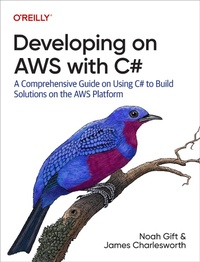
Developing on AWS with C#
Beschreibung
Alles über E-Books | Antworten auf Fragen rund um E-Books, Kopierschutz und Dateiformate finden Sie in unserem Info- & Hilfebereich.
Many organizations today have begun to modernize their Windows workloads to take full advantage of cloud economics. If you''re a C# developer at one of these companies, you need options for rehosting, replatforming, and refactoring your existing .NET Framework applications. This practical book guides you through the process of converting your monolithic application to microservices on AWS.
Authors Noah Gift, founder of Pragmatic AI Labs, and James Charlesworth, engineering manager at Pendo, take you through the depth and breadth of .NET tools on AWS. You''ll examine modernization techniques and pathways for incorporating Linux and Windows containers and serverless architecture to build, maintain, and scale modern .NET apps on AWS. With this book, you''ll learn how to make your applications more modern, resilient, and cost-effective.
- Get started building solutions with C# on AWS
- Learn DevOps best practices for AWS
- Explore the development tools and services that AWS provides
- Successfully migrate a legacy .NET application to AWS
- Develop serverless .NET microservices on AWS
- Containerize your .NET applications and move into the cloud
- Monitor and test your AWS .NET applications
- Build cloud native solutions that combine the best of the .NET platform and AWS
Weitere Details
Weitere Ausgaben
Andere Ausgaben

Systemvoraussetzungen
Dateiformat: PDF
Kopierschutz: Adobe-DRM (Digital Rights Management)
Systemvoraussetzungen:
- Computer (Windows; MacOS X; Linux): Installieren Sie bereits vor dem Download die kostenlose Software Adobe Digital Editions (siehe E-Book Hilfe).
- Tablet/Smartphone (Android; iOS): Installieren Sie bereits vor dem Download die kostenlose App Adobe Digital Editions oder die App PocketBook (siehe E-Book Hilfe).
- E-Book-Reader: Bookeen, Kobo, Pocketbook, Sony, Tolino u.v.a.m. (nicht Kindle)
Das Dateiformat PDF zeigt auf jeder Hardware eine Buchseite stets identisch an. Daher ist eine PDF auch für ein komplexes Layout geeignet, wie es bei Lehr- und Fachbüchern verwendet wird (Bilder, Tabellen, Spalten, Fußnoten). Bei kleinen Displays von E-Readern oder Smartphones sind PDF leider eher nervig, weil zu viel Scrollen notwendig ist.
Mit Adobe-DRM wird hier ein „harter” Kopierschutz verwendet. Wenn die notwendigen Voraussetzungen nicht vorliegen, können Sie das E-Book leider nicht öffnen. Daher müssen Sie bereits vor dem Download Ihre Lese-Hardware vorbereiten.
Bitte beachten Sie: Wir empfehlen Ihnen unbedingt nach Installation der Lese-Software diese mit Ihrer persönlichen Adobe-ID zu autorisieren!
Weitere Informationen finden Sie in unserer E-Book Hilfe.