

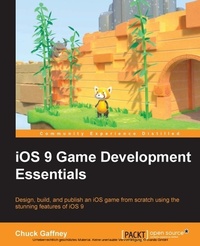
iOS 9 Game development Essentials
Design, build, and publish an iOS game from scratch using the stunning features of iOS 9
1. Auflage
Erschienen am 7. Oktober 2025
224 Seiten
978-1-78439-911-5 (ISBN)
Beschreibung

Key FeaturesBook DescriptionGame development has always been a combination of programming and art, and mobile game development is no exception to this rule. The iOS platform has been both a staple in the ever-growing mobile game market, as well as a launching point for many game developers (hobby and career-wise). The features and frameworks available in iOS 9 continue to cater to the synergy of design and computer engineering, using tools that allow developers to take a game idea from concept to application in record time. Whether you are new to iOS and game development as a whole, or are an experienced programmer wanting to learn the latest features of the platform, iOS 9 Game Development Essentials will provide you with crucial insight into this widely used platform. Starting with the Swift programming language, this book gets the ball rolling with code concepts and game-centric code samples right from the get-go, giving you get a solid understanding of Apple's cutting-edge programming language. The book takes you through iOS game development concepts and introduces the various frameworks that allow you to develop robust, reusable, and intelligent game components in both 2D and 3D game environments.What you will learnWho this book is for
Alle Preise
Weitere Details
Weitere Ausgaben
Andere Ausgaben
Chuck Gaffney
iOS 9 Game Development Essentials
Buch
10/2015
Packt Publishing
45,50 €
Versand in 3-4 Wochen
Person
Gaffney Chuck :
No time until November 2016 - DNC!
No time until November 2016 - DNC!
Inhalt
- Cover
- Copyright
- Credits
- About the Author
- About the Reviewers
- www.PacktPub.com
- Table of Contents
- Preface
- Chapter 1: The Swift Programming Language
- Hello World!
- No more semicolons
- Variables, constants, and primitive data types
- Variables
- Constants
- More about constants.
- Arrays, matrices, sets, and dictionaries
- Arrays
- 2D arrays / matrices
- Sets
- Dictionaries
- Mutable/immutable collections
- Editing/accessing collection data
- Iterating through collection types
- Objective-C and Swift comparison
- Objective-C
- Swift
- Characters and strings
- String Interpolation
- Mutating strings
- String indices
- Commenting in Swift
- Boolean
- Ints, UInts, floats, and doubles
- Integers and unsigned integers
- Floats and doubles
- Objects in Swift
- Type safety and type inference
- Optionals
- Unwrapping optionals
- Optional binding and chaining
- Control flow in Swift
- If statements
- For loops
- Do-while loops
- Switch statements
- Functions and classes
- Functions
- Tuples
- Classes
- Summary
- Chapter 2: Structuring and Planning a Game Using iOS 9 Storyboards and Segues
- Model-View-Controller
- An iOS app's lifecycle
- The main() function
- The UIApplication class/object
- The AppDelegate class
- View controllers
- View controller types
- Storyboards and segues
- Segues
- Storyboards versus coding
- Summary
- Chapter 3: SpriteKit and 2D Game Design
- A brief history of iOS game development engines
- The game loop
- Tile game - SwiftSweeper
- What is SwiftSweeper?
- Creating our SpriteKit game
- An overview of the SpriteKit structure and objects
- Scene transitions and the choice of code, storyboards, and/or SKS files
- An SKTransition example
- A SKScene/storyboard example
- SKScene transitions with SKS files
- Assets, sprites, and icons
- Sprite atlases and animating sprites
- Creating our game logic
- GameBoard
- Putting it all together in GameScene.swift
- DemoBots
- Summary
- Chapter 4: SceneKit and 3D Game Design
- SceneKit basics and working with nodes
- SpriteKit / SceneKit interactivity
- The issue with inheritance-based structuring and game design
- Our first SceneKit scene - the Xcode template
- SceneKit project flow and structure
- SceneKit Debugging Options
- Handling user input in SceneKit
- SceneKit features introduced in iOS 9 / Xcode 7
- Audio nodes and 3D sound
- Ambience and music
- SpriteKit scene transitions in SceneKit
- Fox demo
- Particle systems
- Placing particles into our pioscene
- SpriteKit
- SceneKit
- Introducing SceneKit and SpriteKit physics
- Visually composed game scenescgs
- Summary
- Chapter 5: GameplayKit
- Entities and components
- Using GKEntity and GKComponent objects in our games
- State machines
- Agents, goals, and behaviors
- Pathfinding
- MinMaxAI
- Random sources
- Rule systems
- Summary
- Chapter 6: Exhibit the Metal in Your Game
- The Apple Metal API and the graphics pipeline
- CPU/GPU framework levels
- Graphics pipeline overview
- What are shaders?
- Types of shaders
- Why is Metal faster than OpenGL ES?
- The basic Metal object/code structure
- Summary
- Chapter 7: Publishing Our iOS Game
- The ever changing process of app submission
- Before submitting your app
- Preparing our apps for iTunes Connect
- Submitting your app in the testing/beta phase
- Creating an iTunes Connect app record
- Updating the build string
- Archive and validate your app
- Upload your app to iTunes Connect
- Beta test your game with the TestFlight service
- Analyzing crash reports and feedback from testers
- Submitting your game for review
- Updating your game
- Summary
- Chapter 8: The Future of iOS Game Development
- A greater focus on functional programming
- The Apple Watch
- Component-based structuring
- The rise of VR
- Summary
- Index

