

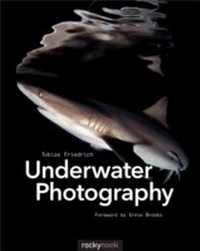
Underwater Photography
1. Auflage
Erschienen am 10. September 2014
216 Seiten
978-1-4920-1568-0 (ISBN)
Beschreibung
Underwater photography is a fascinating pursuit for those who aspire to capture the magical world found within our oceans and bring it to the surface. In this book, award-winning photographer Tobias Friedrich teaches us how to create stunning underwater images, covering everything from the equipment needed, to creating powerful compositions, to processing the final image. He uses case studies to show how his own images were created, and provides detailed explanations for specific techniques that can be applied to your very next dive.
The text is supported by images from some of the most beautiful diving areas on Earth. Also included are countless tips and tricks for the beginner and intermediate photographer.
Topics include:
- Choosing the right equipment
- Composing your images
- Wide-angle photography
- Macro photography
- Image editing
- Case studies
- Diagrams of shooting positions
The abundance of breathtaking underwater images contained in this book is sure to inspire you to plan your next dive.
Foreword by Ernie Brooks.
